Back to blog home
Cloud Access Control During Internet and Power Outages: What Still Works?
by Team Rhombus, on November 23rd, 2026
Physical SecurityQuick Summary
- During a local internet outage, cloud-managed door controllers that store local credentials typically keep validating badges and schedules while logging events for later sync. Remote unlocks and real-time credential changes pause until connectivity returns.
- Electrical power loss stops readers and locks from operating unless backup power covers the controller, reader, and lock together. Without battery backup, physical lock hardware dictates whether a door stays locked or unlocks.
- Cloud platform disruptions leave your local network running, so doors using cached credentials generally keep granting local entry. Management portals and remote commands wait until the vendor restores service.
- Exact offline behavior in cloud access control varies by product and depends on controller hardware, credential type, lock wiring, and backup power rather than cloud branding alone.
How Cloud Access Control Handles Three Types of Outages
Cloud access control systems respond differently depending on which infrastructure layer fails. Your site can lose internet connectivity, electrical power, or contact with the vendor cloud platform, and each event stops a different set of local or remote functions. Vendor answers often blur together when you group those scenarios under a single offline label. By separating each failure mode, you can verify which door functions continue locally and which depend on active connectivity or backup power.
Local Internet Outages
Local door controllers typically keep making access decisions when wide-area network (WAN) connectivity drops, provided local electrical power remains intact. Many cloud-managed controllers store a local copy of authorized credentials and door schedules in onboard memory. When a user scans a badge or enters a personal identification number (PIN), the controller checks that local cache instead of waiting for a cloud server response. As those entries happen, offline-capable controllers buffer access events locally and upload the logs after internet service returns.
Cloud-dependent management actions pause while a door controller sits offline. You cannot trigger remote unlocks from a web console or receive live alerts from an unreachable site. Real-time credential revocations and schedule changes also wait for reconnection, so a newly deactivated badge can still open doors until the controller downloads the updated access list.
Offline capabilities vary by controller model and vendor architecture. Onboard credential-cache capacity limits how many users a controller can store locally, and event-buffer size determines how many offline transactions the hardware can hold before overwriting older logs. Mobile credentials that use local Bluetooth or near-field communication (NFC) often keep opening doors without internet service, whereas cloud-relayed mobile unlocks fail until connectivity recovers. You can shorten offline windows by adding dual-WAN routing or cellular failover at the site edge, though support depends on your router configuration and access control hardware.
Controller and Lock Power Outages
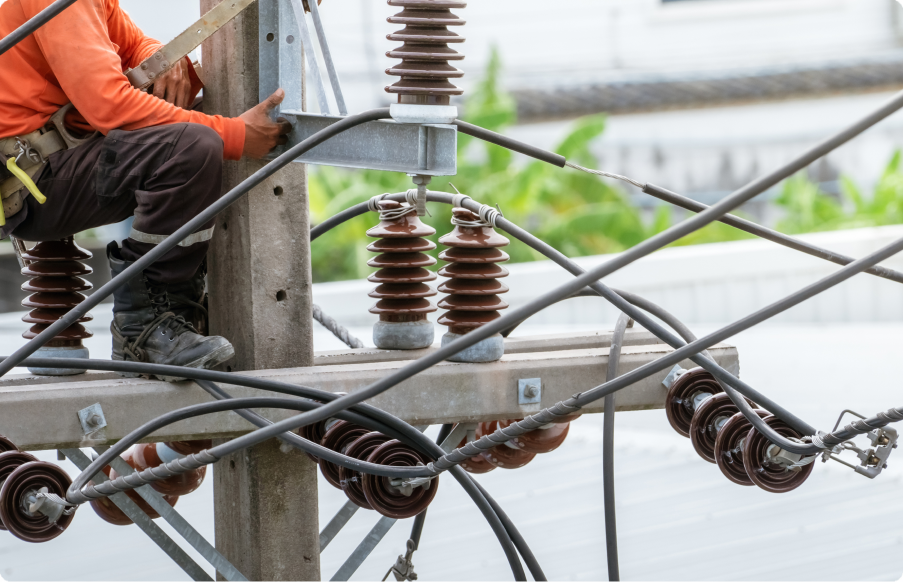
Electrical outages stop local access decisions unless backup power reaches every component in the door power chain. During an internet outage, a powered controller still checks cached credentials and operates the door latch. Without electricity, that controller shuts down immediately, and an unpowered reader or lock blocks normal entry even if the controller stays energized.
Door assemblies often draw power from separate circuits, so backing up one enclosure can leave another component offline. Depending on the hardware and wiring, a door controller runs on Power over Ethernet (PoE) from a network switch or on a dedicated 12 or 24 volts direct current (VDC) supply. Card readers usually pull low-voltage power from the controller, while electric strikes and magnetic locks often use a separate lock power supply. When you deploy PoE controllers, the upstream network switch feeds the door directly, so the controller shuts down as soon as that switch loses power.
Uninterruptible power supplies (UPS) and battery-backed access control power supplies keep doors operating until utility power returns or generators start. You typically place a rack-mounted UPS in network closets for PoE switches, while battery-backed power enclosures feed 12 or 24 VDC controllers, readers, and locks directly. Actual runtime depends on the total electrical load connected across your doors and on ongoing battery maintenance. Because backup batteries lose capacity over time, routine testing and timely replacements determine how long your doors remain functional during an outage.
Cloud Platform Disruptions
A cloud platform outage leaves your building network running while cutting off the vendor’s backend services. During a cloud disruption, your site internet connection and local area network (LAN) keep routing internal traffic normally. Door controllers still lose communication with the vendor’s remote servers, or degraded cloud infrastructure rejects requests across multiple locations at once. Adding a backup internet circuit at one site cannot bypass an outage inside the vendor’s cloud environment.
Local door access usually mirrors an internet outage when controllers validate credentials locally, while centralized administrative tools pause. Because those controllers verify locally cached credentials without contacting remote servers, authorized users can often keep entering doors depending on hardware and credential type. In contrast, web portals and application programming interface (API) workflows stall because administrative requests route through the vendor’s platform. Cross-site user provisioning and remote unlock commands also wait until service returns.
After the vendor restores cloud connectivity, controllers and management servers reconcile queued changes in both directions. Reconnected controllers upload buffered door events to populate delayed audit logs, subject to each device’s storage capacity. Simultaneously, the cloud platform pushes pending credential updates and door schedules down to each controller. Your active badge permissions and historical logs can lag behind live door activity until that sync completes.
What Still Works During Each Outage Type
Local door controllers operate independently of cloud servers while electrical power holds, so each outage type disables a different set of daily operations.
| Operation | Internet Outage (Power On) | Power Loss (With Backup) | Power Loss (No Backup) | Cloud Platform Outage |
|---|---|---|---|---|
| Cached badges and PINs | Usually works locally | Usually works until battery drains | Stops (door follows lock wiring) | Usually works locally |
| Mobile credentials | Local Bluetooth or NFC only | Local mode works on battery | Stops | Local Bluetooth or NFC only |
| Remote unlocks | Paused | Works only if internet stays up | Stops | Paused |
| User provisioning or revocation | Queued until reconnect | Works only if internet stays up | Queued until power returns | Paused until cloud recovers |
| Door schedules | Cached schedules run | Runs until battery drains | Stops | Cached schedules run |
| Audit-log sync | Buffers locally and syncs later | Syncs live or buffers locally | Stops logging new events | Buffers locally and syncs later |
| Multi-site lockdowns | Local triggers only | Requires active internet link | Stops on unpowered doors | Local triggers only |
Actual behavior during an outage varies by controller architecture, reader mode, and lock hardware. Mobile credentials work offline only when your readers validate taps locally over Bluetooth or NFC instead of calling a cloud server. Backup power keeps doors running only when your battery source powers the controller, reader, lock, and network switch together. When a door loses all electrical power, physical lock wiring determines whether the opening unlocks or stays secured.
Fail-Safe vs. Fail-Secure Locks During Power Loss
Lock hardware determines whether a door stays locked or releases once utility power and battery backup run out.
Fail-safe locks need continuous electrical power to stay locked, so they release automatically when voltage drops. Magnetic locks and fail-safe electric strikes operate this way, and occupants can pass through those doors without power. Because an unpowered fail-safe door opens from both sides, you typically need battery backup to preserve exterior security during brief outages.
Fail-secure locks require power to unlock, so they remain locked from the exterior when electricity stops. During a blackout, fail-secure electric strikes and electrified mortise locks block outside entry, while mechanical levers or panic bars provide free interior egress where equipped. You can pair fail-secure doors with mechanical key cylinders so authorized staff can still enter from outside if backup batteries drain.
Life-safety codes govern lock selection alongside your physical security goals. Local building codes and occupancy rules determine requirements for fire-alarm tie-ins, egress compliance, and life-safety lock selections. Before you specify or modify lock hardware on any controlled door, a licensed installer and the local authority having jurisdiction (AHJ) must verify the design.
Evaluating Rhombus DC10 for Outage Readiness
Public specifications for our compact DC10 single-door controller establish the physical baseline you need to plan door power and network resilience. Built for our cloud-managed access control platform, the DC10 supports Ethernet and Wi-Fi connectivity and accepts PoE-family or 12 VDC power input. Each DC10 also serves as a hub for Rhombus Smart Sensors and carries a 10-year warranty.
You should treat DC10 offline capabilities as conditional until you verify current device-specific documentation during technical scoping. Before standardizing across sites, ask our team for current specifications covering local credential cache limits and offline event buffering. During that review, also check how the DC10 manages failover between Ethernet and Wi-Fi under your network policy and how connected locks respond if power drops.
Never infer door-controller offline behavior from our camera Secure Digital (SD) edge recording or Relay storage. Our native cameras record continuously to encrypted on-camera SD storage alongside cloud storage, while Rhombus Relay Core provides local solid-state drive (SSD) storage for compatible third-party cameras. Because those video recording paths run on separate hardware from the DC10, you must validate controller caching and backup power independently on each door type.
Vendor-Verification Matrix for Multi-Site Buyers
Before you purchase or expand cloud access control systems, require written documentation that proves how controllers behave during network and power disruptions. Verbal assurances rarely capture device limits, so evaluate each vendor against published specifications and documented test results.
| Evaluation Area | Questions to Ask Vendors | Required Documentation |
|---|---|---|
| Local credential caching | How many badges, PINs, and schedules stay cached offline, and what happens at capacity? | Controller datasheet with cache limits and offline test results |
| Mobile-unlock modes | Do mobile credentials unlock doors locally via Bluetooth or NFC, or do they require cloud connectivity? | Mobile-access architecture guide specifying offline reader behavior |
| Power and UPS compatibility | Which power inputs does each controller accept, and can backup power sustain the controller, reader, and lock? | Power-budget worksheet and supported backup-power specifications |
| Lock-state wiring | How do relay outputs behave on fail-safe and fail-secure hardware when backup power depletes? | Installation manual with relay schematics and egress wiring notes |
| Event-sync limits | How many offline access events does each controller buffer, and how does it overwrite full storage? | Firmware specification covering buffer limits and post-recovery sync order |
| Network failover | Does each controller support secondary network links or cellular failover, and how long does switchover take? | Network deployment guide showing tested failover paths and recovery times |
If a vendor cannot supply model-specific documentation for any row, treat that outage behavior as unverified until you confirm it during pilot testing.
Pre-Deployment Outage Acceptance-Test Checklist
Validate outage behavior on a single non-critical pilot door before deploying cloud access control across multiple sites. A controlled acceptance test confirms how your controller hardware and lock wiring behave when connectivity or power drops.
- Disconnect the WAN uplink. Unplug the router uplink or block internet egress on the test switch while keeping local power active, and record the exact timestamp.
- Test local credentials. Present a cached badge or PIN, and test a mobile credential at the reader to see which methods grant offline entry.
- Attempt cloud-dependent commands. Trigger a remote unlock and revoke a test credential in the management console. Present that revoked credential at the reader to confirm whether the controller still accepts it offline.
- Restore connectivity and check logs. Reconnect the WAN uplink and measure how long the controller takes to apply the pending revocation. Confirm that offline entry events sync to the audit log with accurate timestamps.
- Test backup power failover. Switch off the primary circuit feeding your UPS or battery-backed power supply, and verify that the controller and lock keep operating on battery load. If your site plan includes a full power-loss test, inspect the physical lock state once you disconnect backup power.
Coordinate every power-cut and lock-state check with facilities personnel and a licensed installer before starting. During physical power interruptions, work outside occupied hours and ensure that mechanical egress remains unobstructed.
Frequently Asked Questions
- Do mobile credentials still work during an internet outage? Offline mobile access depends on how your reader communicates with a phone. Readers using local Bluetooth or NFC can validate cached credentials without internet connectivity, while cloud-routed mobile unlocks pause until your network recovers.
- Will an internet outage leave permanent gaps in audit logs? Door controllers with onboard memory store access events locally and sync those records after connectivity returns. Permanent gaps occur only when an outage fills local storage and overwrites older entries.
- Does camera edge storage predict offline door behavior? Camera recording architecture does not determine how a door responds offline. Our native cameras write to onboard SD storage, whereas our DC10 door controller and other access controllers rely on separate hardware, credential caches, and power circuits.
- How should you size backup power for cloud-managed doors? Add the wattage draw of each door’s controller, readers, electric locks, and upstream network switch. Size your UPS or battery-backed power panel to sustain that combined load across your target runtime.
- How can you verify vendor outage claims before deployment? Request written hardware specifications covering local credential capacity and event-buffer limits. Before deploying across sites, disconnect internet and primary power on a pilot door to verify badge entry, lock state, and post-recovery log sync.
Planning Your Site-by-Site Resilience Review
You build reliable outage resilience by matching each door’s operational risk to the right controller architecture, lock hardware, and backup power instead of assuming uniform cloud behavior. A perimeter entrance carries different access and safety requirements during a disruption than an interior storage room, so site-by-site scoping prevents mismatched hardware decisions before installation.
Our DC10 door controller documentation outlines the supported power inputs and network connectivity options for your evaluation. When you want to walk through site-specific outage scenarios, you can schedule a live demo with our team to review your door configurations before rollout.
%20--%3e%3csvg%20version='1.1'%20id='Layer_1'%20xmlns='http://www.w3.org/2000/svg'%20xmlns:xlink='http://www.w3.org/1999/xlink'%20x='0px'%20y='0px'%20viewBox='0%200%20110%20110'%20style='enable-background:new%200%200%20110%20110;'%20xml:space='preserve'%3e%3cstyle%20type='text/css'%3e%20.st0{fill:url(%23SVGID_1_);}%20%3c/style%3e%3cg%3e%3clinearGradient%20id='SVGID_1_'%20gradientUnits='userSpaceOnUse'%20x1='25.325'%20y1='766.725'%20x2='84.725'%20y2='707.325'%20gradientTransform='matrix(1%200%200%201%200%20-682)'%3e%3cstop%20offset='0'%20style='stop-color:%23006F94'/%3e%3cstop%20offset='1'%20style='stop-color:%2300C1DE'/%3e%3c/linearGradient%3e%3cpath%20class='st0'%20d='M106.9,47.5L62.5,3.1c-4.1-4.1-10.9-4.1-15,0L3.1,47.5c-4.1,4.1-4.1,10.9,0,15l44.4,44.4%20c4.2,4.2,10.9,4.2,15.1,0L107,62.5C111,58.4,111,51.6,106.9,47.5z%20M55.5,71.2c-9.4,0.3-17-7.3-16.7-16.7C39.1,46,46,39.1,54.5,38.8%20c9.3-0.3,17,7.3,16.7,16.7C70.9,64,64,70.9,55.5,71.2z'/%3e%3c/g%3e%3c/svg%3e)
Related Articles