Back to blog home
How to Migrate Legacy Door Access Control to the Cloud Without a Full Rip-and-Replace
by Team Rhombus, on October 13th, 2026
Physical SecurityQuick Summary
- Inventory your readers, controllers, locks, credentials, wiring, network connections, and door cameras before choosing a migration approach.
- Check compatibility by device and workflow. A reusable reader does not guarantee that existing badges or access rules will carry over.
- Migrate by door or building where compatibility allows, rather than assuming you must replace every component at once.
- Test offline access, cutover, and rollback at a representative door before going live.
- Confirm that door events lead to the right video footage and that timestamps match across systems.
This guide covers migration decisions and execution. For head-to-head vendor selection, see our cloud access control comparison.
When a phased migration is possible
You can migrate legacy commercial access control systems in phases when the proposed equipment supports the installed devices and the access workflows you need. A legacy installation may use panel-based controllers and an on-premises server to manage doors, credentials, and schedules. Some also use readers tied to a particular vendor. Replacing hardware across every door at once adds installation work and can make it harder to keep entrances operating during the change.
A phased approach lets you move a group of doors while others stay on the existing system. That choice still depends on compatibility. An electric strike might remain in place while its controller changes, but its wiring and power requirements need checking. An existing reader may connect to a new controller yet be unable to read the credentials you plan to issue. Until all doors move, you also need a clear way to manage access permissions across both systems.
The door inventory determines which components need a compatibility test before you set the migration schedule. Record the equipment serving each door and mark any model, condition, or wiring detail you cannot yet confirm.
Inventory your existing system before evaluating any vendor
A door-by-door inventory tells you what a cloud access control system might reuse and what needs closer inspection. Give each opening its own record, including its location, purpose, current access rules, and any connection to an on-premises server. Photograph the controller cabinet and record manufacturer names, model numbers, and software versions rather than relying on a site-wide equipment list.
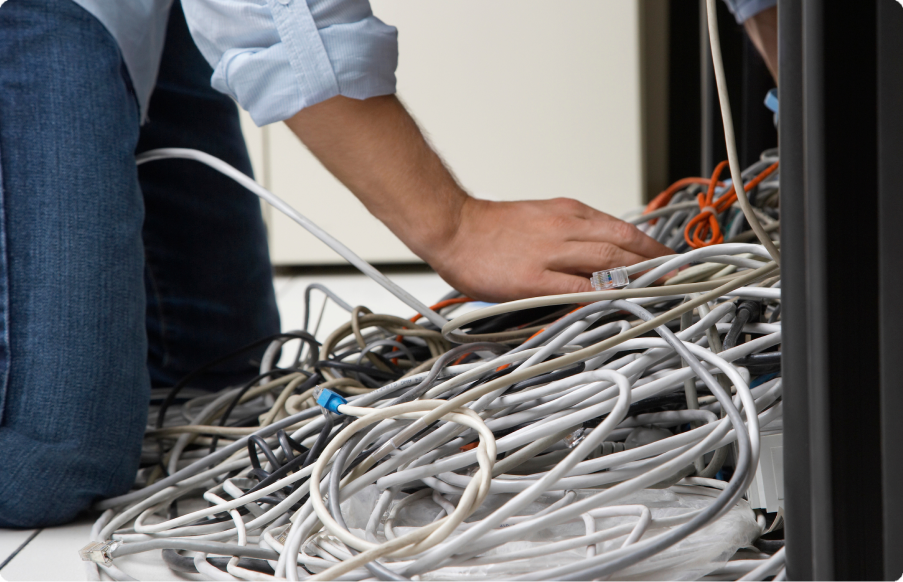
Document the hardware at each door before discussing replacement parts. Record the reader model and connection type, the controller and its connected doors, and the lock or strike and its power supply. Note the credential technology and format for cards, fobs, or mobile credentials. Keep reader and credential details separate because reusing a reader does not, by itself, establish that existing credentials will work. Trace the wiring route and record cable type, spare conductors, door-position contacts, and request-to-exit devices.
Network and video details belong in the same inventory. Record how each controller connects to the network, whether its switch provides Power over Ethernet (PoE), and which local services it depends on. For cameras near each door, note the model, recording system, and whether the view clearly captures someone entering or leaving. A camera mounted nearby may not show the doorway well enough to help investigate a door event.
Unknown controller models and cable routes can change the proposed work at a door. Confirm those details at representative doors with a vendor or authorized partner before setting a cutover date. Give them the door inventory with any remaining unknowns clearly marked.
Assessing device-level and workflow-level compatibility
Assess each door for two kinds of compatibility. First, determine whether the existing hardware can connect to the proposed controller. Then determine whether the new software can preserve the access rules and records you rely on. A reader may send a valid card number while schedules, alerts, or reports still need to be rebuilt.
Hardware reuse depends on the specific reader model, controller generation, and wiring. Record whether each reader uses Wiegand or Open Supervised Device Protocol (OSDP), then check the proposed controller’s documented support for that connection and the reader’s power requirements. Check the lock, door-position sensor, and request-to-exit device separately. A compatible reader does not establish that every device wired to the old panel can move over unchanged.
Test credentials separately from readers. An existing reader may connect to a new controller, but the new system may not interpret an old badge’s encoded format as the same user record. At a pilot door, scan sample badges and compare their identifiers with the current credential database. If the proposed system cannot accept the existing credential format, plan to reissue badges even if you retain the readers.
Finally, test the workflows you use each day. Move a small group with different permissions into the proposed system and check schedules, temporary access, alerts, and audit exports against current practice. If old and new systems will run side by side, decide how you will update or revoke credentials in both during the transition.
Phased migration approaches compared
Door-by-door migration lets you test a new controller on a small set of doors while the remaining doors stay on the existing system. Use the inventory to choose a representative pilot door, including its reader, lock, credentials, and wiring, rather than starting with the easiest door. This approach limits the first cutover, but you may need to manage access permissions in two systems until the last door moves.
Building-by-building migration works when each site has a clear set of controllers, network connections, and administrators. You can move a building to a cloud-managed system and retire its local access server if that server serves no unmigrated doors or other required functions, and the building’s doors and workflows pass testing. Shared badge formats or centrally managed permissions can complicate the boundary, so check how staff will enter both migrated and unmigrated buildings before setting a cutover date.
New-construction-first migration puts cloud-managed access in a new building or expansion, then replaces legacy equipment as older sites need upgrades. Starting with new construction leaves existing doors unchanged during the pilot and gives you a chance to test credential and reporting workflows. It may extend the period when you operate separate systems, especially if existing readers or controllers fail the compatibility assessment.
A temporary on-premises and cloud-managed arrangement is often necessary whenever old and new doors must serve the same people. Plan its duration around a defined pilot and rollout schedule, not an open-ended promise to integrate everything later. Before each phase, confirm how you will issue and revoke credentials across both systems, who will monitor door events, and what must pass testing before you retire the old equipment.
Planning for offline operation, cutover, and rollback
Plan offline behavior door by door before scheduling a cutover. A lock that releases when power fails is fail-safe. A fail-secure lock remains locked against entry when power fails. Neither setting tells you what happens when the internet goes down but the controller still has power. For each door, record its expected behavior during power and network outages. Separately verify how occupants can exit and whether the installed fire alarm releases the door as required. Have your fire and life-safety specialist confirm the plan against the installed hardware and applicable requirements.
Test offline access with the proposed controller and actual credentials before replacing a live connection. Disconnect the pilot controller’s network link while leaving power on. Try an authorized badge, an expired badge, and a credential issued or revoked shortly before disconnection. Check whether schedules still apply, whether the controller stores door events, and when those events appear after reconnection. Offline behavior varies by controller configuration, so a successful online test does not establish what a door will do during an outage.
Cut over a small group of representative doors during an agreed service window. Include a busy entrance and any door with unusual wiring or release hardware. Before work starts, photograph connections and export the existing configuration and credential records. Keep the old controller and the software access needed to restore it available. Assign someone to test entry, exit, alarms, and monitoring while the installer remains on site.
Set rollback triggers before the window opens. Examples include authorized users unable to enter, an exit or fire-release test failing, or door events failing to reach monitoring after a defined test period. The rollback plan should name who can call the stop, how the installer will restore the previous wiring and configuration, and how security staff will control the door in the meantime. Retest the restored door before declaring rollback complete.
Connecting door events to video investigations
A door event helps an investigation only if you can find the video that covers the same door and moment. Before cutover, confirm that each event records a usable timestamp and that the access controller and camera use synchronized clocks. A clock mismatch can send an investigator to the wrong part of a recording, even when both systems captured the incident.
Map each door to a camera that actually shows the entrance. Check the view for people approaching, presenting a credential, and entering, since a camera aimed at the door may miss one of those actions. Then test searches using real events, such as an accepted badge, a denied badge, and a door held open. Confirm that the video remains available for as long as your investigation policy requires.
A shared console can reduce the steps between finding a door event and reviewing its video. Where supported access control and camera models are configured for the relevant Rhombus Console workflow, you may be able to review door events and associated video in one place. Confirm that workflow with the current product documentation and a site test. If you retain a separate camera system during a phased migration, document how investigators will match door names and timestamps across the two systems. Test that handoff before retiring the old access control interface.
Compare migration proposals
This Rhombus-authored guide compares the questions to put to Rhombus, Avigilon Alta, and Brivo; it does not independently verify their current model-specific capabilities. Request current product documentation and a demonstration using your installed equipment before treating any proposed reuse or integration as confirmed.
Phased deployment. Ask to map a rollout against your actual door list. Each proposal should identify which doors can move first, how staff will use credentials across migrated and unmigrated doors, and whether administrators will need to maintain two systems during the transition. A general claim of phased support does not resolve those site-specific questions.
Hardware and reader compatibility. Give each vendor the controller and reader model numbers, firmware versions, credential types, and wiring details from your inventory. Request written confirmation of what can stay and what must change. Reader reuse does not establish that existing cards will work, and a supported wiring connection does not establish that your current controller can remain.
Offline behavior. Have each vendor demonstrate an already enrolled credential at a representative door while its network connection is unavailable. Confirm which schedules and access decisions the proposed controller retains locally, then test how it records and synchronizes events after service returns. The answer depends on the controller and configuration, not the vendor name alone.
Video integration. Ask each vendor to demonstrate a door event opening footage from the camera you plan to use, with the event and recording timestamps matched. For a proposed Rhombus single-console workflow, ask us to confirm the supported access-control and camera models in current documentation, then demonstrate the workflow before including it in your migration plan. Apply the same model-specific test to any Avigilon Alta or Brivo video workflow. Without that demonstration, public descriptions of an integration do not establish how an investigator will retrieve footage at your site.
Validating the plan before you commit
Validate the migration plan at a representative door before signing a deployment agreement. Choose a door with the reader, credential, lock, and wiring you expect to retain, rather than the easiest door to convert. Have an authorized partner confirm model numbers and software versions, then test credential access, schedules, network loss, door-event logs, and any linked video. A compatibility checklist can identify likely matches, but it cannot prove that your installed hardware and workflows will behave as expected.
Record the test results and agree on what would trigger a rollback before expanding to more doors. If a door fails a test, revise the design or leave it on the existing system while you investigate. Confirm that either choice preserves required entry, egress, and monitoring during the transition.
Contact us to request a Rhombus demo and discuss a technical proof of concept based on your inventory. We can help you assess which parts of your installation may carry forward and which need further testing.
Frequently asked questions
Can I reuse existing access cards? Possibly. Confirm that the proposed reader and controller support each card’s technology and credential format. An existing reader may detect a card, but the proposed system may not interpret its credential format as the intended user record. Test representative cards, including older and recently issued ones, before deciding whether to reissue badges.
How long does a phased migration take? The schedule depends on door count, wiring conditions, approval requirements, and how long you can take each door out of service. Plan around tested groups of doors rather than a fixed duration. Include time to check credentials, schedules, and offline operation after each cutover.
What happens to video during cutover? Existing cameras may keep recording during access-control cutover if their power, network, recording service, and any shared equipment remain operational. Door events may not link to video until you connect the new access system, match cameras to doors, and verify their timestamps. Test event searches before retiring the old investigation workflow.
What should I do with doors that cannot migrate yet? Keep those doors on the legacy system while you resolve the specific compatibility or wiring issue. Document which system controls each door and where staff must change access permissions. Test whether a person’s credential works across both systems before extending the phased rollout.
%20--%3e%3csvg%20version='1.1'%20id='Layer_1'%20xmlns='http://www.w3.org/2000/svg'%20xmlns:xlink='http://www.w3.org/1999/xlink'%20x='0px'%20y='0px'%20viewBox='0%200%20110%20110'%20style='enable-background:new%200%200%20110%20110;'%20xml:space='preserve'%3e%3cstyle%20type='text/css'%3e%20.st0{fill:url(%23SVGID_1_);}%20%3c/style%3e%3cg%3e%3clinearGradient%20id='SVGID_1_'%20gradientUnits='userSpaceOnUse'%20x1='25.325'%20y1='766.725'%20x2='84.725'%20y2='707.325'%20gradientTransform='matrix(1%200%200%201%200%20-682)'%3e%3cstop%20offset='0'%20style='stop-color:%23006F94'/%3e%3cstop%20offset='1'%20style='stop-color:%2300C1DE'/%3e%3c/linearGradient%3e%3cpath%20class='st0'%20d='M106.9,47.5L62.5,3.1c-4.1-4.1-10.9-4.1-15,0L3.1,47.5c-4.1,4.1-4.1,10.9,0,15l44.4,44.4%20c4.2,4.2,10.9,4.2,15.1,0L107,62.5C111,58.4,111,51.6,106.9,47.5z%20M55.5,71.2c-9.4,0.3-17-7.3-16.7-16.7C39.1,46,46,39.1,54.5,38.8%20c9.3-0.3,17,7.3,16.7,16.7C70.9,64,64,70.9,55.5,71.2z'/%3e%3c/g%3e%3c/svg%3e)
Related Articles