Back to blog home
Office Door Access Systems Guide
by Team Rhombus, on April 9th, 2026
Physical SecurityAn office door access system is more than a badge reader bolted to a wall. NIST defines a physical access control system (PACS) as an electronic system that controls the ability of people to enter a protected area through authentication and authorization at access control points. In practice, that means policy, identity, hardware, and software working together to determine who gets through which door, when, and under what conditions.
Why Office Access Control Expectations Have Changed
Hybrid work means fewer people badge in every day, but the doors still need managing. Remote administration, cloud connectivity, and the convergence of physical and cyber risk have shifted expectations away from purely on-premise systems toward centralized, software-driven platforms. If your security team cannot revoke a credential or check an access log without driving to the building, the system is already behind.
Cloud-Managed vs. On-Premise Access Control
Most new office deployments lean toward cloud-managed access control, where software updates, credential provisioning, and policy changes happen through a browser or mobile app. On-premise systems still exist, typically in environments with strict data residency rules or air-gapped networks. For organizations migrating from legacy on-prem systems, the practical question is whether the new platform can coexist with existing controllers and wiring during a phased transition, or whether it requires a full rip-and-replace.
Matching the System to Your Office Environment
A single-floor startup with one entrance has different needs than a multi-building corporate campus. Small offices may only need a few wireless readers and cloud software. Mid-size offices with mixed-use spaces (labs, server rooms, shared coworking floors) typically need layered credentials and more granular scheduling. Large or distributed organizations should prioritize centralized policy management, delegated administration, and cross-site reporting from day one.
What an Office Door Access System Includes
The core stack has several layers: credentials (what users carry or present), readers and controllers (field hardware that captures and processes credentials), locks and door hardware (the physical enforcement point), and management software (where policies, schedules, alerts, and logs live). Understanding each layer helps you separate hardware decisions from platform decisions, which is where long-term value sits.
Credentials
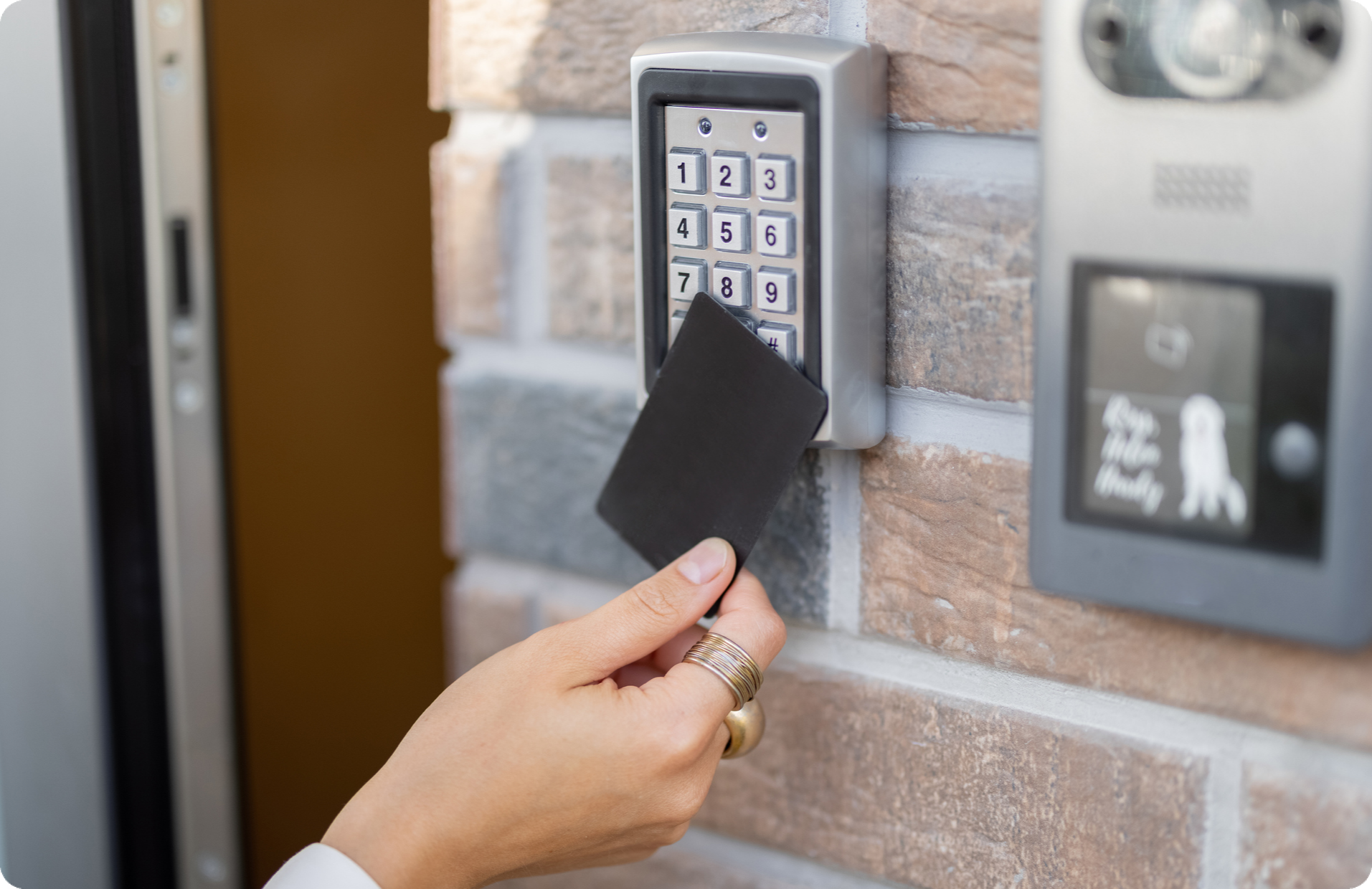
Common office credential types include proximity cards, smart cards, key fobs, PINs, mobile credentials on smartphones, and biometrics like fingerprint or facial recognition. Each type carries tradeoffs in cost, convenience, security strength, and administrative overhead. Most offices end up supporting more than one credential type at any given time.
Door Hardware and Field Devices
Readers mount at the door and communicate with controllers that make grant-or-deny decisions. Controllers connect to electric locks or strikes, and request-to-exit sensors (motion detectors or push buttons) handle egress. The mix of wired and wireless devices, power requirements, and existing door frames shapes your deployment timeline and budget.
Management Software
Software is the control plane. It handles permissions, schedules, temporary access, alerts, reporting, and remote administration. Cloud-managed platforms let admins operate from a browser or mobile app, which matters when your team manages doors across multiple locations.
How to Evaluate Office Door Credential Options
Choosing credentials is partly a security decision and partly an operational one. Match each credential type to your environment’s risk profile, user expectations, and rollout capacity.
Badge and Key Fob Systems
Badge access systems are familiar to most employees and straightforward to issue. The tradeoffs are replacement costs when badges are lost, the overhead of physical issuance for new hires or visitors, and the inability to provision credentials remotely. Some organizations also require visible photo IDs, which keeps physical badges in the mix regardless of other credential options.
Mobile Credentials for Office Access
Mobile credentials let admins provision and revoke access remotely, which fits hybrid workplaces where employees may not visit a security desk for weeks. Users appreciate the convenience of using a phone they already carry. A phased adoption approach works well: start with mobile credentials for new hires or specific buildings, and expand over time rather than forcing an all-at-once migration.
PINs and Biometrics
PINs are simple to deploy but easy to share, which weakens accountability. Biometrics provide strong identity verification for high-security areas like server rooms, though they add friction at high-traffic doors and raise privacy considerations. Both work best as a second factor layered on top of another credential type.
Reader and Credential Security Levels
Not all credentials offer the same security. Low-frequency 125 kHz proximity cards can be cloned with cheap hardware. High-frequency 13.56 MHz smart cards with encrypted communication (such as SECI or DESFire EV2/EV3) resist cloning and interception. Mobile credentials using BLE or NFC with mutual authentication sit at the higher end of the security spectrum. When evaluating readers, check whether they support encrypted credential exchange and whether the vendor has a path to upgrade reader firmware as standards evolve.
Remote Access Management as a Baseline Capability
Centralized, remote access management reduces delays, truck rolls, and the kind of local workarounds that quietly erode security posture. If every schedule change or door unlock requires someone on-site, that inefficiency shows up in staff time and response lag.
If you are exploring how cloud-managed access control works in practice, you can request a demo to see remote administration, credential provisioning, and multi-site management firsthand.
User Provisioning and Deprovisioning
Role-based access lets you assign permissions by department, floor, or job function rather than door by door. Temporary permissions with automatic expiration cover contractors, interns, and project-based staff. Fast credential revocation during offboarding is a security fundamental that too many organizations still handle manually.
Schedules, Unlocks, and Alerts
Admins should be able to set door schedules, trigger remote unlocks for deliveries or after-hours access, and receive real-time alerts for forced doors or access exceptions. These capabilities turn access control from a static system into an active operational tool.
Visitor Management Workflows Are Where Office Systems Often Break Down
Visitor management is a recurring pain point in access control programs. When visitor processes rely on paper sign-in sheets, shared PINs, or manual escort requirements, security gaps and front-desk bottlenecks multiply quickly.
Pre-Registration and Guest Check-In
A strong visitor workflow starts before the guest arrives: pre-registration with email guest invites, host approval, and identity capture. At check-in, an auto-filled sign-in experience reduces wait times and data entry errors. Automated name tag printing and real-time guest status give front-desk staff and hosts clear visibility without extra coordination.
Rhombus Guest handles these workflows as part of the unified Rhombus platform, with native integration across cameras, sensors, and access control, all visible from a single console.
Temporary Access and Audit Trails
Temporary credentials that expire automatically prevent the “contractor badge that never got returned” problem. Every visitor event, from sign-in to departure, should generate searchable console timeline logs tied to the host and the access point. That audit trail matters for compliance reviews and incident investigations alike.
Integrations Determine Long-Term Value
Access control in isolation gives you door events. Access control connected to cameras, identity providers, and business systems gives you operational intelligence.
Video, Sensors, and Incident Timelines
When access events are linked to video feeds, you can quickly verify who actually walked through a door, not just which credential was used. Unified timelines that combine access logs, camera footage, and sensor data improve investigation speed and reduce guesswork. This kind of integration separates a security platform from a collection of disconnected tools.
APIs, Standards, and Interoperability
ONVIF profiles (A, C, D, and M are relevant to access control) provide a standardized way for devices and clients to interoperate. Open APIs are another signal of deployment flexibility, enabling connections to identity providers, HR systems, and workflow automation tools. Ask about integrations early, because switching costs go up fast once you are locked into a closed ecosystem.
Cybersecurity and Office Access Control
CISA recommends layered protective strategies across facility types, including offices. Office access control systems are networked, cloud-connected enterprise systems that deserve the same security scrutiny as any other IT infrastructure.
Admin Security and Identity Controls
Look for SSO and MFA support for administrator accounts, granular role-based admin permissions, and detailed audit logs of administrative actions. Least-privilege access for platform administrators is a basic control that prevents both accidental and malicious policy changes.
Encryption, Updates, and Offline Behavior
Data in transit and at rest should be encrypted. Firmware and software updates should be centrally managed or automatic, not dependent on manual site visits.
Offline behavior is worth understanding up front. Fail-secure locks remain locked when power or network is lost, which suits server rooms and sensitive areas. Fail-safe locks unlock on power loss, which is required for fire egress on many doors. Your system should continue to enforce the last known access policy during a network outage, and recovery workflows should be well-documented by the vendor.
Compliance and Procurement Considerations
NDAA and TAA compliance signal that hardware components do not originate from restricted manufacturers or countries. SOC 2 certification indicates that the vendor has been independently audited for security, availability, and confidentiality controls. These are practical compliance filters that reduce risk for IT and security teams.
Multi-Site Office Access Control Needs More Than More Doors
Scaling to multiple offices is not just a matter of adding readers. Multi-site access control requires centralized policy management, consistent credential rules, and the ability to investigate events across locations from one interface.
Standardization Across Locations
Templates for door schedules, access groups, and credential policies prevent each site from drifting into its own configuration. Shared policies mean a new office can be brought online with the same security posture as existing locations, without re-inventing rules from scratch.
Local Flexibility Without Admin Sprawl
Delegated administration lets regional or site-level teams manage day-to-day access without full platform privileges. Central oversight ensures that local changes do not conflict with organizational policy. The balance between local autonomy and central control is where other multi-site programs struggle. Rhombus allows you to create custom admin settings for each layer of administration.
Key Questions to Consider for Office Access Control
Deployment and Migration
- Can the platform work with existing door hardware, readers, or wiring?
- Does the system support phased rollouts, or is it all-or-nothing?
- What is the expected downtime per door during installation?
- How much existing infrastructure (frames, locks, low-voltage wiring) can be preserved during a retrofit?
- What training is provided for admins and front-desk staff?
Cost and Support
- What does the licensing model include (software updates, firmware, support)?
- Are there per-door, per-user, or per-site fees?
- How is ongoing maintenance handled, and what is the support response model?
- What are the long-term operating costs beyond the initial deployment?
What a Modern Office Access Platform Looks Like
The strongest office security systems today unify access control, cameras, sensors, alarms, and analytics on a single cloud-managed platform. Rhombus brings video, environmental sensors, and AI analytics together with centralized management, 50+ integrations, and multi-site scalability. Rhombus is built with SOC 2, NDAA, and TAA compliance, open APIs, and interoperability designed to keep your options open as requirements evolve.
A unified access control platform means fewer dashboards, faster investigations, and less time stitching together data from disconnected systems.
Request a demo to see how a cloud-managed approach works for your office environment.
Frequently Asked Questions About Office Door Access Systems
What is an office door access system?
An office door access system is a combination of credentials, readers, controllers, locks, and management software that controls who can enter specific areas of a building. It authenticates users at the door and enforces access policies set by administrators, including schedules, role-based permissions, and temporary access windows.
Are mobile credentials better than badges for office access?
Mobile credentials offer advantages for hybrid workplaces because they can be provisioned and revoked remotely without a security desk visit. Badges still make sense for organizations that require visible photo IDs or operate in environments where personal phones are restricted. Many offices run both credential types simultaneously during a phased transition.
Platforms like Rhombus help organizations manage both mobile and physical credentials in a single system, making it easier to support hybrid environments without adding operational complexity.
Can office access control work with existing door hardware?
Many cloud-managed access control platforms can integrate with existing electric locks, strikes, and low-voltage wiring. The degree of retrofit complexity depends on the age of the hardware, the door frame type, and whether existing controllers support modern communication protocols. Ask vendors specifically which components can be preserved and which require replacement.
Solutions like Rhombus are designed with flexibility in mind, helping organizations modernize access control while preserving as much of their existing door infrastructure as possible.
What cybersecurity considerations apply to access control systems?
Check whether the platform supports SSO and MFA for admin accounts, encrypts data in transit and at rest, and provides centrally managed firmware updates. Also look into offline behavior (fail-safe vs. fail-secure), audit logging for administrative actions, and whether the vendor holds SOC 2, NDAA, or TAA compliance.
How does visitor management fit into office access control?
Visitor management is one of the most common friction points in office security. A well-integrated system handles pre-registration, host approval, temporary credential issuance, and automatic expiration from the same platform that manages employee access. Without that integration, organizations rely on paper logs, shared PINs, and manual workarounds that create security gaps.
What is the difference between fail-safe and fail-secure locks?
Fail-safe locks unlock when power is lost, which is typically required on doors that serve as fire exits. Fail-secure locks remain locked during a power or network outage, which is appropriate for server rooms, storage areas, and other sensitive spaces. Most office deployments use a mix of both depending on the door’s function and local fire code requirements.
Conclusion
Prioritize flexibility in credentials and integrations, visibility into access events and visitor activity, and operational simplicity for the teams who manage doors day to day. The right office door access system should reduce your security workload, not add to it.
%20--%3e%3csvg%20version='1.1'%20id='Layer_1'%20xmlns='http://www.w3.org/2000/svg'%20xmlns:xlink='http://www.w3.org/1999/xlink'%20x='0px'%20y='0px'%20viewBox='0%200%20110%20110'%20style='enable-background:new%200%200%20110%20110;'%20xml:space='preserve'%3e%3cstyle%20type='text/css'%3e%20.st0{fill:url(%23SVGID_1_);}%20%3c/style%3e%3cg%3e%3clinearGradient%20id='SVGID_1_'%20gradientUnits='userSpaceOnUse'%20x1='25.325'%20y1='766.725'%20x2='84.725'%20y2='707.325'%20gradientTransform='matrix(1%200%200%201%200%20-682)'%3e%3cstop%20offset='0'%20style='stop-color:%23006F94'/%3e%3cstop%20offset='1'%20style='stop-color:%2300C1DE'/%3e%3c/linearGradient%3e%3cpath%20class='st0'%20d='M106.9,47.5L62.5,3.1c-4.1-4.1-10.9-4.1-15,0L3.1,47.5c-4.1,4.1-4.1,10.9,0,15l44.4,44.4%20c4.2,4.2,10.9,4.2,15.1,0L107,62.5C111,58.4,111,51.6,106.9,47.5z%20M55.5,71.2c-9.4,0.3-17-7.3-16.7-16.7C39.1,46,46,39.1,54.5,38.8%20c9.3-0.3,17,7.3,16.7,16.7C70.9,64,64,70.9,55.5,71.2z'/%3e%3c/g%3e%3c/svg%3e)
Related Articles