Back to blog home
What Is a PoE Camera? Complete Guide for Businesses
by Team Rhombus, on March 20th, 2026
Physical SecurityA PoE camera is a security camera that receives both electrical power and network data through a single Ethernet cable. PoE stands for Power over Ethernet, a technology that delivers DC power over standard copper Ethernet cabling, eliminating the need for a separate power outlet or adapter at each camera location. For businesses deploying multiple cameras across a building or campus, that single-cable approach meaningfully reduces installation complexity and ongoing infrastructure management.
The term “PoE” describes how the camera gets its power. It does not describe how the camera is managed, where video is stored, or whether the system is cloud-based or locally hosted. Understanding that distinction is important for IT managers and security buyers evaluating their options, because PoE cameras can work within a wide range of management architectures.
Quick Answer
A Power over Ethernet security camera connects to the network with one Ethernet cable that simultaneously carries video data and electrical power. The power comes from a PoE-capable network switch or a PoE injector, not from a wall outlet next to the camera. The result is a cleaner, more reliable installation that fits well into structured commercial network environments.
How a PoE Camera Works
A PoE camera operates like any other IP network camera in terms of capturing and transmitting video. The difference is in how it receives power. Instead of plugging into a local electrical outlet, the camera draws power from the Ethernet cable connecting it to the network.
On one end of the cable is the camera. On the other end is a power sourcing device, typically a PoE switch or injector, that feeds DC power alongside network data. Cisco describes PoE as the delivery of DC power over copper Ethernet cabling, where one cable carries both data and power.
What PoE Actually Sends Through the Cable
Ethernet has always carried data. PoE adds a layer of electrical power delivery on top of that existing function. The camera negotiates with the power sourcing equipment to determine the right power level, and both data transmission and power delivery happen simultaneously on the same cable.
PoE standards include a detection mechanism that checks whether a connected device actually supports PoE before sending power. That built-in safety step prevents damage to devices that are not designed to receive power over Ethernet.
PoE Switch vs. PoE Injector
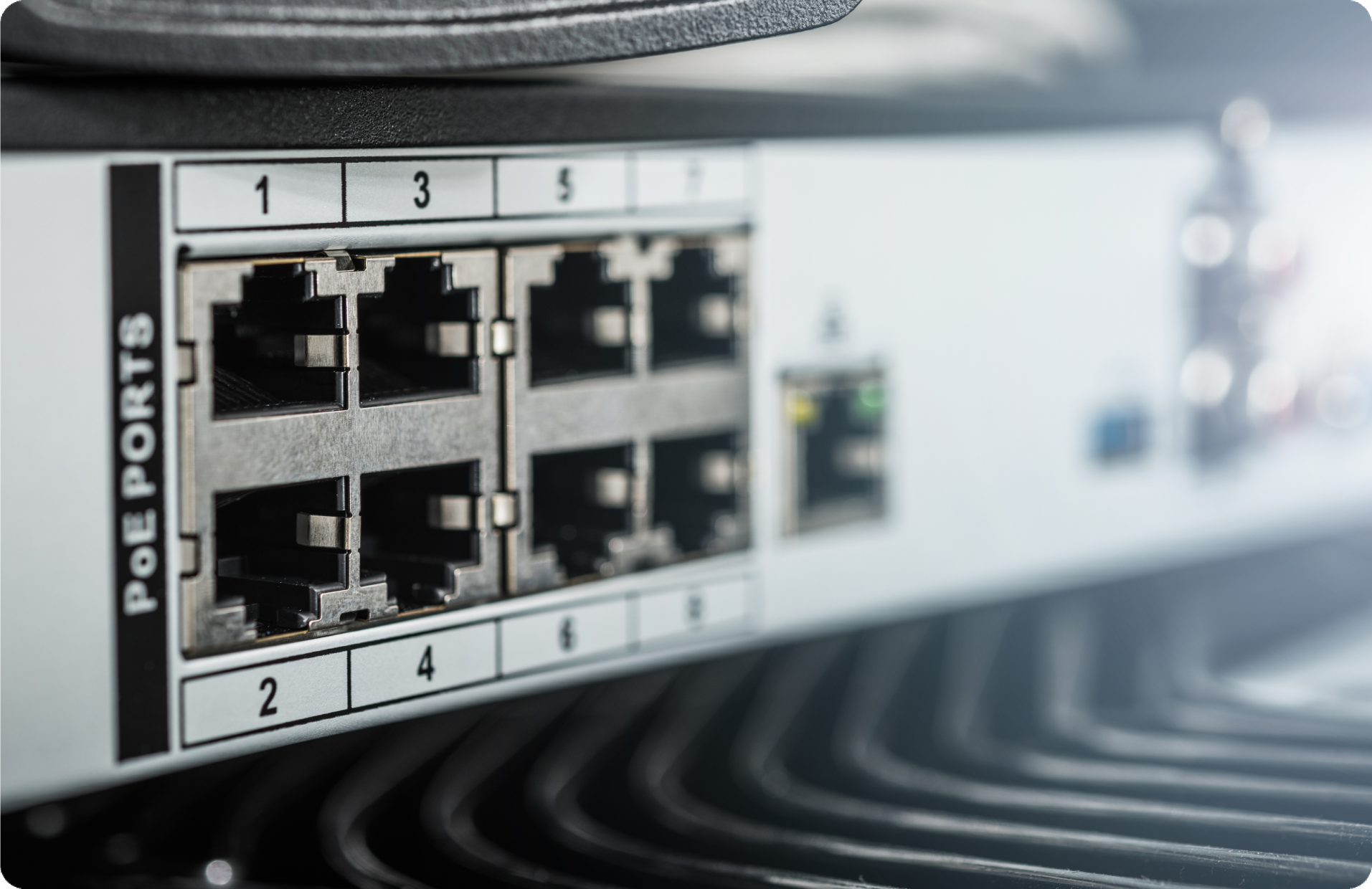
A PoE switch is a network switch with built-in power sourcing capability across multiple ports. In commercial deployments with several cameras, a PoE switch is the standard approach because it powers and connects all devices from a single piece of network equipment.
A PoE injector (sometimes called a midspan) adds PoE capability to a single Ethernet connection. Injectors are useful when the existing network switch does not support PoE, or when only one or two devices need power. For larger deployments, switches are almost always the more practical choice.
Common PoE Standards
The IEEE has defined several PoE standards over the years, each increasing the amount of power available to connected devices.
IEEE 802.3af was the original PoE standard, ratified in 2003, and delivers up to about 15.4W per port. IEEE 802.3at (commonly called PoE+) was ratified in 2009 and increased available power to 30W, which accommodates cameras with features like pan-tilt-zoom or built-in heaters. IEEE 802.3bt pushed power levels higher still, supporting devices that draw more than 30W.
These standards are backward compatible, meaning a PoE+ switch can power a device that only requires 802.3af levels. When selecting equipment, the key step is confirming that the switch or injector supports the power standard your cameras require.
What Equipment Is Needed for a PoE Camera Setup?
A PoE camera deployment does not require exotic hardware. The components are straightforward, and most IT teams will recognize every item on the list.
Core Setup Checklist
A standard PoE camera installation requires:
- PoE camera that supports the appropriate IEEE 802.3 standard
- Ethernet cable (Cat5e or Cat6 are common choices for modern deployments)
- PoE switch or PoE injector to supply power and network connectivity
- Network infrastructure including a router and, for most business systems, a connection to a local or wide area network
- Video management platform, whether locally hosted software, a network video recorder, or a cloud-managed system
Cable Length and Network Planning
Standard copper Ethernet cabling supports runs of up to approximately 100 meters (328 feet) from the switch or injector to the camera. Beyond that distance, signal degradation and power loss become concerns that may require additional equipment like Ethernet extenders or fiber conversion.
Switch power budget also matters. Every PoE switch has a total wattage it can deliver across all ports simultaneously. Before deploying cameras, verify that the switch can handle the combined power draw of every connected device. A 24-port PoE switch does not necessarily supply full PoE+ power to all 24 ports at once.
Benefits of PoE Cameras
PoE has become the standard power delivery method for commercial security cameras for several practical reasons.
Simpler Installation
Running a single Ethernet cable to each camera location is significantly easier than running separate power and data lines. Installers do not need to locate or install electrical outlets near each camera. In retrofit environments, where adding new electrical circuits is expensive and disruptive, the single-cable approach can meaningfully reduce project scope.
Reliable Connectivity
A wired Ethernet connection provides consistent bandwidth and low latency without dependence on wireless signal strength. For security cameras that need to transmit continuous video, a physical cable connection removes variables like wireless interference, signal degradation through walls, and competition for bandwidth from other devices on the same wireless network.
Easier Scaling
PoE fits naturally into structured network environments. Adding a camera typically means running one cable back to the switch and configuring the device on the network. For organizations managing multiple locations, a consistent PoE infrastructure makes deployments repeatable and predictable across sites.
Centralized PoE switches also give IT teams a single point for monitoring power delivery and network connectivity to every connected camera, which simplifies troubleshooting.
Limitations of PoE Cameras
No deployment approach is without tradeoffs, and PoE is no exception. Understanding the constraints helps with planning.
Wired Installation Requirements
PoE still requires physical cable runs from each camera back to a switch or patch panel. In buildings where running new cable is difficult (older construction, exterior walls, locations far from network closets), the installation work can be significant. The single-cable benefit reduces complexity compared to running both power and data, but it does not eliminate cabling entirely.
Power and Switch Capacity
Not every network switch supports PoE. Organizations with existing non-PoE switches will need to either upgrade or add PoE injectors. Even among PoE-capable switches, the total power budget varies by model, and planning for aggregate power draw across all ports is a necessary step.
Distance Constraints
The 100-meter limit on standard copper Ethernet runs can be a factor in large facilities like warehouses, campus environments, or long building corridors. Exceeding that distance requires additional planning, such as Ethernet extenders, intermediate switches, or fiber optic links for longer runs.
PoE vs. Wi-Fi Security Cameras
The choice between PoE and Wi-Fi cameras depends on the deployment context. Neither approach is universally better. The right fit depends on the environment, the number of cameras, and the organization’s priorities.
Where PoE Is Often a Better Fit
PoE is commonly preferred for permanent commercial installations where reliability, consistent video quality, and centralized infrastructure are priorities. Wired connections are not affected by wireless congestion, and PoE switches give IT teams a clear view of power and connectivity status for each device.
Multi-camera deployments in offices, schools, hospitals, and retail locations tend to favor PoE because the infrastructure is predictable and scales with the structured network. PoE also avoids the need to manage wireless credentials, channel overlap, and signal coverage for each camera.
Where Wi-Fi May Make Sense
Wi-Fi cameras can be practical where running Ethernet cable is genuinely difficult or cost-prohibitive. Temporary deployments, small installations with only a few cameras, or locations where aesthetic concerns limit visible cabling are common Wi-Fi use cases.
Wi-Fi cameras still need local power from an outlet or battery, so they do not fully eliminate wiring. Large-scale wireless camera deployments also require careful wireless network planning to avoid congestion and maintain consistent performance.
PoE vs. Analog Camera Systems
Analog CCTV systems use coaxial cabling and typically require a separate power source at each camera, plus a dedicated video recorder (DVR). PoE camera systems transmit digital video over Ethernet, support higher resolutions, and consolidate power delivery into the network cable.
The practical differences for businesses are significant. PoE-based systems offer remote access, software-based management, higher image quality, and integration with other network services. Analog systems are increasingly difficult to scale, maintain, and integrate with modern IT infrastructure. Organizations replacing older CCTV systems frequently move to PoE-based IP cameras as part of the upgrade.
Common Business Use Cases for PoE Cameras
PoE cameras are deployed across a wide range of commercial environments. The common thread is a need for reliable, centrally managed video security over structured network infrastructure.
Offices, Schools, and Healthcare Facilities
These environments typically have existing Ethernet infrastructure and IT teams that manage network equipment. PoE cameras integrate into that infrastructure naturally. Centralized management is a priority because these organizations often need to monitor multiple floors, buildings, or entrances from a single administrative console.
Schools and healthcare facilities also benefit from PoE’s reliability, since security cameras in these settings serve safety-critical functions and need consistent uptime.
Warehouses, Retail, and Multi-Site Operations
Large open spaces, loading docks, and retail floor areas often require many cameras spread across a sizable footprint. PoE’s centralized power delivery and structured cabling approach make it practical to deploy dozens of cameras from a single network closet.
Multi-site businesses gain additional efficiency because PoE deployments can follow a standardized template across locations, simplifying procurement, installation, and ongoing management.
What to Look for in a Business-Ready PoE Camera System
Understanding PoE is the first step. Selecting the right system requires evaluating several additional factors.
Image Quality and Camera Type
PoE cameras come in a variety of form factors, including dome cameras for indoor ceiling mounts, bullet cameras for directed outdoor coverage, and multisensor cameras that capture wide areas with a single device. Resolution, field of view, low-light performance, and weatherproofing vary by model and should match the specific deployment environment.
Cybersecurity and Remote Management
For IT teams, the camera is a network endpoint. That means it needs the same security attention as any other device on the network: encrypted communications, regular firmware updates, role-based access controls, and audit logging. Evaluate whether the camera platform supports centralized remote management and has a clear security and compliance posture.
Integrations and Future Flexibility
A PoE camera system rarely operates in isolation. Businesses often need cameras to work alongside access control, alarm systems, visitor management, and analytics tools. Open APIs and documented integrations provide flexibility to connect the camera system with existing workflows rather than creating a siloed security tool.
Can PoE Cameras Work with Cloud-Managed Security Platforms?
PoE describes how a camera gets power and connectivity. It does not dictate whether the camera stores video locally, sends it to a cloud platform, or does both. Many modern commercial deployments pair PoE cameras with cloud-managed platforms that handle remote access, video storage, device management, and analytics from a centralized console.
Example of a Modern Deployment
Rhombus is one example of a cloud-managed physical security platform that uses PoE cameras as part of a broader system including access control, sensors, and AI-powered analytics. In a deployment like this, the PoE camera connects to the local network via Ethernet, receives power from a PoE switch, and streams video to the cloud for remote viewing, management, and storage. The PoE infrastructure handles the physical layer, while the cloud platform handles the management and intelligence layers.
The key takeaway for buyers is that PoE is the foundation, not the ceiling. The management model, analytics capabilities, and integration options are separate decisions that sit on top of the PoE connectivity layer.
Frequently Asked Questions
Is a PoE Camera the Same as an IP Camera?
Many PoE cameras are IP cameras, but the two terms describe different things. An IP camera is any camera that transmits video over a network using Internet Protocol. PoE describes how the camera receives electrical power. An IP camera can be powered by PoE, a local power adapter, or another method. Most commercial IP cameras today support PoE, but the terms are not interchangeable.
Do PoE Cameras Need Internet?
A PoE camera can operate on a local network without internet access. It receives power and transmits video over the local Ethernet connection regardless of whether that network has an internet gateway. Internet access becomes necessary for features like remote viewing from off-site, cloud-based video storage, or cloud-managed administration. Local recording and on-premises viewing typically work without an internet connection.
Are PoE Cameras Better for Businesses?
PoE cameras are a strong fit for most commercial deployments because they provide reliable wired connectivity, centralized power management, and straightforward scaling within structured network environments. The “better” label depends on the specific situation. For permanent, multi-camera installations where IT teams manage the network, PoE is the predominant choice. For smaller or temporary setups, other approaches may be simpler.
Can PoE Cameras Work During a Power Outage?
A PoE camera draws power from the PoE switch, not from a local wall outlet. If the switch loses power, the camera goes offline. Whether the camera stays operational during a power outage depends entirely on the backup power design for the network equipment. Connecting PoE switches to an uninterruptible power supply (UPS) or backup generator keeps cameras running during outages. Planning for backup power at the switch level, rather than at each individual camera, is one of the practical advantages of centralized PoE infrastructure.
%20--%3e%3csvg%20version='1.1'%20id='Layer_1'%20xmlns='http://www.w3.org/2000/svg'%20xmlns:xlink='http://www.w3.org/1999/xlink'%20x='0px'%20y='0px'%20viewBox='0%200%20110%20110'%20style='enable-background:new%200%200%20110%20110;'%20xml:space='preserve'%3e%3cstyle%20type='text/css'%3e%20.st0{fill:url(%23SVGID_1_);}%20%3c/style%3e%3cg%3e%3clinearGradient%20id='SVGID_1_'%20gradientUnits='userSpaceOnUse'%20x1='25.325'%20y1='766.725'%20x2='84.725'%20y2='707.325'%20gradientTransform='matrix(1%200%200%201%200%20-682)'%3e%3cstop%20offset='0'%20style='stop-color:%23006F94'/%3e%3cstop%20offset='1'%20style='stop-color:%2300C1DE'/%3e%3c/linearGradient%3e%3cpath%20class='st0'%20d='M106.9,47.5L62.5,3.1c-4.1-4.1-10.9-4.1-15,0L3.1,47.5c-4.1,4.1-4.1,10.9,0,15l44.4,44.4%20c4.2,4.2,10.9,4.2,15.1,0L107,62.5C111,58.4,111,51.6,106.9,47.5z%20M55.5,71.2c-9.4,0.3-17-7.3-16.7-16.7C39.1,46,46,39.1,54.5,38.8%20c9.3-0.3,17,7.3,16.7,16.7C70.9,64,64,70.9,55.5,71.2z'/%3e%3c/g%3e%3c/svg%3e)
Related Articles