Back to blog home
PTZ Camera Guide for Commercial Security
by Team Rhombus, on March 31st, 2026
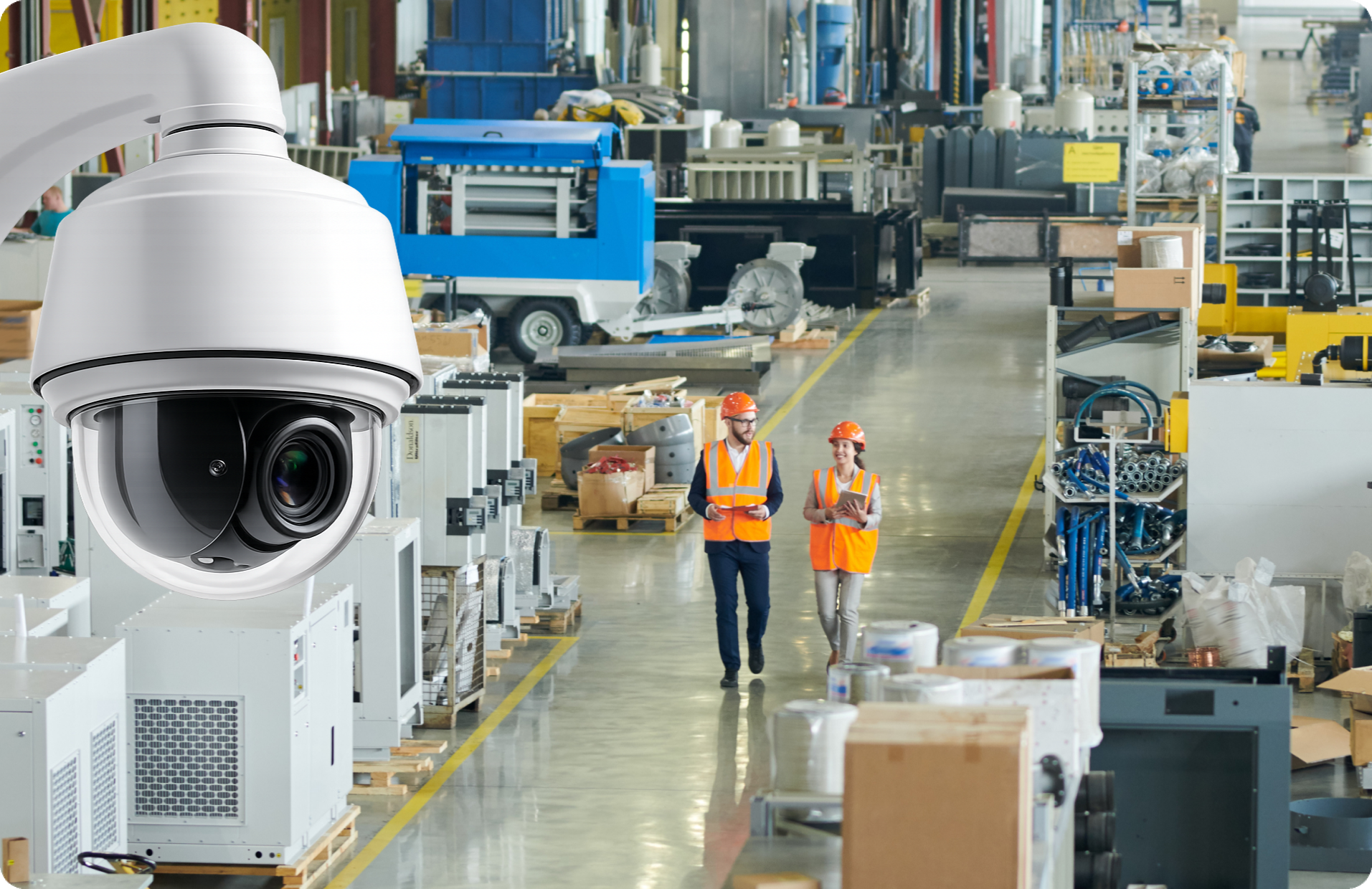
Physical SecurityA PTZ camera gives a security team something a fixed camera never can: the ability to change what the camera sees after it is already mounted. That flexibility makes PTZ cameras a strong fit for parking lots, campus perimeters, stadiums, and other large commercial environments where the action is unpredictable and far away. It also makes them a poor fit for plenty of other situations.
The right way to think about a pan tilt zoom camera is as a specialized tool, not an upgrade. For every deployment where PTZ coverage saves the day, there is another where a fixed camera would have captured better evidence because it never looked away. This guide helps commercial security buyers, IT evaluators, and facilities leaders figure out which side of that line their project falls on.
What is a PTZ camera?
PTZ stands for pan, tilt, and zoom. Pan is horizontal rotation, typically 360 degrees continuous. Tilt is vertical rotation, usually 0 to 90 degrees below the horizon. Zoom changes the focal length, narrowing the field of view to magnify distant objects. A PTZ security camera combines all three motions in a single housing, controlled by an operator, programmed rules, or both.
Mechanical PTZ cameras physically move the lens assembly using motors, delivering true optical zoom. Digital PTZ is a software crop within a fixed, wide-angle image. Digital PTZ does not add detail; it enlarges existing pixels. When buyers need to identify a face or license plate at 100 meters, mechanical PTZ with optical zoom is the relevant technology.
How PTZ cameras work
An operator or rule engine sends movement commands over the network. The camera’s motors adjust pan angle, tilt angle, and zoom level in response. Most commercial PTZ cameras support presets (saved positions the camera can snap to instantly) and patrol tours (a timed sequence cycling through presets).
Control can be manual via joystick or live view click, automated through analytics triggers, or a mix. ONVIF Profile T includes PTZ control as a standard interoperability function, so PTZ commands work across conformant devices and video management systems. Rhombus supports ONVIF and over 50 integrations, making it straightforward to incorporate PTZ cameras into multi-vendor environments.
Optical zoom vs digital zoom
Optical zoom uses physical lens elements to magnify a scene. A 30x optical zoom camera can resolve detail at distances where a fixed camera shows only a blur, because the sensor captures new pixel data at the magnified focal length.
Digital zoom crops and stretches an existing image. At 2x digital, you lose roughly half your horizontal resolution. At 4x, three-quarters. For commercial security, where identification of people and vehicles determines whether footage is useful, optical zoom is the feature that earns a PTZ camera its place in a design. Treat digital zoom as a convenience for quick glances, not a substitute for optical reach.
When a PTZ camera makes sense
PTZ cameras are strongest where the security team needs to investigate, not just record. If the operational model is “review footage after the fact from a consistent angle,” a fixed camera is simpler. If the model involves actively directing the camera to follow events across a large space, PTZ earns its cost and complexity.
Best PTZ camera use cases
Parking lots and garages. A single PTZ on a tall pole can survey a large lot and zoom in to capture plate numbers or follow a person of interest. Open sightlines and long distances play to PTZ strengths.
Campus quads and walkways. Universities, corporate campuses, and hospital complexes have large outdoor areas where incidents can occur far from any fixed camera. Healthcare environments in particular benefit from PTZ coverage across sprawling campuses.
Stadiums and event venues. Crowd dynamics change constantly. PTZ cameras let operators scan for disturbances, zoom into specific seating sections, and follow ejected patrons toward exits.
Warehouse yards and loading docks. Trailer staging areas, dock doors, and perimeter fences spread over large footprints. A PTZ can watch a loading operation up close, then swing to monitor a fence line 200 meters away. Warehouse and storage facilities frequently pair PTZ cameras with fixed units for balanced coverage.
Large retail exteriors. Big-box stores with sprawling parking areas benefit from PTZ cameras that can follow suspects to vehicles or track delivery trucks. Retail security deployments often combine PTZ units in parking areas with fixed cameras at entrances and point-of-sale zones.
When a PTZ camera is the wrong choice
Small rooms. If a single fixed camera covers the entire space, PTZ capability wastes budget.
Entrances and exits. Doors require constant, unblinking coverage. A PTZ zoomed in on the far side of a lot will miss whoever walks through the front door.
Cash wrap and point-of-sale areas. Transaction zones need a consistent, well-lit view. A fixed camera with a known angle provides better evidence than a PTZ that might be pointed elsewhere during an incident.
Any fixed evidence zone. Wherever compliance requires “always record this exact view,” a fixed camera is the right tool. PTZ cameras look in one direction at a time, which means they have blind spots at any given moment.
Key PTZ camera features to evaluate
Zoom range and image quality
Start with optical zoom range. A 30x optical zoom is common in mid-range commercial PTZ cameras. Higher-end models offer 40x or 55x for extreme long-range identification. Match the zoom range to the farthest target you need to resolve.
Resolution matters alongside zoom. A 4K (8MP) sensor at wide angle captures more scene detail than a 2MP sensor, reducing how often the camera needs to zoom for identification.
Low-light performance is the third piece. Look for large image sensors, wide aperture lenses, or IR illuminators with usable range in darkness. IR range specs (in meters) should match or exceed the optical zoom range you plan to use at night. You can compare specifications across Rhombus camera models to find the right match for your site.
Auto tracking and presets
Presets let the camera snap between saved views (e.g., “loading dock 3,” “north fence gate,” “visitor parking entrance”) in under a second. Without presets, operators waste time manually steering.
Patrol tours cycle through presets on a schedule, providing scripted sweeps during unattended hours. Tours create predictable gaps: while the camera dwells on one preset, it is not watching the others.
Auto tracking uses onboard analytics to detect and follow a moving subject automatically. It works best in open scenes with minimal occlusion. In cluttered environments with columns, vehicles, or heavy foot traffic, tracking accuracy drops. Treat auto tracking as a tool that requires tuning, not a set-and-forget feature.
Outdoor durability and stabilization
IP66 or IP67 weather ratings protect against rain, dust, and temperature extremes. IK10 vandal resistance matters for cameras at reachable heights or in adversarial environments.
Image stabilization compensates for vibration from wind, pole sway, or traffic. At high optical zoom, even slight vibration turns the image into a blur. Electronic (EIS) or optical image stabilization (OIS) can make the difference between a usable 30x shot and an unusable one on a windy day.
Interoperability and management
ONVIF conformance (particularly Profile T) ensures PTZ commands, streaming, and metadata work across devices and platforms without proprietary drivers.
Analytics compatibility determines whether the PTZ camera feeds into person detection, vehicle detection, or license plate recognition workflows. AI-powered analytics can process PTZ video feeds for real-time alerts without a dedicated on-premises server, simplifying deployment for smaller IT teams.
Management overhead is easy to underestimate. PTZ cameras need firmware updates, preset adjustments as layouts change, and periodic health checks on mechanical components. Cloud-managed platforms reduce that burden, especially across multiple sites.
PTZ camera pros and cons
Pros
- Flexible coverage after install. A single PTZ can monitor multiple zones by repositioning, reducing camera count for large open areas.
- Long-range optical detail. With 30x or higher optical zoom, PTZ cameras capture identifiable detail at distances where fixed cameras produce only silhouettes.
- Active incident investigation. Operators can follow a subject in real time, zoom for identification, and direct response teams.
- Programmable patrols. Preset tours provide structured coverage of large areas during off-hours without a live operator per camera.
Cons
- Single view at a time. While zoomed in on one area, the camera is blind to everything else. Events outside the current field of view go unrecorded.
- Higher complexity. Mechanical components, preset programming, and auto tracking configuration add setup and maintenance work.
- Performance depends on configuration. A PTZ camera with no presets and no patrol schedule is an expensive fixed camera pointed in a random direction.
- Moving parts wear out. Motors and gears have finite lifespans, particularly under continuous patrols or extreme temperatures.
PTZ camera vs fixed camera
A PTZ camera can cover a wider area and zoom in for detail, but only one part at a time. A fixed camera records the same scene continuously, never missing an event within its field of view.
For evidence collection at entrances, hallways, and transaction points, fixed cameras are more reliable. For active monitoring of parking lots, perimeters, and open yards, PTZ cameras let operators respond as events unfold.
Most commercial designs use both. Fixed cameras handle chokepoints and evidence zones. PTZ cameras handle large, dynamic areas. Replacing all fixed cameras with PTZ units is one of the most common and expensive mistakes in system design.
PTZ camera vs dome camera
When buyers search for “PTZ vs dome camera,” they typically mean PTZ versus a fixed dome. “Dome” describes the housing shape, not the camera’s capability. Many PTZ cameras are themselves housed in dome enclosures.
A fixed dome has a set field of view and records continuously. A PTZ dome looks similar from outside but includes motors and a zoom lens. The practical comparison is PTZ versus fixed, with the dome housing being a shared design choice. Rhombus offers both fixed and PTZ camera options to fit different site requirements.
PTZ camera vs fisheye camera
Fisheye cameras capture a full 180- or 360-degree view from a single sensor using an ultra-wide lens. Software dewarps the image into rectangular views, and some models offer digital PTZ within that dewarped image.
PTZ cameras deliver genuine optical zoom and motorized repositioning, producing far sharper detail at long distances. A fisheye can show you that something happened in a lobby. A PTZ camera can show you who did it from 150 meters away.
The tradeoff is coverage continuity. A fisheye records everything in its field of view simultaneously, with no blind spot. A PTZ trades that continuous coverage for the ability to resolve fine detail at range. For compact indoor spaces, fisheye wins. For large outdoor areas where identification at distance matters, PTZ wins.
How to choose the right PTZ camera for a business
Questions to ask before buying
What is the farthest target you need to identify? Measure the distance from the mount to the farthest point where you need to read a plate or recognize a face. That distance determines minimum optical zoom range.
Who will operate the camera? A staffed security operations center supports manual control and live investigation. An unattended camera depends on presets, patrols, and analytics-triggered movements.
What are the lighting conditions? Survey lighting levels at the worst time of day, not the best. A well-lit parking structure has different sensor and IR requirements than an unlit perimeter fence.
How high will the camera mount? Height affects tilt range, zoom effectiveness, and maintenance access. Higher mounts cover more ground but need longer zoom ranges for ground-level identification.
Can the network handle the bandwidth? PTZ cameras streaming at 4K with continuous movement generate significant traffic. Confirm your infrastructure can sustain the bitrate without frame drops.
Have you planned presets for Day 1? Before purchasing, sketch out key views and verify the camera’s zoom and positioning can reach each one from the planned mount location.
Common deployment mistakes
Replacing all fixed cameras with PTZ. The result is gaps in evidence capture at entrances, hallways, and transaction areas where a fixed camera would have been more effective and less expensive.
Overestimating zoom at distance. Atmospheric haze, heat shimmer, and low contrast degrade image quality well before you reach maximum zoom. Test actual image quality at your target distance during a site survey.
Poor preset design. Presets should cover operationally important views based on real incident patterns, not demo-friendly angles. Revisit presets after layout changes or new tenant occupancy.
Ignoring scene limitations for auto tracking. A camera overlooking a busy intersection with dozens of pedestrians will struggle to lock on a single subject. Test tracking in realistic conditions before relying on it.
A note on privacy and governance
PTZ cameras that actively track individuals raise privacy considerations that fixed cameras do not. The ability to zoom in and follow a person across a site creates a different risk profile, particularly in workplaces, educational facilities, and healthcare environments.
Policies should define who has PTZ control access, when active tracking is permitted, and how long footage is retained. Rhombus provides granular role-based access and cybersecurity controls that support governance frameworks around active surveillance, including audit logs of PTZ control access.
Where cloud-managed PTZ cameras fit
Managing PTZ cameras across multiple sites introduces operational overhead that on-premises systems can struggle with. Firmware updates, preset changes, health monitoring, and access controls multiply with every location. Cloud-managed platforms reduce that burden by centralizing administration.
Rhombus unifies cameras, access control, sensors, and alarms in a single interface. PTZ cameras are managed alongside fixed cameras, door controllers, and environmental sensors. AI-powered analytics, including person and vehicle detection, run across the camera fleet without a dedicated on-premises server.
For PTZ-specific workflows, cloud management offers practical advantages. Firmware and security patches deploy automatically, which matters because PTZ cameras with outdated firmware are a known network vulnerability. Role-based access controls govern who can operate PTZ functions. Multi-site operators can manage presets, review alerts, and control PTZ cameras at any location from a single browser or mobile session.
Rhombus supports ONVIF and offers 50-plus integrations along with open APIs, so PTZ cameras can feed into broader IT and security ecosystems. The cybersecurity focus, including automatic updates and encrypted cloud communication, addresses a gap that many traditional NVR-based deployments leave open.
Cloud-managed PTZ is not the right fit for every organization. Air-gapped networks, extremely low-bandwidth sites, and environments with strict data residency requirements may need on-premises control. For most multi-site commercial operations, cloud management removes the friction that causes PTZ cameras to drift out of proper configuration after deployment.
To see how PTZ cameras work within a cloud-managed system, request a demo to walk through live PTZ controls and analytics workflows.
Final takeaway
A PTZ camera is the right tool when you need to investigate, not just record. It earns its place in large, open environments where operators or automated rules direct the camera’s attention to distant events and resolve them with optical detail that fixed cameras cannot match.
It is the wrong tool when used as a blanket replacement for fixed coverage. The most effective commercial security designs pair PTZ cameras with fixed cameras at chokepoints and, where appropriate, fisheye cameras for broad overview.
Before buying, define the farthest target, plan your presets, confirm your network can handle the bandwidth, and decide whether your team will actively operate the camera or rely on automation. Those four decisions will tell you more about whether PTZ belongs in your design than any feature comparison chart.
%20--%3e%3csvg%20version='1.1'%20id='Layer_1'%20xmlns='http://www.w3.org/2000/svg'%20xmlns:xlink='http://www.w3.org/1999/xlink'%20x='0px'%20y='0px'%20viewBox='0%200%20110%20110'%20style='enable-background:new%200%200%20110%20110;'%20xml:space='preserve'%3e%3cstyle%20type='text/css'%3e%20.st0{fill:url(%23SVGID_1_);}%20%3c/style%3e%3cg%3e%3clinearGradient%20id='SVGID_1_'%20gradientUnits='userSpaceOnUse'%20x1='25.325'%20y1='766.725'%20x2='84.725'%20y2='707.325'%20gradientTransform='matrix(1%200%200%201%200%20-682)'%3e%3cstop%20offset='0'%20style='stop-color:%23006F94'/%3e%3cstop%20offset='1'%20style='stop-color:%2300C1DE'/%3e%3c/linearGradient%3e%3cpath%20class='st0'%20d='M106.9,47.5L62.5,3.1c-4.1-4.1-10.9-4.1-15,0L3.1,47.5c-4.1,4.1-4.1,10.9,0,15l44.4,44.4%20c4.2,4.2,10.9,4.2,15.1,0L107,62.5C111,58.4,111,51.6,106.9,47.5z%20M55.5,71.2c-9.4,0.3-17-7.3-16.7-16.7C39.1,46,46,39.1,54.5,38.8%20c9.3-0.3,17,7.3,16.7,16.7C70.9,64,64,70.9,55.5,71.2z'/%3e%3c/g%3e%3c/svg%3e)
Related Articles