Back to blog home
Church Security Cameras: How to Choose the Right System
by Team Rhombus, on March 20th, 2026
Physical SecurityA church lobby on a Sunday morning serves two purposes at once. It is a security checkpoint and a front door for anyone seeking community. That tension between openness and safety shapes every decision about church security cameras, from where you mount them to who gets access to the footage.
Video surveillance in a house of worship is not the same as in a retail store or warehouse. The goals differ, the stakeholders differ, and the privacy expectations are higher. A well-designed church camera system protects people and property without making congregants feel like they are under watch.
This guide covers placement priorities, camera selection, privacy and policy requirements, deployment tradeoffs, and evaluation criteria so your team can make a confident, informed decision.
Why churches have different camera needs
Most security camera guides assume a controlled environment with consistent hours, paid staff, and a single building purpose. A typical church campus might host Sunday worship, a weekday preschool, youth group nights, community meals, counseling sessions, and after-hours meetings across multiple buildings.
Volunteer-heavy operations add complexity. The person managing the church camera system on Tuesday may be a facilities volunteer with no IT background. Security for houses of worship works best when it preserves a welcoming environment, and that principle should shape how you plan video surveillance for churches.
Children’s ministry areas, donation handling zones, pastoral counseling rooms, and mixed-use fellowship halls each carry different privacy and coverage expectations. Your camera plan needs to reflect the building’s actual use patterns, not just its floor plan.
What a church camera system should help accomplish
Before selecting hardware, define what you need the system to do. Most church security cameras serve four practical goals: deterrence, incident review, situational awareness, and faster response.
Deterrence is the simplest. Visible cameras at entrances and parking areas discourage vandalism, theft, and unwanted behavior before it escalates.
Incident review gives your team the ability to reconstruct what happened after a report, whether that is a vehicle break-in, a child safety concern, or a facilities issue.
Situational awareness helps staff or volunteers monitor parking lots during services, watch for unattended doors, or track crowd flow at large events.
Faster response means that when something does happen, the right people can see it quickly and act, especially when they are not physically on site.
Each goal points toward different camera types, placements, and access configurations.
Where cameras should go first
You do not need to cover every square foot on day one. A phased approach starting with the highest-value locations delivers better results at lower upfront cost.
Entrances, exits, and parking areas
Most incidents at a house of worship start outside the building. Parking lot altercations, vehicle break-ins, suspicious approaches, and after-hours trespassing all happen at the perimeter. Exterior cameras covering main entrances, secondary doors, drop-off zones, and parking areas provide the first layer of awareness.
Position cameras to capture faces as people approach entry points, not just the tops of heads. Outdoor cameras need to handle variable lighting, including direct sun, shade, and nighttime conditions. If your campus has multiple buildings or a large parking area, plan for enough coverage to eliminate significant blind spots between structures.
Public interior areas and gathering spaces
Inside the building, focus on areas with regular foot traffic: lobbies, hallways, reception desks, fellowship halls, and common corridors. These zones see the most visitor movement and are where most indoor incidents occur.
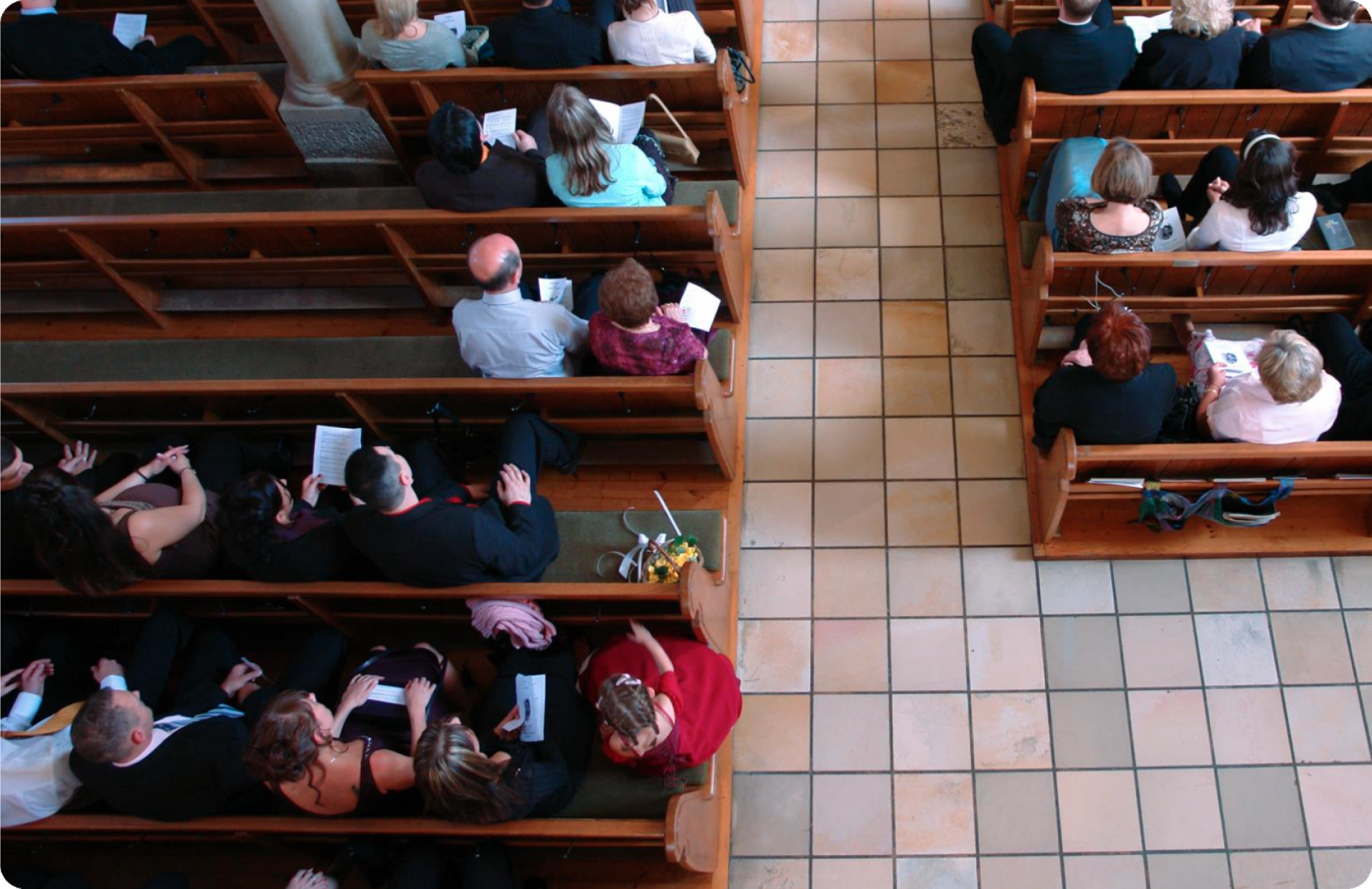
For sanctuaries and worship spaces, a wide-angle overview camera mounted high can provide crowd-level awareness without creating the feeling of close surveillance on individual congregants. The goal in these spaces is typically situational awareness, not identification of specific people.
Children’s ministry and sensitive zones
Children’s check-in and drop-off areas are a top priority for church safety cameras. Place cameras at hallway entrances, check-in desks, and corridor access points leading to children’s ministry rooms. Coverage should monitor who enters and exits these zones, not record inside classrooms or private care spaces.
Avoid placing cameras in restrooms, changing areas, counseling rooms, or prayer rooms. These spaces carry a reasonable expectation of privacy, and monitoring them would undermine congregational trust. If a specific need arises for coverage near a sensitive area, document the justification and review it with legal counsel before proceeding.
How to match camera types to the job
The right camera for a given location depends on what you need to see and why. The core question: do you need to know what happened, or do you need to identify who did it?
Awareness cameras use wider fields of view and are typically mounted higher. They cover large areas like parking lots, fellowship halls, and corridors, giving your team a broad picture of activity. These cameras answer the “what happened” question well but may not capture facial detail at a distance.
Identification cameras use narrower fields of view and higher resolution to capture recognizable detail at choke points like main entrances, check-in desks, and office doors. Pairing a wide-angle overview camera with a tighter identification camera at key entry points gives you both context and clarity, which is more effective than trying to do both jobs with a single camera at every location.
Lighting matters as much as resolution. A camera rated for low-light or infrared performance will produce better footage in a dimly lit parking lot than a higher-resolution camera designed for well-lit interiors. Match the camera to the environment, not the spec sheet. Rhombus cameras handle a range of indoor and outdoor lighting conditions, reducing guesswork during selection.
Privacy and recording policies churches should set early
Written policies should be in place before the first camera goes live. A camera policy sets expectations for staff, volunteers, and congregants, and it protects the church if questions arise later.
Video privacy boundaries
Cameras should only cover areas where people do not have a reasonable expectation of privacy. In a church context, public hallways, lobbies, parking lots, and gathering spaces are generally appropriate. Restrooms, counseling offices, pastoral care rooms, and changing areas are off limits.
Post clear signage indicating that video surveillance is in use. Transparency builds trust and reduces the chance of privacy complaints. Your camera policy should specify which areas are covered, the purpose of coverage, and how congregants or visitors can ask questions.
Audio recording caution
Audio recording is a separate legal issue from video. Many modern church security cameras include built-in microphones, but enabling audio capture introduces compliance requirements that vary significantly by state. Some states require all-party consent, while others follow one-party consent rules.
Review your state and local laws with legal counsel before enabling audio on any camera. The safest default is to leave audio recording disabled unless you have a clear operational need and confirmed legal authority. Treating audio as a distinct decision, rather than a default setting, avoids compliance problems.
Retention and access control
Decide how long footage is retained based on operational needs, not a guess. Some churches keep 30 days of rolling footage for general incident review, while others retain longer for insurance documentation or specific security concerns.
Retention length directly affects storage costs. A church that retains 90 days of footage across 20 cameras will pay significantly more than one retaining 30 days across eight cameras. Define your retention policy first, then size your storage to match.
Limit who can access the system. Role-based permissions ensure that a volunteer monitoring the parking lot feed during Sunday services cannot also export footage or change system settings. Document which roles have live viewing access, export privileges, and administrative control. Review these permissions at least annually as staff and volunteer rosters change.
Cloud-managed vs. local recording systems
The recording architecture of your church camera system affects daily operations, maintenance, and long-term costs.
Local or NVR-based systems
A network video recorder (NVR) stores footage on a physical device on site. For a single small building with a handful of cameras and a staff member who can maintain the hardware, a local NVR setup can work well. There is no recurring cloud subscription, and all data stays on premises.
The tradeoffs: local systems require hands-on maintenance (firmware updates, hard drive replacements, troubleshooting). Remote access often requires network configuration that can introduce security risks. If the NVR fails or is stolen, footage may be lost entirely. As camera count grows, NVR hardware eventually needs replacement, adding capital expenses and potential downtime.
Cloud-managed systems
Cloud-managed video surveillance shifts storage, updates, and system management to a centralized platform accessible from any authorized device. For churches with multiple buildings, limited IT resources, or volunteer-managed operations, cloud systems reduce the operational burden significantly.
A staff administrator can review an incident from home on a Saturday night. A facilities manager can check camera status across three campus buildings without driving to each one. Firmware and security updates happen automatically, meaning fewer protection gaps and less reliance on a technical volunteer.
Centralized management also simplifies multi-site deployments. Rhombus cameras are designed around this model, offering cloud-managed deployment with centralized administration, automatic updates, and remote access built in.
The cost structure differs between models. NVR systems carry higher upfront hardware costs and lower ongoing expenses (until hardware needs replacement). Cloud-managed systems typically involve a recurring subscription but spread costs evenly over time and eliminate the risk of a single hardware failure wiping out your footage archive.
Deployment questions to ask before buying
A camera system is only as reliable as the infrastructure supporting it. Work through these questions with your team or installer before committing to a purchase.
Network capacity. Can your current network handle the bandwidth from all planned cameras? Higher resolution and continuous recording generate substantial traffic. Older church buildings may need network upgrades. Wi-Fi connections introduce higher latency and less reliable feeds, especially during large gatherings when network demand spikes.
Power. Will cameras use Power over Ethernet (PoE), which delivers power and data over a single cable, or do you need separate power runs? PoE is standard for most modern church camera installations and reduces cabling complexity.
Storage and retention. How many days of footage do you need to retain? Align storage with your written retention policy so you are not paying for 90 days when your policy calls for 30. Consider whether the system compresses footage efficiently; better compression means more days of footage in the same storage footprint.
Remote access. Who needs to view cameras or review footage off site, and how will they authenticate? Secure remote access with multi-factor authentication is a baseline expectation.
Cybersecurity. Connected cameras carry the same security responsibilities as any other endpoint on your network. Evaluate whether the system supports encrypted data transmission, automatic firmware updates, and strong access controls. Rhombus publishes its security and compliance practices for teams that want to evaluate vendor cybersecurity posture directly.
Future expansion. Can you add cameras later without replacing the entire system? A church that starts with eight cameras today may need twenty in two years. Choose a system that scales without requiring a forklift upgrade.
How cameras fit into a broader church security plan
Church surveillance cameras are one layer in a larger safety program. Physical security works best as part of a preparedness framework that includes active threat planning, access control, volunteer training, and communication protocols.
Cameras deliver better outcomes when paired with access control at exterior doors, visitor management procedures, trained safety teams, and written emergency plans. Video surveillance for churches gives your team better situational awareness and a reliable record when incidents occur, but the people and policies around the system determine response effectiveness.
Federal grant programs for nonprofit security may be relevant for houses of worship assessing eligibility for physical security funding. Your camera investment is more defensible when it connects to a documented security plan.
What to look for in a modern church camera platform
When evaluating church security cameras, prioritize these criteria over brand names or price alone.
Usability. Can a non-technical staff member or trained volunteer pull up a camera feed, review a clip, or check system health without specialized training?
Centralized management. For any church with more than one building, the ability to manage all cameras, users, and settings from a single interface saves hours each month.
Scalability. The system should accommodate additional cameras, buildings, and users without architectural changes. Rhombus supports straightforward expansion as coverage needs evolve.
Smart search and analytics. Searching footage by time, location, or activity type speeds up incident review. AI-powered analytics can surface relevant clips faster than manually scrubbing hours of footage, which matters when your team’s time is limited.
Security and compliance. Encrypted storage and transmission, automatic updates, role-based access, and transparent vendor security practices are non-negotiable. You can review Rhombus security and compliance practices as a benchmark.
Remote access with proper controls. Authorized users should be able to view live feeds and review footage securely from any location, with multi-factor authentication and audit logging.
Frequently asked questions
Where should you place security cameras in a church? Start with main entrances and exits, parking lots, and drop-off zones. Then add coverage in lobbies, hallways, and children’s check-in areas. Avoid placing cameras in restrooms, counseling rooms, changing areas, or prayer rooms. Cover the points where people enter, move through, and gather, not every room in the building.
Should churches record audio on security cameras? In most cases, no. Audio recording laws vary significantly by state, and some require consent from all parties being recorded. Leave audio disabled unless you have a specific operational need and have confirmed the legal requirements with counsel. Video and audio recording carry different compliance obligations, so treat them as separate decisions.
What is the difference between cloud and NVR camera systems for churches? An NVR stores footage on a physical device on site, avoiding recurring subscription costs but requiring hands-on maintenance and offering limited remote access. A cloud-managed system stores footage off site, handles updates automatically, and allows authorized users to view cameras from anywhere. Churches with multiple buildings, volunteer-managed IT, or limited on-site staff tend to benefit more from cloud-managed systems.
How long should a church keep security camera footage? Most churches retain between 30 and 90 days, depending on operational needs and budget. Thirty days is a common baseline for general incident review. Longer retention may be appropriate for insurance documentation or specific security concerns. Define your retention window in a written policy and size storage to match, since longer retention directly increases costs.
How many cameras does a church need? Camera count depends on campus size, building count, and priority coverage areas. A small single-building church might start with six to ten cameras covering entrances, the parking lot, the lobby, and children’s check-in. A multi-building campus could need 20 or more. A phased approach lets you cover the highest-priority locations first and add cameras over time.
Do church security cameras need to be visible? Visible cameras serve a deterrent purpose, which is one of the primary goals for most houses of worship. Congregants and visitors are also more likely to trust a system that is openly acknowledged with posted signage. Hidden cameras can raise legal and trust issues, especially in a faith community. Visible placement combined with clear signage is the better approach for most churches.
Conclusion
Choosing the right church security cameras starts with understanding your campus, your team, and your operational goals. Prioritize placement at entrances, exits, parking areas, and children’s check-in zones. Set written policies for retention, access, and privacy before the first camera goes up. Match camera types to whether you need broad awareness or identification-level detail. Evaluate your recording architecture based on who will manage the system day to day, not just upfront cost.
For churches evaluating a cloud-managed video surveillance platform with multi-building administration, remote access, automatic updates, and strong cybersecurity, Rhombus cameras are worth a look. Request a demo to see how the system works for your specific campus layout and team structure.
%20--%3e%3csvg%20version='1.1'%20id='Layer_1'%20xmlns='http://www.w3.org/2000/svg'%20xmlns:xlink='http://www.w3.org/1999/xlink'%20x='0px'%20y='0px'%20viewBox='0%200%20110%20110'%20style='enable-background:new%200%200%20110%20110;'%20xml:space='preserve'%3e%3cstyle%20type='text/css'%3e%20.st0{fill:url(%23SVGID_1_);}%20%3c/style%3e%3cg%3e%3clinearGradient%20id='SVGID_1_'%20gradientUnits='userSpaceOnUse'%20x1='25.325'%20y1='766.725'%20x2='84.725'%20y2='707.325'%20gradientTransform='matrix(1%200%200%201%200%20-682)'%3e%3cstop%20offset='0'%20style='stop-color:%23006F94'/%3e%3cstop%20offset='1'%20style='stop-color:%2300C1DE'/%3e%3c/linearGradient%3e%3cpath%20class='st0'%20d='M106.9,47.5L62.5,3.1c-4.1-4.1-10.9-4.1-15,0L3.1,47.5c-4.1,4.1-4.1,10.9,0,15l44.4,44.4%20c4.2,4.2,10.9,4.2,15.1,0L107,62.5C111,58.4,111,51.6,106.9,47.5z%20M55.5,71.2c-9.4,0.3-17-7.3-16.7-16.7C39.1,46,46,39.1,54.5,38.8%20c9.3-0.3,17,7.3,16.7,16.7C70.9,64,64,70.9,55.5,71.2z'/%3e%3c/g%3e%3c/svg%3e)
Related Articles