Back to blog home
Rhombus Alarm Monitoring V3: More Flexible, More Powerful, Built to Scale
by Team Rhombus, on June 16th, 2026
Product UpdatesWhen we launched Alarm Monitoring, the idea was straightforward: combine Rhombus cameras with professional 24/7 monitoring so customers could protect their spaces without adding headcount. It worked - and customers embraced it.
But as more organizations adopted it, a consistent theme emerged in their feedback: the system was powerful, but it assumed too much. It assumed cameras were the right detection device for every space. It assumed every alarm needed video verification. It assumed one arming schedule was enough for an entire building.
Alarms V3 is our answer to all of that. Today, we’re releasing the most significant update to Alarm Monitoring since its launch; one that transforms it from a camera-centric monitoring tool into a configurable security framework that adapts to how your organization actually operates.
An Expanded Trigger Suite - Any Device, Any Event
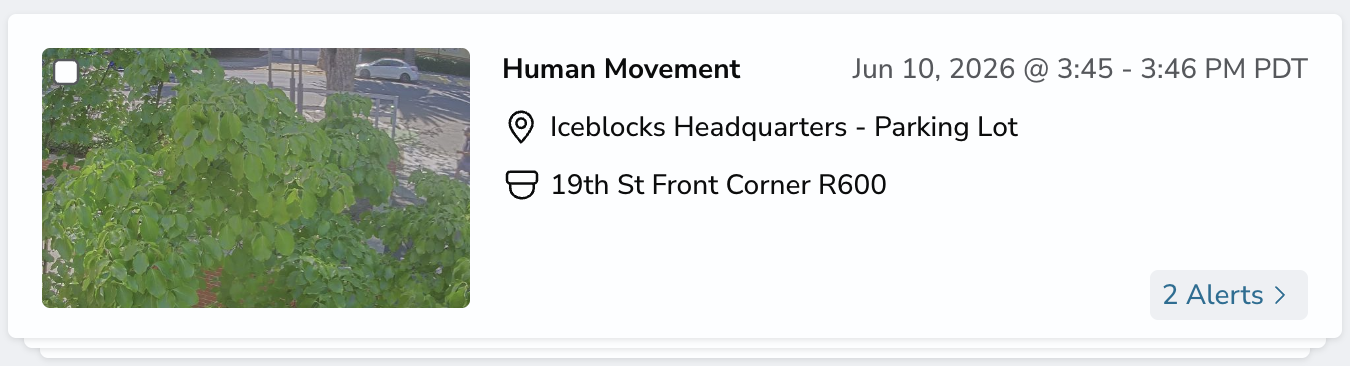
Previously, Alarm Monitoring triggered on a limited set of camera-detected events: human movement, door opened via sensor, and panic button. Cameras were the star, sensors were secondary, and the whole system was built around that assumption.
V3 changes the foundation. You can now trigger an alarm from a significantly broader range of events, across a much wider set of devices:
- Camera: Human Movement, Vehicle Movement, Any Movement
- Access Control Doors: Door Opened, Door Forced Open, Door Ajar
- Door Sensors: Door Opened, Door Ajar
- Audio & Environment Sensors (A100, E50): Glass Break, Smoke Alarm, CO Alarm
- Motion Sensors: Motion Detected
- Panic Buttons: Panic Button pressed
This matters because real facilities have real blind spots; spaces where cameras aren’t practical or permitted, entry points where forced access is the most meaningful signal, or environmental hazards that have nothing to do with a video feed. V3 lets you monitor all of them in a single system.
Multi-Event Triggers - Fewer False Alarms, Without Disabling Sensors
One of the most common frustrations with sensor-based monitoring is noise. Motion sensors fire on HVAC drafts. Door sensors trigger during restocking. And when sensors cause too many false alarms, teams stop trusting them… or turn them off entirely.
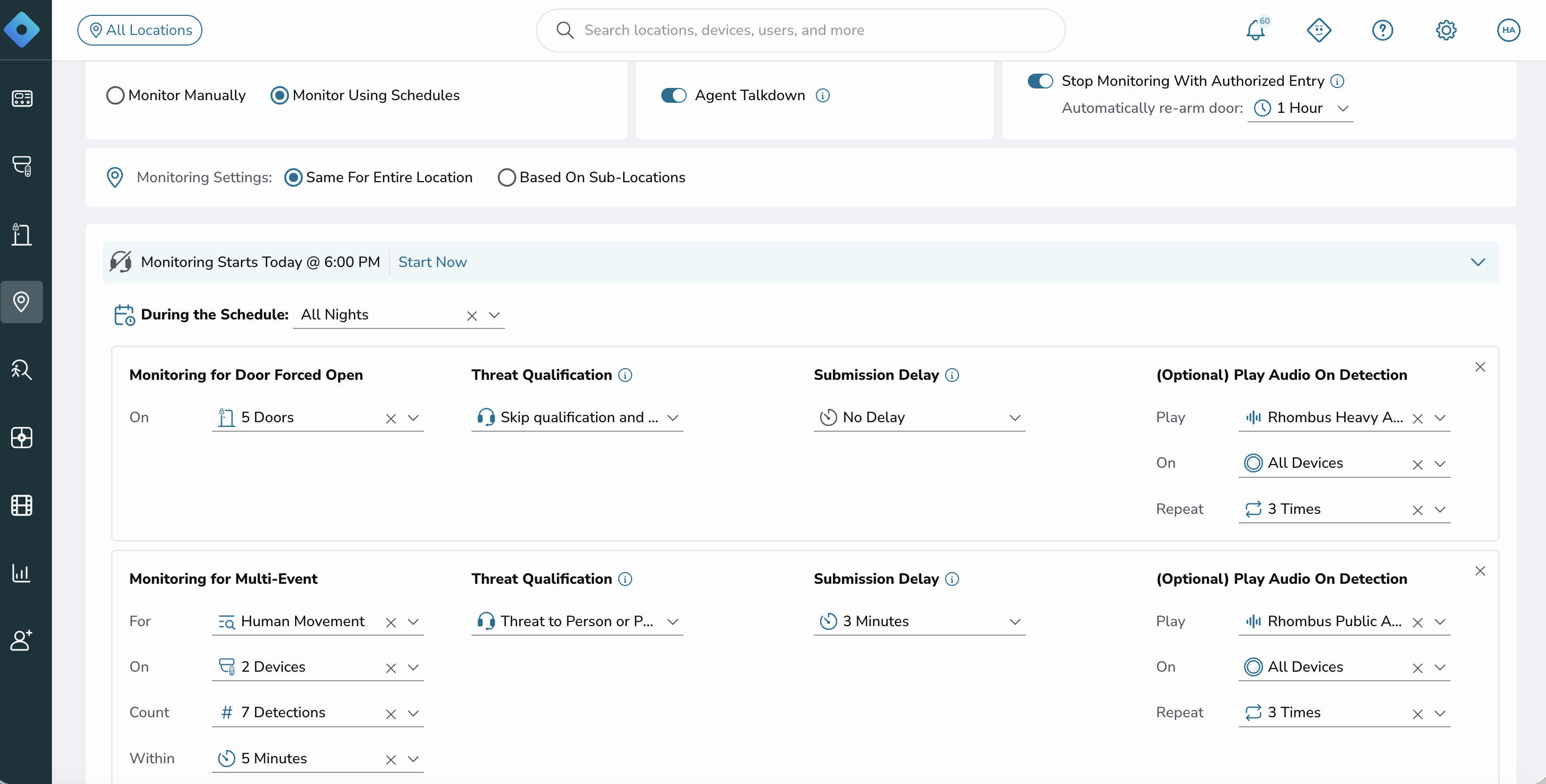
Multi-Event triggers solve this without forcing that trade-off. Instead of firing on every detection, you can now require a threshold: N events within T minutes before an alarm fires. Motion detected once? Ignored. Motion detected five times in two minutes? That’s an alarm.
It’s a simple mechanism with a big practical impact. Sensors that would previously have been considered “too noisy” for monitoring can now be configured sensibly. Your team gets fewer interruptions, and the alerts that do fire carry more weight.
Optional Skip Video Verification - For When Speed Is What Matters
Alarm Monitoring has always been built around a video-verified response model: an alarm fires, an agent reviews the live footage and then acts accordingly. That’s the right default for most situations; it reduces false dispatches and gives agents the context they need to respond appropriately.
But it’s not always the right model. Some triggers don’t need a human in the loop before dispatch. A glass break event at 2am. A door being forced open. A panic button. In these cases, the fastest response is the right response.
For Pro and Enterprise customers, V3 now lets you configure specific triggers to skip video verification entirely and go straight to emergency dispatch. You decide which triggers warrant automatic dispatch and which should go through the standard review process. The agent verifies what they can; you define what can’t wait.
This also opens the door - pun intended - for monitoring spaces where cameras aren’t an option at all. Server rooms, locker rooms, bathrooms: any space where detection is needed but footage isn’t available or appropriate can now have professional monitoring behind it.
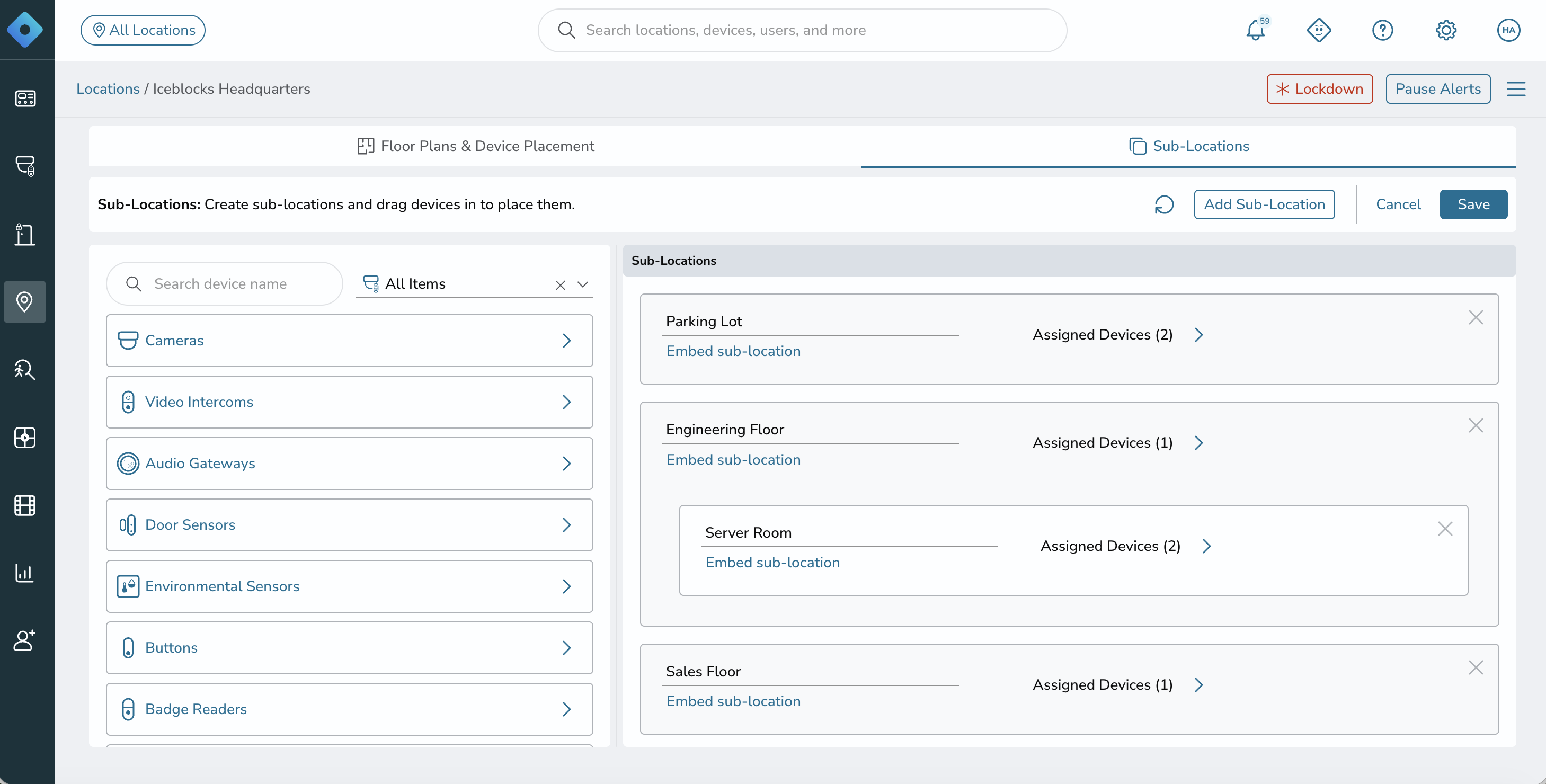
Sub-Locations - Zone-Level Control for Complex Facilities
This is the one that changes the game for larger deployments.
Until now, a Rhombus location had a single arming state. That worked well for small sites; a single office, a retail unit, a clinic. But for customers with warehouses attached to offices, multi-floor facilities, or campuses with distinct operational zones, it forced workarounds: separate locations for what was physically one building, custom rules to approximate zone behavior, manual coordination between teams with different schedules.
Sub-Locations removes all of that. You can now divide a single location into as many zones as you need, and configure each one independently:
- Monitoring rules — different triggers for different zones
- Emergency contacts — notify the right people for the right area
- PINs — separate access per zone
- Arming schedules — the warehouse goes armed at 6pm, the server room stays monitored around the clock
- Responder entry instructions — tell first responders exactly what they need to know about each specific area
Arm and disarm at the sub-location level from the Rhombus Console, mobile app, TS10, or via the Alarm Pad App. And critically: this is all one location, one license, one account. No workarounds required.
One note worth calling out: there is still only one open monitoring case per location at a time. This is intentional; it prevents a single license from being stretched across what are effectively multiple independent deployments. Sub-Locations give you granularity; they’re not a substitute for separate licensed coverage.
A Proper Entry Point: The Starter License for Intrusion Monitoring
V3 also formalizes something customers have been asking for: a camera-free entry point into professional monitoring.
The Starter license is built for traditional intrusion monitoring use cases; facilities where the goal is detection and dispatch, not video verification. No cameras required. Supported triggers include door sensors, motion sensors, glass break, panic buttons, smoke alarms, and CO alarms. When an alarm fires, emergency services are dispatched. Simple, direct, effective.
If you’re familiar with a conventional alarm monitoring setup, the Starter license will feel familiar; but with the full Rhombus platform behind it. And when you’re ready for video-verified response or automatic dispatch on specific events, the upgrade path to Pro or Enterprise is a clean one.
Rollout
V3 is available today for all new customers. Existing customers will be migrated in phases; we’re starting with a hand-selected group of accounts, validating the migration process, and then rolling out more broadly. If you’re on the current system, you’ll remain there until your account is migrated, and your configuration will carry over automatically.
Get Started
If you’re already using Alarm Monitoring, reach out to your Rhombus rep to learn about your migration timeline and what to expect.
If you’re not yet using Alarm Monitoring - or you’re evaluating Rhombus for the first time - there’s never been a better time to see what it can do. Request a demo →
And as always, if you have feedback on any of this, we want to hear it. Every feature in V3 came from real conversations with real customers. Keep them coming.
%20--%3e%3csvg%20version='1.1'%20id='Layer_1'%20xmlns='http://www.w3.org/2000/svg'%20xmlns:xlink='http://www.w3.org/1999/xlink'%20x='0px'%20y='0px'%20viewBox='0%200%20110%20110'%20style='enable-background:new%200%200%20110%20110;'%20xml:space='preserve'%3e%3cstyle%20type='text/css'%3e%20.st0{fill:url(%23SVGID_1_);}%20%3c/style%3e%3cg%3e%3clinearGradient%20id='SVGID_1_'%20gradientUnits='userSpaceOnUse'%20x1='25.325'%20y1='766.725'%20x2='84.725'%20y2='707.325'%20gradientTransform='matrix(1%200%200%201%200%20-682)'%3e%3cstop%20offset='0'%20style='stop-color:%23006F94'/%3e%3cstop%20offset='1'%20style='stop-color:%2300C1DE'/%3e%3c/linearGradient%3e%3cpath%20class='st0'%20d='M106.9,47.5L62.5,3.1c-4.1-4.1-10.9-4.1-15,0L3.1,47.5c-4.1,4.1-4.1,10.9,0,15l44.4,44.4%20c4.2,4.2,10.9,4.2,15.1,0L107,62.5C111,58.4,111,51.6,106.9,47.5z%20M55.5,71.2c-9.4,0.3-17-7.3-16.7-16.7C39.1,46,46,39.1,54.5,38.8%20c9.3-0.3,17,7.3,16.7,16.7C70.9,64,64,70.9,55.5,71.2z'/%3e%3c/g%3e%3c/svg%3e)
Related Articles