Back to blog home
What's New in the Rhombus Console: People Tracking, Smarter Health Notifications, Sub-Locations
by Team Rhombus, on July 21st, 2026
Product UpdatesAt Rhombus, we build for the moments that matter; the incident you need to reconstruct in minutes, the camera failure you can’t afford to discover after the fact, the building that’s really four businesses under one roof. This month’s Console updates are all about giving you more visibility and more control: follow a person across every camera at a location, get told when something’s wrong (and stay told until it’s fixed), and organize your spaces the way they actually work.
Here’s what’s new.
Follow the Story with People Tracking (Beta)
When something happens, the first question is almost always the same: where did they go? Until now, answering it meant scrubbing through footage camera by camera, hoping you picked the right one.
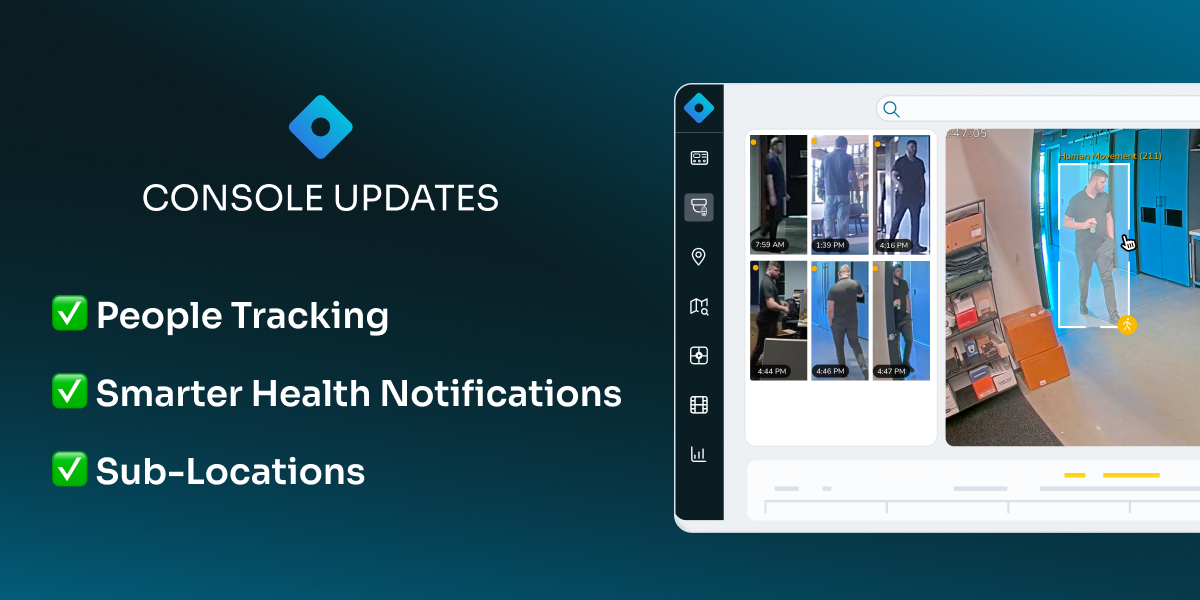
People Tracking, now in beta, turns that into a single click. Select any person in your footage and the Console follows them throughout the location; automatically handing off between cameras as they move through your space.
With People Tracking, you can:
· Track anyone with one click - select a person in any camera’s view to begin tracking them across the location
· Let multi-camera tracking do the work - sightings are stitched together automatically, with previous/next navigation to step through them manually
· See the path on your floor plan - a floor plan view maps the person’s route through the location at a glance
· Trace movement within each camera - person tracing shows their path inside every camera’s field of view
· Save and share in seconds - export tracking clips to share with your team or law enforcement
· Refine results as you go - soft-remove incorrect sightings to improve tracking accuracy
Know When Something’s Wrong - and Until It’s Right - with Health Notifications
Every security team has a version of this story: a camera died over the weekend, and nobody noticed until they needed the footage. A single “device offline” email at 3am on a Saturday doesn’t prevent it; it just documents it.
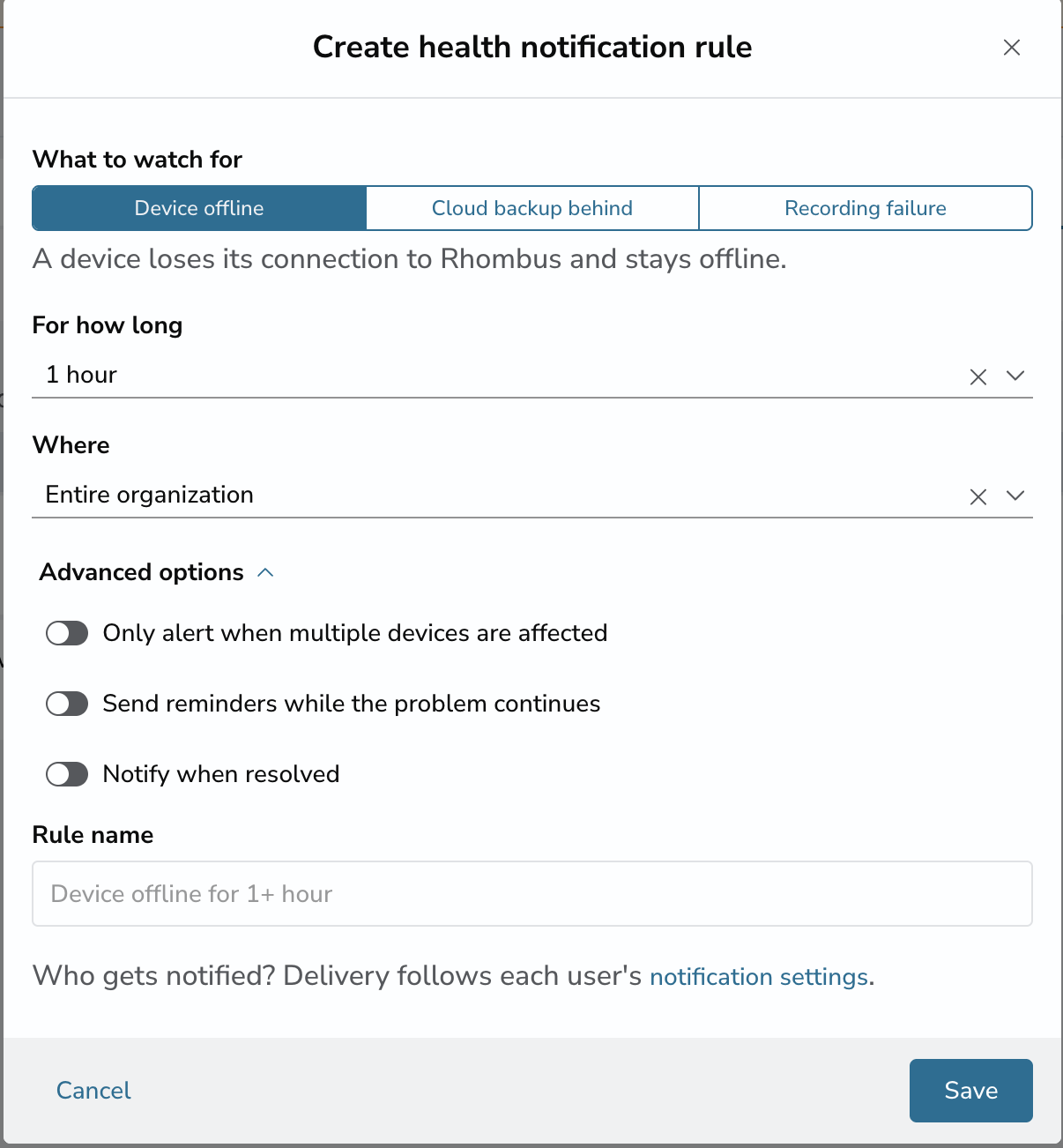
The new Health Notifications experience is built around a simple idea: your system should keep watching a problem until it’s actually resolved. Health notifications now have their own dedicated section under Settings → Notifications, managed just like alert notifications.
Here’s what you can do:
· Set smart health rules. Get notified about problems that persist, not momentary blips; for example, “tell me if any device is offline for more than an hour.” Rules can watch for devices going offline, cloud backup falling behind, and cameras that are powered on but not recording.
· Get one summary, not a flood. When a switch or internet outage takes down 20 devices at once, you get a single clean notification — “20 devices went offline at HQ” — instead of 20 separate pings. Same when everything comes back online.
· Stay reminded until it’s fixed. Rule scan re-notify while a problem persists - after a day, a week, a month - and send an all-clear when it’s resolved. A missed email no longer means a missed problem.
· Tune it per person. Every user chooses what they hear about, when (business hours or 24/7), and how (email, push, or text).
Two of these failure modes - cloud backup lagging and a camera that looks fine but isn’t recording - are ones you can’t spot by glancing at a wall of live feeds. Now the system spots them for you, and won’t let go until they’re fixed.
The new Health Notifications are live for all customers.

Organize Your Spaces Your Way with Sub-Locations
Real buildings aren’t monoliths. They’re floors, suites, units, and zones; often with different tenants, different schedules, and different people responsible for each.
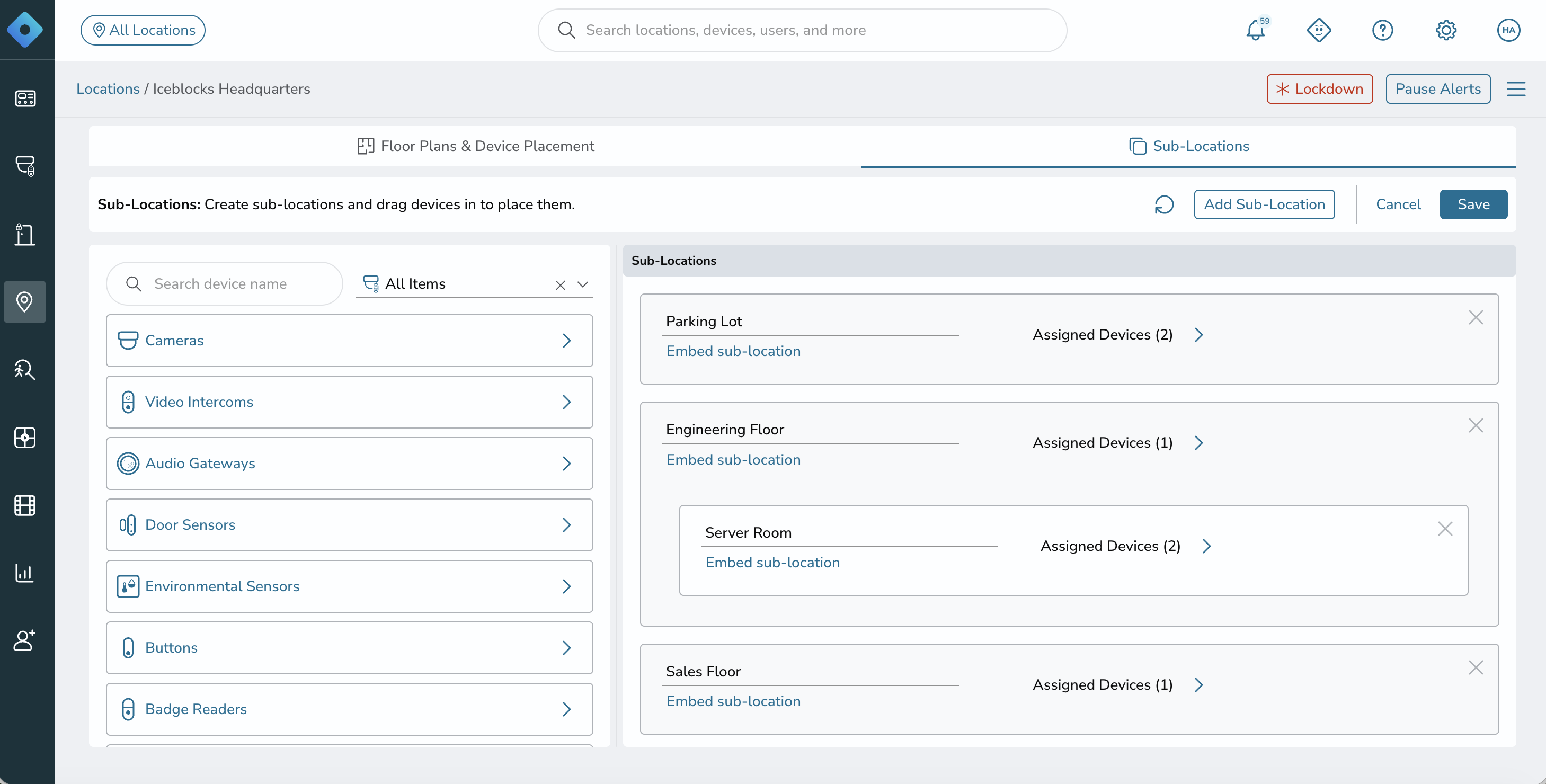
Sub-Locations let you divide any location into named areas and manage each one on its own terms:
· Divide a location into named sub-locations - floors, suites, units, or zones - and assign devices to each
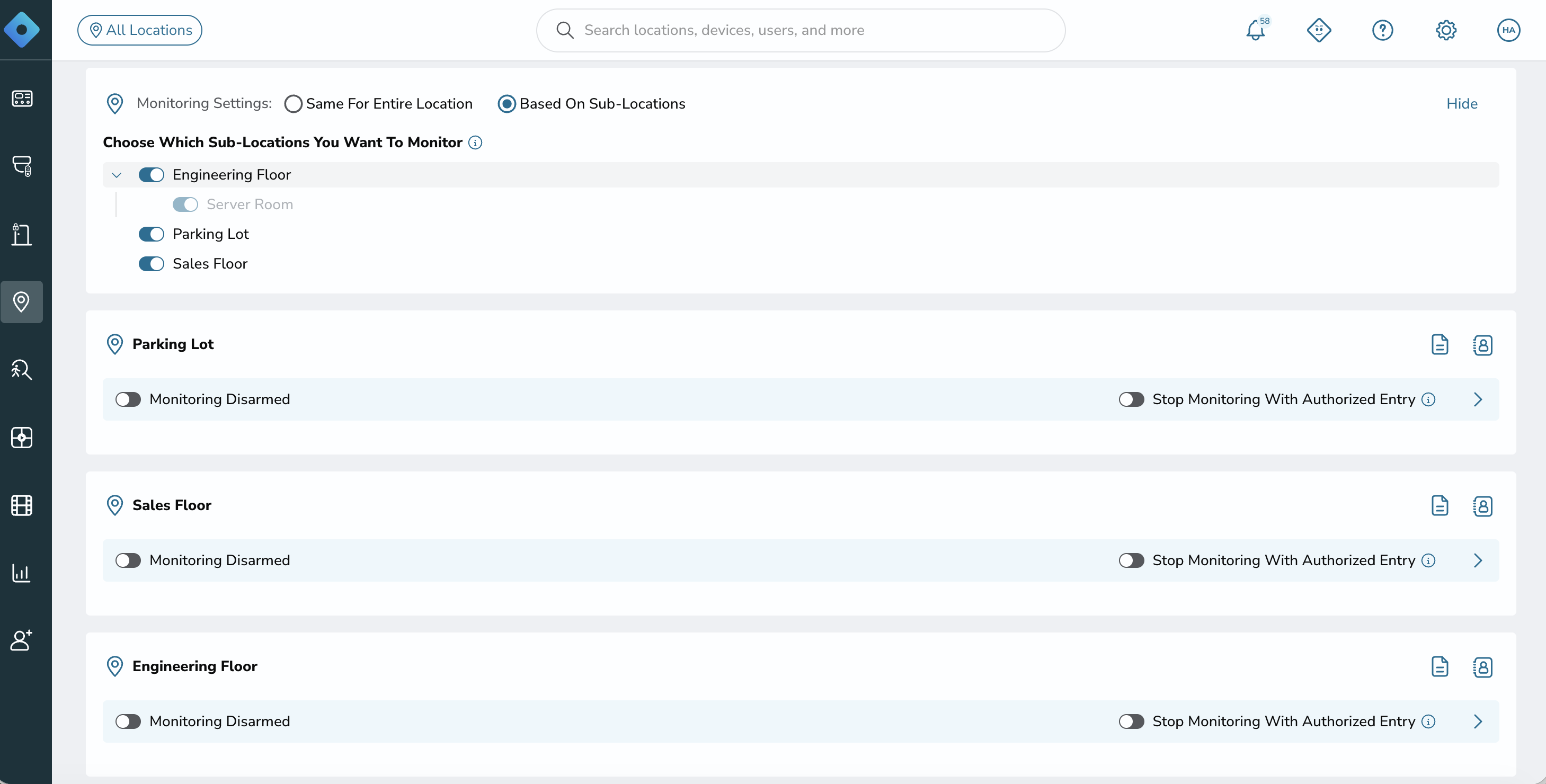
· Scope monitoring to each sub-location; rules, contacts, PINs, responder instructions, and arm/disarm schedules can all be configured per sub-location
For multi-tenant buildings, multi-suite offices, and campuses, this means the third floor can arm on its own schedule, alert its own contacts, and give responders its own instructions; without affecting the rest of the building.
Sub-Locations is currently available to Alarm Monitoring customers, and will be rolling out more widely soon.
Coming Soon: Human Loitering Alerts
We’re also introducing a new AI alert type: human loitering detection. It’s currently in testing with selected customers and launching to everyone soon. Rather than alerting on every person who pauses, loitering alerts are designed to flag people who stay; with thresholds you control:
· Set a loiter threshold - for example, alert only after someone has remained in view for 10 minutes
· Set a reset threshold - for example, reset the timer if the person leaves for 5 minutes
· Get alerts and timeline events automatically once your loiter policy is configured
We’ll share more as it rolls out to everyone.
Getting Started
Health Notifications and Sub-Locations are live in the Console today. People Tracking and Human Loitering Alerts are currently in testing with selected customers and launching to everyone soon; if you’d like early access, reach out to your Rhombus representative to join the testing program.
Not yet on Rhombus? See how simple physical security can be; request a demo or start a free trial.
%20--%3e%3csvg%20version='1.1'%20id='Layer_1'%20xmlns='http://www.w3.org/2000/svg'%20xmlns:xlink='http://www.w3.org/1999/xlink'%20x='0px'%20y='0px'%20viewBox='0%200%20110%20110'%20style='enable-background:new%200%200%20110%20110;'%20xml:space='preserve'%3e%3cstyle%20type='text/css'%3e%20.st0{fill:url(%23SVGID_1_);}%20%3c/style%3e%3cg%3e%3clinearGradient%20id='SVGID_1_'%20gradientUnits='userSpaceOnUse'%20x1='25.325'%20y1='766.725'%20x2='84.725'%20y2='707.325'%20gradientTransform='matrix(1%200%200%201%200%20-682)'%3e%3cstop%20offset='0'%20style='stop-color:%23006F94'/%3e%3cstop%20offset='1'%20style='stop-color:%2300C1DE'/%3e%3c/linearGradient%3e%3cpath%20class='st0'%20d='M106.9,47.5L62.5,3.1c-4.1-4.1-10.9-4.1-15,0L3.1,47.5c-4.1,4.1-4.1,10.9,0,15l44.4,44.4%20c4.2,4.2,10.9,4.2,15.1,0L107,62.5C111,58.4,111,51.6,106.9,47.5z%20M55.5,71.2c-9.4,0.3-17-7.3-16.7-16.7C39.1,46,46,39.1,54.5,38.8%20c9.3-0.3,17,7.3,16.7,16.7C70.9,64,64,70.9,55.5,71.2z'/%3e%3c/g%3e%3c/svg%3e)
Related Articles