Back to blog home


Introducing Rhombus MIND
by Scott Wisotsky, on October 14th, 2026
Product UpdatesToday we’re launching our biggest ever AI upgrade: Rhombus MIND. It’s available now to every Rhombus customer, at no extra cost.
Instead of clicking through the Rhombus Console, digging through menus, or scrolling through timelines, Rhombus MIND can answer your questions, take actions, and create reports from all the data in your physical security system. With MIND, you just ask “Who was in the office today?” “Which doors are still unlocked?” or “Email the ops team a weekly people-count report.” It’s as simple as that.
What is Rhombus MIND?
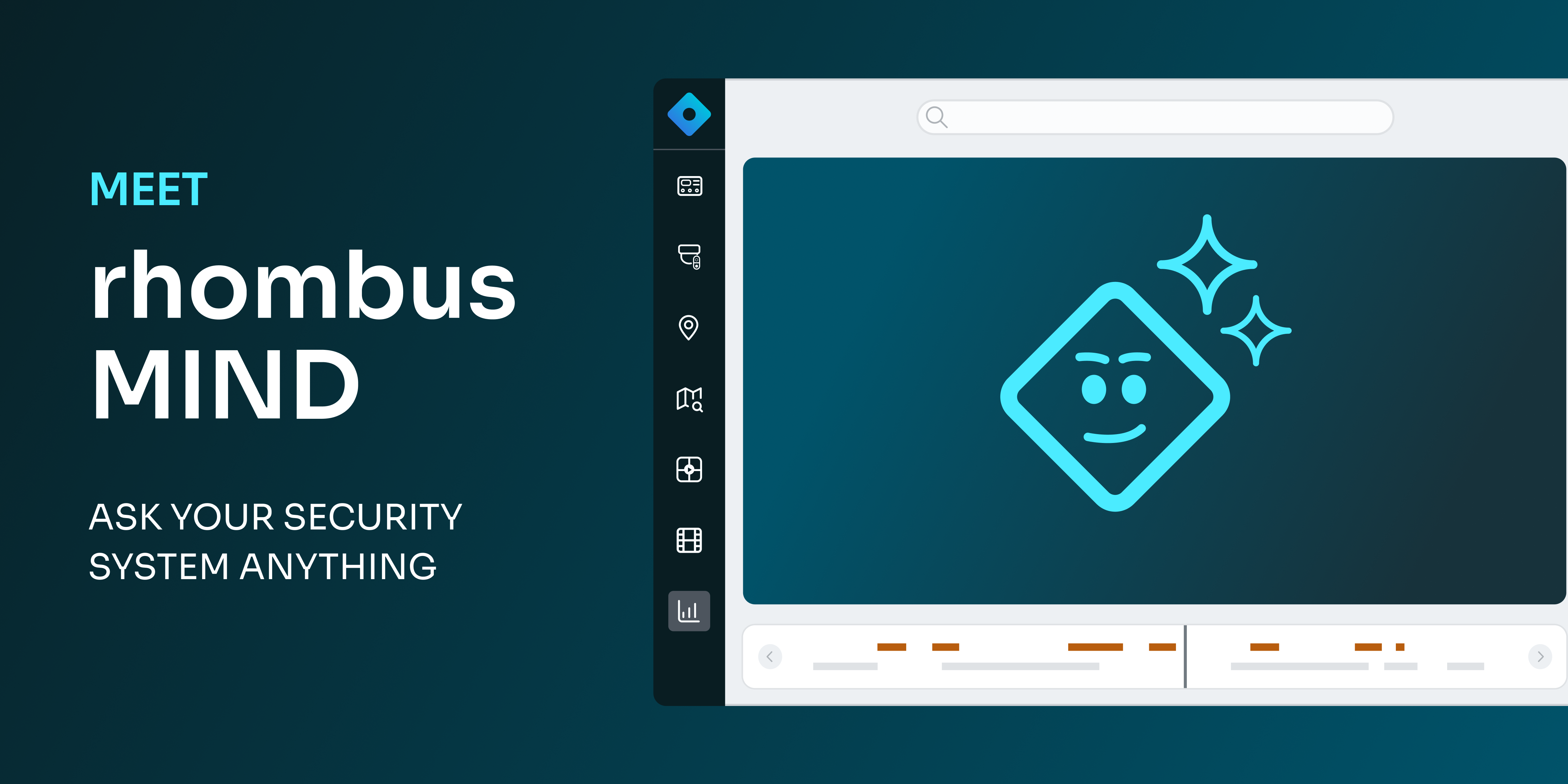
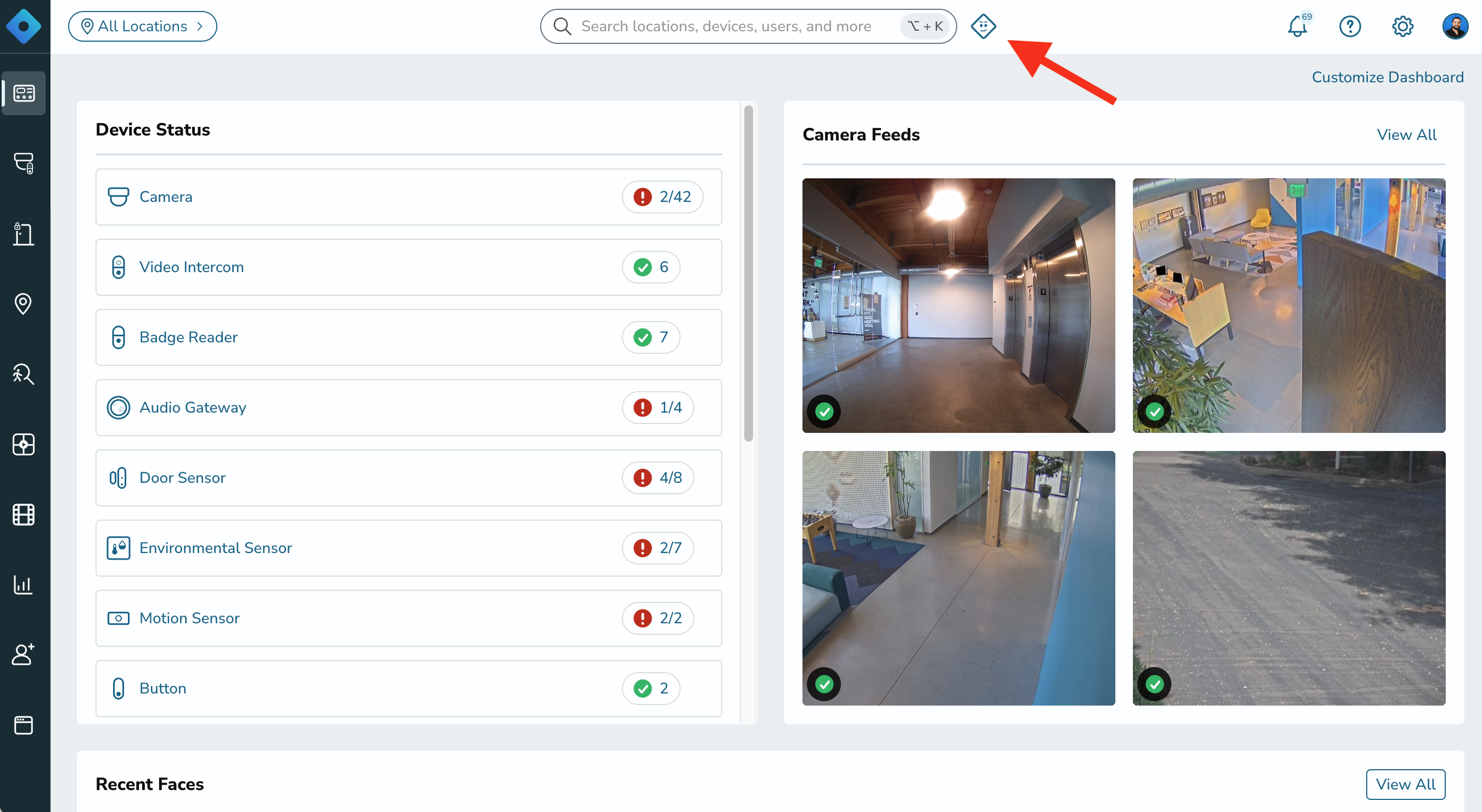
Rhombus MIND (Modular Intelligence for Navigation and Data) is an AI assistant built directly into the Rhombus Console and mobile app. It connects to Rhombus hardware such as cameras, access control, and sensors and AI analytics like recognized faces, license plates, and more. Rhombus customers will see it as an icon at the top of their console.
What can Rhombus MIND do?
Rhombus MIND answers questions, takes action, and builds reports, all from simple conversations. Here’s what that looks like in practice.
Get live answers in seconds
Ask about cameras, doors and badge-ins, who was on site today, license plates that drove by, environmental sensor readings, parking lot or room occupancy, alarms, hardware status, or anything else you can think of relating to your physical security system. Rhombus MIND also pulls events from 3rd party integration partners like Brivo and Lenel S2 OnGuard, Elements, and NetBox.
- “Who was in the office today?” An office manager gets a list of badge-ins and face sightings within seconds.
- “Show me what the loading-dock camera sees right now.” A warehouse supervisor gets a live snapshot in the chat.
- “Which vehicles visited the office this week?” A property manager gets a license-plate gallery of every vehicle on site.
- “Which doors are still unlocked?” An employee closing for the night gets an instant answer across every site.
Rhombus MIND is also taking the place of our support chat. You can get knowledge on tap from ‘how-to questions’ on the Rhombus knowledge base, like “How do I register a camera?” and open support tickets directly by chatting with Rhombus MIND.
Take real action
Rhombus MIND doesn’t stop at answers. It can update camera settings, reboot cameras, create camera and alert policies, manage door schedules and exceptions, build video walls, and more. For multi-step tasks, Rhombus MIND guides you with real forms and buttons right in the chat.
- “Reboot the lobby camera.” Done instantly, without hunting for the device and manually clicking reboot.
- “Review all of my cameras and fix any that look blurry or out of focus.” Rhombus MIND toggles the settings for you and will make all of your cameras crystal clear.
- “Create a new video wall with all my site’s exterior cameras.” You don’t need to press any buttons or drag and drop anything.
Build reports on demand or on a schedule
Describe what you need in plain language, and Rhombus MIND can design a multi-section report with charts, tables, and images built from your live data. Make any report recurring (hourly, daily, or weekly) and have it emailed to the right people automatically.
- “Build a weekly report counting the number of people in the factory and email it to the operations department.” An operations lead gets occupancy trends in their inbox every Monday, with zero manual work.
- “Create a report measuring the temperature and humidity of the IT room every hour and email it to the operations department 9am every morning.” The operations team gets a report every morning on environmental conditions in the IT room.
Rhombus MIND keeps working when nobody is logged in. Automated Prompts let you put any instruction on a schedule, with results pushed as notifications to the team members you choose. Essentially, Rhombus MIND becomes a security analyst that can work for you around the clock.
Rhombus MIND can report on all the data collected in cameras, access control, smart sensors, and more.
How Rhombus MIND works
Rhombus MIND is an AI agent built into the Rhombus Console. When you ask a question, it plans its approach, picks the right tools, pulls live data from your Rhombus system, checks its own work, and returns a clear, concise answer.
- You ask. Type a question in Rhombus MIND
- Rhombus MIND gets the data. It calls the same Rhombus APIs that power the Console, so answers are live and accurate.
- You get the answer or take action. Text, charts, galleries, forms, actions taken, or a full report, plus suggested next steps.
Built with guardrails
- Your permissions apply. Rhombus MIND only sees and does what your Rhombus account and user permission settings are allowed to see and do. Admins will be able to take different actions and pull different data than users with other permission levels.
- No made-up answers. All camera, door, sensor, or person Rhombus MIND references come from real data in your system.
- Built on an open standard. Rhombus MIND runs on the Model Context Protocol (MCP), the same open standard that lets you connect your own AI tools to Rhombus.
How to start using Rhombus MIND
Rhombus MIND is free for all users and replaces the console’s support chat. Here’s how to get started.
- Start asking. Open Rhombus MIND from your web console or mobile app and type your first question.
- Check your permissions. All customers will have access to Rhombus MIND for simple questions and asks, but not every user will be able to see the same data or take the same actions, depending on their permissions. You may need your Rhombus Admin to grant you access to pull sensitive data like “which employees badged into the office today?”
- Enable the AI policy. An admin must turn on the AI policy for your organization before the full capabilities of MIND are available.
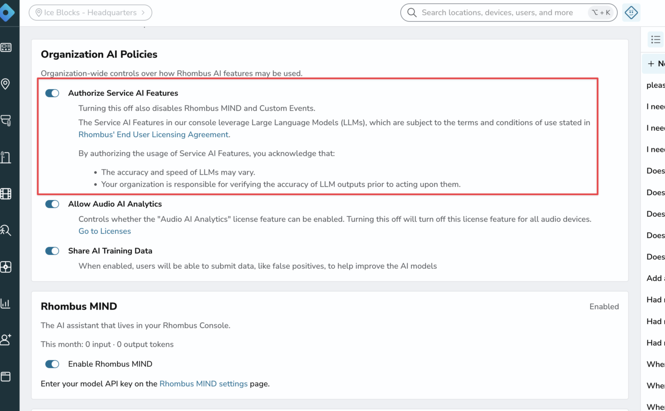
Three ways to access Rhombus MIND
1. In the Console
Rhombus MIND is one click away on every page of the Rhombus Console. You’ll also find a dedicated Rhombus MIND home with your saved conversations, report management, and automation settings.
2. In the mobile app
Take the same AI assistant with you, wherever you go. Check on a site, pull up a camera, or review overnight activity from anywhere, with responses streaming live to your phone.
3. From your own AI tools
Already use an AI assistant at work? The Rhombus MCP server is public and open source. Connect Claude Desktop or any MCP-compatible client to your Rhombus organization with just an API key.
Get started with Rhombus MIND today
Rhombus MIND is free and available now to eligible Rhombus customers with deployments hosted outside the EU region. MIND is not currently available for deployments hosted in the EU region. We’ll share updates as regional availability expands. Ask your first question today and see it in action!
%20--%3e%3csvg%20version='1.1'%20id='Layer_1'%20xmlns='http://www.w3.org/2000/svg'%20xmlns:xlink='http://www.w3.org/1999/xlink'%20x='0px'%20y='0px'%20viewBox='0%200%20110%20110'%20style='enable-background:new%200%200%20110%20110;'%20xml:space='preserve'%3e%3cstyle%20type='text/css'%3e%20.st0{fill:url(%23SVGID_1_);}%20%3c/style%3e%3cg%3e%3clinearGradient%20id='SVGID_1_'%20gradientUnits='userSpaceOnUse'%20x1='25.325'%20y1='766.725'%20x2='84.725'%20y2='707.325'%20gradientTransform='matrix(1%200%200%201%200%20-682)'%3e%3cstop%20offset='0'%20style='stop-color:%23006F94'/%3e%3cstop%20offset='1'%20style='stop-color:%2300C1DE'/%3e%3c/linearGradient%3e%3cpath%20class='st0'%20d='M106.9,47.5L62.5,3.1c-4.1-4.1-10.9-4.1-15,0L3.1,47.5c-4.1,4.1-4.1,10.9,0,15l44.4,44.4%20c4.2,4.2,10.9,4.2,15.1,0L107,62.5C111,58.4,111,51.6,106.9,47.5z%20M55.5,71.2c-9.4,0.3-17-7.3-16.7-16.7C39.1,46,46,39.1,54.5,38.8%20c9.3-0.3,17,7.3,16.7,16.7C70.9,64,64,70.9,55.5,71.2z'/%3e%3c/g%3e%3c/svg%3e)
Related Articles