Back to blog home

Door Access Control Systems: A Complete Buyer's Guide (2026)
by Team Rhombus, on June 23rd, 2026
Physical SecurityOverview
- A door access control system decides who can open which door and when, replacing mechanical keys with electronic credentials, readers, controllers, and management software.
- Buyers choose among three deployment models: on-premises systems run on local servers your IT team maintains, cloud-managed systems offload updates and storage to the vendor, and hybrid systems split the difference.
- Credentials range from key fobs and PIN codes to mobile phones, biometrics, and multi-factor combinations, each trading convenience against security and cost.
- Hardware runs roughly $600 to $7,000 per door before credentials and installation, so deployment model and credential choice shape long-term cost.
- Cloud-native management is where most multi-site and growing commercial deployments are heading, because it removes server maintenance and unifies doors with cameras and analytics in one console.
What Is a Door Access Control System?
A door access control system decides who can open a specific door, at what times, and at which locations, then enforces that decision automatically every time someone presents a credential. The system answers three questions at every entry point. Is this person authorized, are they authorized for this door, and are they authorized right now. When the answer to all three is yes, the door unlocks. When any answer is no, it stays locked and the attempt gets logged.
The logic runs end to end in a few seconds. A user presents a credential at a reader. The reader passes the encrypted data to a controller, which checks it against a set of permissions stored locally or in the cloud. If the permissions match, the controller signals the electronic lock to release, and the door opens. Every one of those events, granted or denied, lands in an audit log tied to a person, a door, and a timestamp.
Organizations replace mechanical keys with electronic access control because a lost key forces you to rekey a lock, while a lost credential takes one click to revoke. The cost of a lost key compounds across a building with dozens of doors and hundreds of employees who join, change roles, and leave. Mechanical keys also tell you nothing about who entered and when, whereas an access control system records every entry and lets you adjust permissions for a single person or an entire group without touching the hardware on the door.
The Five Hardware Components of a Commercial Door Access System
Every commercial door access system runs on five hardware layers, and a buyer who understands each one can scope a project and read a quote without guessing. Hardware alone runs roughly $600 to $7,000 per door before you add credentials, installation, or service fees, and the spread comes down to how many components you specify and how secure the door needs to be.
The door controller is the decision-making brain of the system. It stores credentials and access rules, and when someone presents a credential, the controller checks it against those rules and decides whether to release the lock. Legacy controllers hold this logic on local servers, while cloud-managed controllers like the Rhombus DC20 sync rules to the cloud and keep enough at the edge to run during an internet outage.
The access reader sits at or near the door and reads the credential a person presents. Readers handle key cards, fobs, PINs, mobile phones, or a combination, and they pass the encrypted credential to the controller for a decision. Some readers add a camera and intercom, as the Rhombus DR40 Video Intercom does, so a single device covers both access and two-way video at the entrance.
The credential is whatever proves identity at the door. Most deployments use RFID key cards or fobs, mobile apps, PIN codes, or biometrics, and the credential type you pick shapes both daily convenience and how fast you can revoke access when an employee leaves.
The electronic lock is the physical mechanism the controller releases. Electromagnetic locks, electric strikes, and electrified mortise hardware each suit different door types and fire-code requirements, so the lock choice often drives a meaningful slice of that per-door cost range.
Management software ties the four hardware layers together. It is where you add users, set schedules, pull audit logs, and manage doors across sites, and the quality of this software separates a system you fight with from one you barely think about.
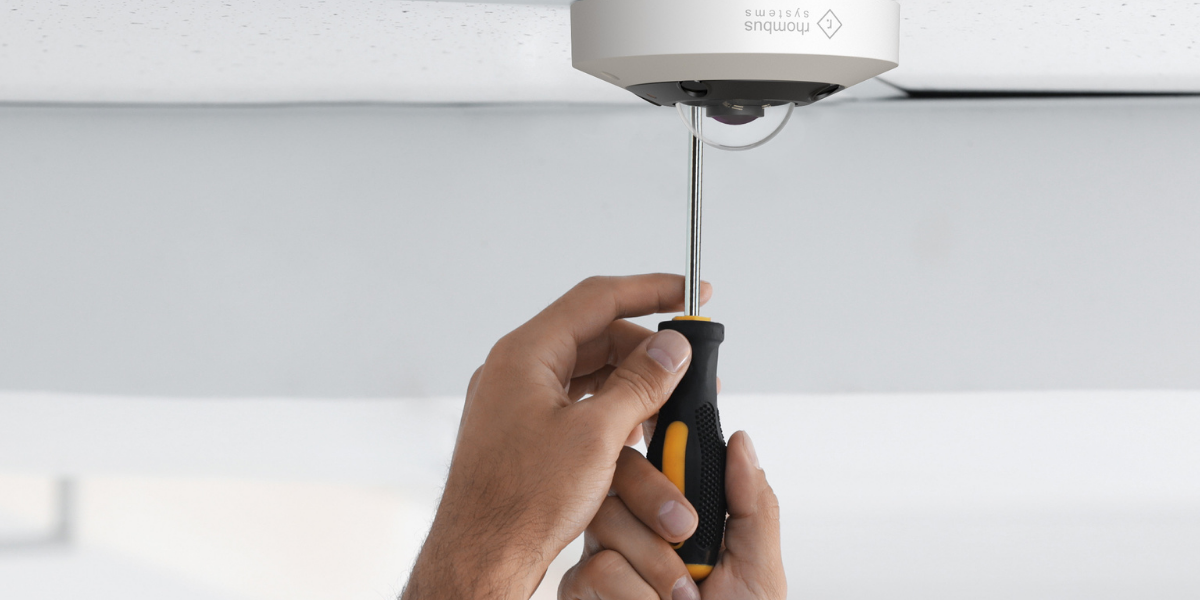
Two installation details lower cost and complexity across all five components. Power over Ethernet runs power and data to a reader or controller over one cable, which cuts wiring labor compared with separate electrical and data runs. ONVIF compatibility lets you fold existing cameras into a new platform instead of replacing them, which matters most when you are retrofitting a building that already has surveillance in place.
Credential Types: How Users Authenticate at the Door
The credential you choose sets the daily friction every employee feels and the speed at which you can cut off access when someone leaves. Each modality trades convenience, security, and cost differently, so match the choice to your risk profile rather than defaulting to whatever the installer stocks.
Key fobs and cards win on familiarity and lose on lifecycle cost. RFID fobs and badges are the most common credential in commercial buildings because they work with nearly any reader and cost little per unit. The hidden expense shows up with turnover. Every lost or unreturned card means reprogramming the system and issuing a replacement, and a cloned card can grant access until you notice the breach.
PIN codes and keypads eliminate the physical token entirely, which removes replacement costs but introduces sharing risk. A code costs nothing to issue and nothing to revoke through cloud-managed software. The weakness is that codes get written down, passed between staff, and observed by anyone standing nearby, so a keypad alone fits low-security interior doors better than a building perimeter.
Mobile credentials turn the smartphone employees already carry into the credential. This removes distribution logistics and reduces lost-token churn. Rhombus delivers mobile access through the Rhombus Key App on iOS and Android, with Wave to Unlock for touchless gesture entry and Remote Unlock for letting someone in from anywhere. Mobile credentials revoke instantly the moment you change a user’s permissions, and they pair naturally with the multi-factor checks built into the phone itself.
Biometrics offer the strongest assurance that the person at the door is who the credential claims, because a fingerprint or face cannot be lent out or left at home. The trade-off is higher hardware cost and stricter privacy handling. Rhombus supports facial recognition for credential-free entry through computer vision, which lets approved people pass without touching a reader or pulling out a phone.
Multi-factor authentication combines two of the methods above for doors that protect data centers, cash rooms, or regulated areas. Requiring a PIN plus a mobile credential, or a card plus a fingerprint, raises the cost and adds a step at the door, so reserve it for the small number of openings where a single compromised credential would cause real damage.
| Credential Type | Physical Token Required | Remote Revocation | Touchless | Best For |
|---|---|---|---|---|
| Key fob / card | Yes | Yes (reprogram on loss) | No | Common entry doors, budget-conscious sites |
| PIN / keypad | No | Yes (instant) | No | Low-risk interior doors |
| Mobile (Wave to Unlock) | No (phone-based) | Yes (instant) | Yes | Most commercial deployments |
| Biometric | No | Yes (instant) | Yes (facial) | High-assurance areas |
| Multi-factor (MFA) | Varies | Yes (instant) | Varies | Data centers, regulated zones |
Door Access Control System Types: Cloud, On-Premises, and Hybrid
Every door access control system fits one of three deployment models, and the difference comes down to where the controller logic lives and who carries the burden of keeping it secure. That choice shapes your maintenance costs and your outage behavior, and it affects how easily you add a second or fifth location. Sort out which model fits before you shortlist vendors, because switching architectures later usually means replacing hardware.
On-Premises Systems
On-premises systems store credentials and access rules on local servers inside your building, and your own IT staff manages them. You install the server, apply firmware patches, segment the network, and own every cybersecurity decision that follows. During an internet outage the doors keep working because the controller logic runs locally, but you lose remote visibility and can only make changes on-site. On-prem still fits single-site organizations with a capable IT team and a strict requirement to keep all data inside their own walls. The cost shows up as a large upfront purchase plus the ongoing salary time to maintain it.
Cloud Systems
Cloud-managed systems move credential storage, software updates, and cybersecurity to the vendor, and you manage doors through a browser or mobile app from anywhere. The vendor pushes firmware updates and security patches remotely, which extends hardware lifespan and removes the patching work from your team. The common worry is what happens when the connection drops. Well-designed cloud platforms answer that with edge processing. Rhombus runs decision logic at the door itself, so entries continue on their configured fail-safe or fail-secure schedule during an outage, then resync once the connection returns. Cloud fits organizations that want remote management and a low maintenance footprint, with cost spread as a predictable subscription rather than a server purchase.
Hybrid Systems
Hybrid systems keep controller logic and credential data on local hardware while adding a cloud layer for remote management and reporting. You get some of the offline independence of on-prem with partial remote access, but you still own server maintenance and the cybersecurity work that comes with running local infrastructure. Hybrid usually appears as a transition step for organizations migrating off legacy on-prem equipment they are not ready to retire. Because you carry two sets of responsibilities at once, hybrid raises rather than lowers your total maintenance load.
For multi-site and growing organizations, cloud-native systems remove the most maintenance work as you add locations. Adding a location, a new user, or a new door happens from the same dashboard without a server install or a forklift hardware upgrade, and the vendor absorbs the patching and infrastructure work that on-prem and hybrid leave on your team. Rhombus scales to unlimited doors and users from one console and keeps doors operational through both internet and power interruptions via edge processing. If you expect to expand beyond a single building, evaluate cloud-native first and treat on-prem as the exception that a specific data-residency rule forces on you.
7 Criteria to Evaluate Before You Buy
Two systems with identical hardware can deliver wildly different day-to-day experiences depending on how they handle management, integration, and security. The seven questions below help you separate a system you fight with from one you forget about. Ask each vendor directly, and treat vague answers as a signal.
Can I manage every door from anywhere, without visiting the site?
Remote management decides whether a lockout at 2 a.m. requires a drive across town or a tap on your phone. Ask whether you can grant credentials, revoke access, and trigger a lockdown from a mobile device, and whether those actions take effect instantly across all doors. Cloud-managed platforms like Rhombus handle this from one app, so an HR offboarding can cut someone’s badge the moment they leave.
Does the system run every location from one console?
A platform that forces a separate login per building does not scale. Ask whether you can see all sites, users, and doors from a single dashboard, and whether adding a new location means new servers or just new hardware on the same account. Rhombus scales to additional doors and users from one console without server upgrades, which matters most for organizations opening locations faster than they can hire IT staff.
Does access control share a dashboard with cameras?
Pairing a swipe with the video of who actually walked through shows what the access log alone cannot. Ask whether door events automatically link to synchronized camera footage, and whether you monitor both from one interface or two. Rhombus auto-correlates access events with camera footage and drops timeline markers, so investigating a badge-in takes seconds instead of cross-referencing two systems by timestamp.
How does the system handle visitors and deliveries?
Front-desk staff should not gate every guest manually. Ask whether the system issues time-limited credentials, such as a PIN or QR code, that expire after a single delivery, and whether tenants or hosts can unlock a door remotely for an expected visitor. A vendor that treats visitor management as an afterthought will push that workload back onto your team.
Will the audit trail hold up in an investigation?
Every access event should be logged with enough detail to reconstruct who entered, when, and where. Ask whether the system records every attempt, including failed ones, and whether it captures a photo or video clip at each entry. Detailed logs support both security investigations and compliance requirements in regulated industries, and a system that only logs successful entries leaves you blind to the attempts that matter most.
What is the vendor’s cybersecurity posture?
A connected access control system is an attack surface, so the vendor’s security practices become yours. Ask three specific things. Does the vendor hold a SOC 2 Type II audit, meaning an independent firm verified its security controls over a 12-month period. Is the hardware NDAA compliant, which restricts components from banned manufacturers and matters for government and contractor deployments. Is data encrypted both in transit and at rest. Rhombus completed a SOC 2 Type II audit and ships NDAA and TAA compliant hardware with no default passwords and continuous vulnerability scanning. A vendor that cannot answer these clearly is asking you to trust claims it has not verified.
How disruptive is installation?
Installation cost and timeline hinge on wiring and existing infrastructure. Ask whether the readers use Power over Ethernet, which carries data and power over one cable and cuts labor, and whether the system supports ONVIF so existing cameras can join the new platform instead of being replaced. Entry hardware alone runs $600 to $7,000 per door before installation, and installation itself ranges from a few hundred to several thousand dollars per door depending on the installer and the retrofit complexity. Get that estimate in writing, broken out per door, before you sign.
Cloud-Native vs. Legacy On-Premises: Side-by-Side Comparison
The architecture you choose changes how your team manages doors every day, not just how the system performs on installation day. Legacy on-premises platforms keep the decision logic and credential data on local servers your IT staff maintains. Cloud-native platforms move storage, updates, and security management to the vendor, so the same admin can manage one door or fifty from a browser. The table below maps where each model puts the work.
| Dimension | Cloud-Native | Legacy On-Premises |
|---|---|---|
| Software updates | Vendor-managed, pushed automatically | Manual, scheduled by IT staff |
| Remote access | Any internet-connected device | Often requires VPN or on-site presence |
| Multi-site management | Single dashboard across all locations | Separate servers or instances per site |
| Cybersecurity ownership | Vendor handles encryption, scanning, patching | Your team owns hardening and monitoring |
| Offline resilience | Edge processing keeps doors on schedule | Local server runs independent of internet |
| Scalability | Add doors and users without hardware swaps | New sites often need new server capacity |
| IT overhead | Minimal day-to-day maintenance | Dedicated server and patch management |
| Cost profile | Lower upfront, ongoing subscription | Higher upfront hardware, lower recurring fees |
On-premises systems give you direct control over your own servers, which appeals to organizations with strict data-residency rules and a staffed IT department. Cloud-native systems trade that control for lower maintenance and far simpler multi-site growth, which is why many expanding commercial buyers now start there. Rhombus runs cloud-native with local edge processing that keeps doors operating on their configured fail-safe or fail-secure schedules during an internet or power outage.
How Rhombus Unifies Door Access Control with Physical Security
Rhombus manages doors, cameras, sensors, alarms, and AI analytics from one dashboard, which removes the operational gap that forms when access control runs separately from video. Most legacy deployments force you to pull badge logs from one system and match them against camera footage in another, often by scrubbing timelines manually. Rhombus runs both on the same cloud-native platform, so an access event and the footage that captured it sit in the same place. You manage the entire stack from desktop or mobile without standing up an on-prem server or maintaining an NVR.
The AI features ship native, with no third-party bolt-ons or separate licensing tiers. Tailgating detection uses computer vision to count people per swipe, and an alert fires when the count exceeds the number of valid credentials presented. Anomaly detection flags after-hours badge attempts, repeated failed entries, and unusual movement sequences across zones. Touchless facial recognition lets approved users enter without a card or phone, using the same cameras already watching the door. Each of these depends on placement, lighting, and camera angle, so results vary by site.
Auto-correlated footage speeds up how you investigate an incident. When a badge swipes, Rhombus links the event to synchronized camera footage and drops a timeline marker automatically. Instead of guessing which camera saw the door at 2:14 a.m., you open the access log and watch the moment the credential was used. One Sr. IT Manager at an enterprise storage and warehousing company reported a 40% reduction in security incidents and a 30% decrease in time spent reviewing footage after deploying Rhombus, an outcome specific to that customer’s environment rather than a guaranteed result.
Rhombus clears IT and procurement reviews with documented compliance. Rhombus has completed a SOC 2 Type II audit, a 12-month independent assessment of its security controls, and the hardware is NDAA and TAA compliant, which clears it for federal and government-adjacent buyers. The platform ships with no default passwords, encrypts data in transit and at rest, isolates each customer’s data logically, and runs continuous vulnerability scanning with annual penetration testing. A 10-year hardware warranty covers the controllers, readers, and intercoms, which lowers the long-term replacement cost most on-prem systems leave open.
The single-platform model pays off most when you run several locations. You add doors and users from the same dashboard without buying server upgrades or stacking per-site licenses, and the platform keeps doors operating during a power or internet outage through local edge processing that follows your configured fail-safe or fail-secure schedule. A documented open API with 50-plus native integrations connects Rhombus to tools you already run, including Microsoft, Google, Slack, and Zapier, with SSO and LDAP support for identity management. For buyers replacing aging cameras alongside access hardware, Relay Core and Relay Lite migrate legacy cameras onto the platform without a full rip-and-replace.
This is Rhombus-authored content. Third-party trademarks belong to their respective owners.
Access Control Installation: What to Expect
Installation cost and timeline depend mostly on whether you run new cable or reuse what’s already in the walls. A new-construction project lets the installer pull wiring before drywall goes up, which keeps labor predictable. A retrofit costs more and takes longer because crews work around finished ceilings, existing door frames, and whatever wiring the previous system left behind.
Wireless locks and readers cut installation time on retrofits because they skip the cable run to each door. Wired Power over Ethernet (PoE) connections carry both power and data on a single cable, which simplifies the run when you do pull new wiring. Reusing existing PoE infrastructure or ONVIF-compatible cameras lowers your upfront spend, since the installer connects existing hardware rather than replacing it.
If you already run cameras from another vendor, ask whether your access platform can bring them into the same console. Rhombus migrates legacy cameras through Relay Core and Relay Lite, which let you keep working camera hardware while you move management to one dashboard. The Relay migration path matters most for multi-location buyers replacing a mix of older systems across sites.
Before you sign with any installer, confirm these five things in writing. Ask whether the quote covers door hardware, readers, controllers, credentials, and labor, or only some of those line items. Ask which doors get wired versus wireless and why. Ask whether the installer reuses your existing cabling and cameras or replaces them. Ask who owns firmware updates and ongoing software management after the install. Ask for the expected downtime per door during the cutover, so you can schedule around your busiest hours.
A clear answer to each question tells you whether the installer has scoped your building or handed you a template estimate.
Frequently Asked Questions
What’s the difference between cloud and on-premises access control?
Cloud access control stores credentials and management software with the vendor, so you administer doors from any browser without running local servers. On-premises systems keep that logic on hardware you own, which means your IT staff handles updates, backups, and cybersecurity. Cloud platforms like Rhombus push firmware updates remotely and add features without site visits, which lowers maintenance work as you add doors and locations.
How much does a door access control system cost?
Entry hardware for a single door runs roughly $600 to $7,000 depending on the controller, reader, and lock you select. Installation adds anywhere from a few hundred to several thousand dollars per door, driven by wired versus wireless work and how much existing cabling you can reuse. Rhombus publishes no per-door or per-user pricing and works through sales, since cost depends on door count, hardware mix, and deployment scope.
Can I manage multiple locations from one platform?
Yes, and you should confirm a vendor supports it before you buy, since many legacy systems require a separate server and login per site. Rhombus manages doors, cameras, sensors, and alarms across every location from one dashboard, and scales to additional doors and users without hardware upgrades. Single-platform management matters most for organizations that expect to add offices or facilities over time.
What happens if the internet goes down?
A well-designed cloud system keeps doors working during an outage by processing access decisions locally at the door. Rhombus uses edge processing so controllers continue enforcing your configured fail-safe or fail-secure schedules even when the connection drops or power is interrupted. You lose remote management and live monitoring during the outage, but credentialed users can still enter and the system resyncs once connectivity returns.
Do I need new cameras or can I use existing ones?
You can often reuse existing cameras, which avoids a full hardware replacement when you adopt a new platform. ONVIF compatibility lets many third-party cameras connect to a new system, and Rhombus migrates legacy cameras through Relay Core and Relay Lite. Pairing cameras with door access gives you visual confirmation of every entry from a single interface, so confirm camera support with any vendor before assuming you must start over.
Start Managing Every Door from One Platform
Most access control deployments leave you toggling between a door management tool, a separate camera system, and a third console for alerts. Rhombus replaces that split with one dashboard that runs doors, cameras, sensors, alarms, and AI analytics together, so an access event and the footage that explains it land side by side. You add doors and users without swapping hardware, and the platform keeps doors operational during outages through local edge processing.
See how a single platform handles your buildings, credentials, and video by requesting a Rhombus demo.
%20--%3e%3csvg%20version='1.1'%20id='Layer_1'%20xmlns='http://www.w3.org/2000/svg'%20xmlns:xlink='http://www.w3.org/1999/xlink'%20x='0px'%20y='0px'%20viewBox='0%200%20110%20110'%20style='enable-background:new%200%200%20110%20110;'%20xml:space='preserve'%3e%3cstyle%20type='text/css'%3e%20.st0{fill:url(%23SVGID_1_);}%20%3c/style%3e%3cg%3e%3clinearGradient%20id='SVGID_1_'%20gradientUnits='userSpaceOnUse'%20x1='25.325'%20y1='766.725'%20x2='84.725'%20y2='707.325'%20gradientTransform='matrix(1%200%200%201%200%20-682)'%3e%3cstop%20offset='0'%20style='stop-color:%23006F94'/%3e%3cstop%20offset='1'%20style='stop-color:%2300C1DE'/%3e%3c/linearGradient%3e%3cpath%20class='st0'%20d='M106.9,47.5L62.5,3.1c-4.1-4.1-10.9-4.1-15,0L3.1,47.5c-4.1,4.1-4.1,10.9,0,15l44.4,44.4%20c4.2,4.2,10.9,4.2,15.1,0L107,62.5C111,58.4,111,51.6,106.9,47.5z%20M55.5,71.2c-9.4,0.3-17-7.3-16.7-16.7C39.1,46,46,39.1,54.5,38.8%20c9.3-0.3,17,7.3,16.7,16.7C70.9,64,64,70.9,55.5,71.2z'/%3e%3c/g%3e%3c/svg%3e)
Related Articles