Back to blog home
Office Door Access Systems Guide
by Team Rhombus, on April 9th, 2026
Physical SecurityOverview
- A door access control system uses policy, identity, hardware, and software together to decide who opens which door and to log every entry attempt.
- Four hardware layers matter when you evaluate vendors. Readers capture a credential, controllers verify it, electrified locks act on the decision, and management software ties it all together.
- Cloud-native platforms beat on-premises systems for modern offices because they support remote management, push updates automatically, and scale across sites without local servers.
- Match credentials to each door zone. Mobile and DESFire smart cards suit high-traffic and high-security doors, while PINs fit low-risk interior rooms.
- The biggest decision factors are deployment model, cybersecurity certifications like SOC 2 and NDAA compliance, video integration, and a clear plan for multi-site growth.
What Door Access Control Systems Are (and How They Work)
A door access control system decides who can open which door, when, and under what conditions, then records every attempt. The National Institute of Standards and Technology frames these as physical access control systems, or PACS, built from four parts that work together. You set a policy that defines the rules. You attach identities to people through credentials. You install hardware at the door to read those credentials and lock or unlock it. You run software that ties the rules, identities, and hardware into one console. Take away any one layer, and the system stops being access control and becomes a lock you can’t audit.
The policy layer is where you write the rules in business terms. A policy might grant the engineering team access to the lab during work hours and deny everyone else. The identity layer connects a specific person to a specific credential, whether that’s a badge, a phone, or a PIN. The hardware layer covers the readers, controllers, and electrified locks that enforce the decision at the door. The software layer lets an administrator manage all of it remotely, push policy changes, and pull reports.
What separates a modern system from a mechanical lock is that every event becomes data. A traditional key tells you nothing about who used it or when. A door access control system logs each entry request, links it to a named identity, and stores the result so you can answer questions weeks later. That audit trail is the reason security directors and IT managers replace keys in the first place.
How an Entry Request Works, Step by Step
The workflow runs the same way at every door, whether someone taps a badge or holds up a phone. Understanding the sequence helps you spot where a system can fail and where speed actually comes from.
- Entry request. A person presents a credential at the reader, or triggers a request-to-exit sensor on the way out.
- Credential read. The reader captures the credential data and passes it to the controller. A secure reader encrypts this exchange so the credential can’t be cloned in transit.
- Controller verification. The controller checks the credential against the stored list of valid identities and the policy attached to that door and time.
- Authorization decision. The controller grants or denies access. On approval, it sends power to the electrified lock and the door releases. On denial, the door stays locked.
- Event logged. The system records the attempt with a timestamp, the credential used, the door, and the result. In a cloud-managed platform, that record appears in the console within seconds and stays available for audits and investigations.
The verification step is where the difference between system types shows up. In a cloud-managed setup, the controller holds a synced copy of the access rules locally, so the decision happens at the door in milliseconds even if the internet drops. The cloud handles management, reporting, and updates, while the controller handles the live decision. That split matters for the on-prem comparison later in this guide, because a common objection to cloud access control is that an internet outage locks people out. A well-designed cloud-native controller keeps enforcing policy offline and syncs the logs once the connection returns.
Once you understand the four layers and the five-step workflow, evaluating vendors becomes a matter of judging how well each one handles a known process. The rest of this guide breaks down the hardware, credentials, installation choices, and management decisions that determine which system fits your building.
The Four Hardware Layers Every System Needs
Every door access control system runs on four hardware layers, and understanding each one helps you spot weak vendors before you sign anything. The reader at the door, the controller behind the wall, the electrified lock on the frame, and the software you log into each handle a distinct job. A system that skimps on any one layer creates a failure point the other three can’t cover.
Readers
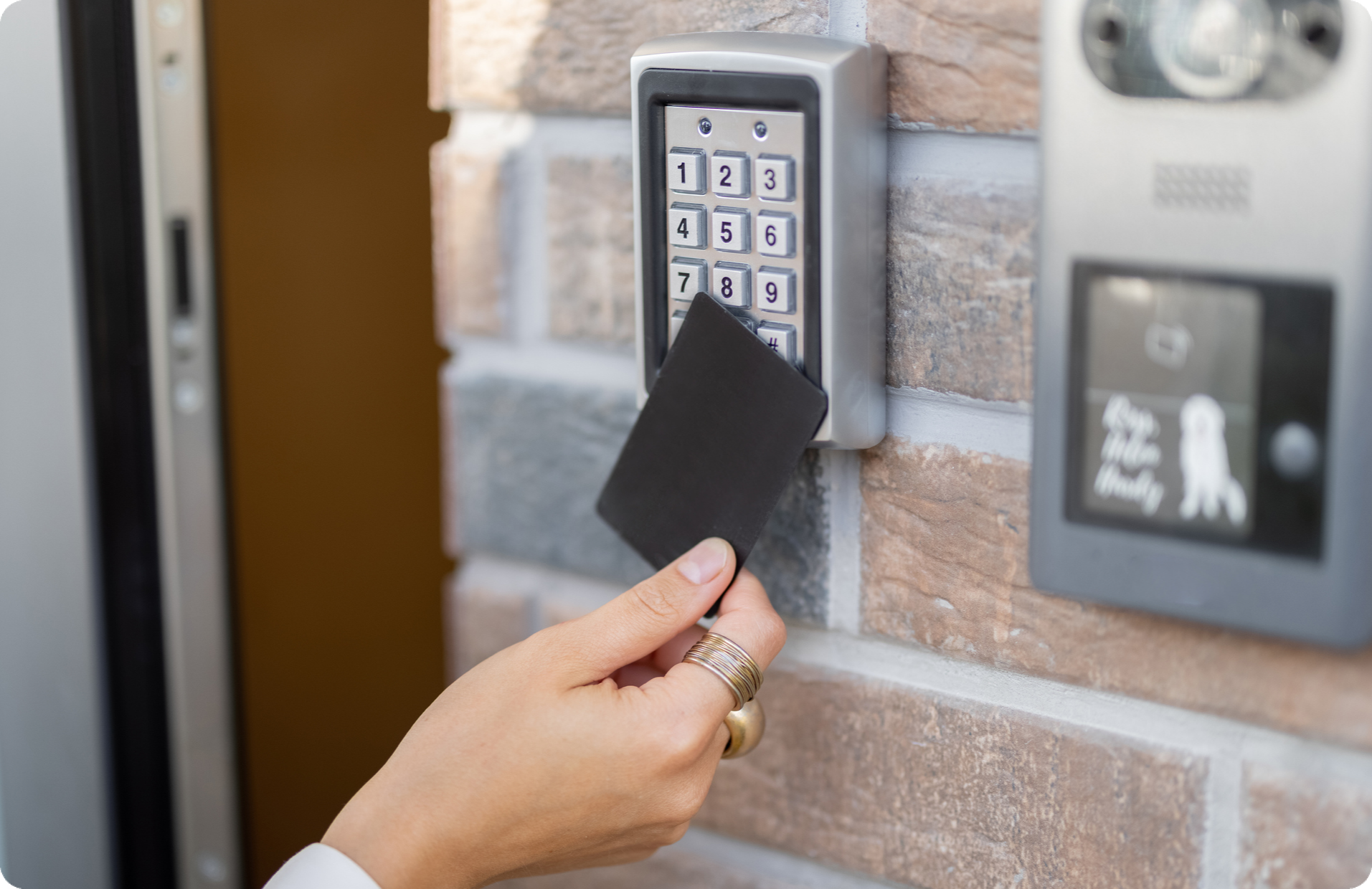
The reader is the device mounted next to the door that captures a credential and passes it upstream for a decision. Readers differ by the credential types they accept, the frequency they operate on, and the access methods they support. Rhombus door readers handle smart cards, mobile app credentials, wave-to-unlock gestures, proximity cards, and biometric inputs from a single hardware form factor, so you can match the access method to the door without swapping hardware. A reader that only handles 125 kHz proximity cards offers weaker security than one built for 13.56 MHz smart cards or mobile credentials, because older proximity cards are trivial to clone. When you evaluate readers, match their supported credential types to the security level each door actually needs, since a lobby reader and a server room reader have different requirements.
The controller is the brain that receives a credential from the reader, checks it against access rules, and decides whether to trigger the lock. Controllers live in a secure spot like a network closet, and a single controller usually manages several doors. The controller stores the access rules and the credential database, so it keeps making correct decisions even when the connection to the management software drops. How many doors a controller supports and how it behaves offline both shape your hardware count and your project cost, so confirm both during evaluation.
Electrified Locks
The electrified lock is the mechanism that physically holds a door shut or releases it when the controller authorizes entry. The most important property of any electrified lock is how it behaves when power fails, and that splits into two categories. A fail-safe lock unlocks when it loses power, which suits emergency exits and any door where life safety outranks security. A fail-secure lock stays locked when it loses power, which suits server rooms, storage areas, and exterior doors where you never want an outage to leave a door open. Choose the fail state per door based on whether a power loss should favor escape or favor security, because the wrong choice creates either a safety hazard or a breach.
Management Software
The management software is the console where you set access rules, issue and revoke credentials, build schedules, and review entry events. The software ties the other three layers into a system you can actually run, and its quality decides how much daily work the system demands. A cloud-managed console lets you grant or cut access from anywhere and pushes updates without an on-site server, while legacy on-premises software ties you to a local machine and manual patching. Rhombus runs door access control from a single cloud console that also manages cameras and sensors, so the software layer covers more than doors alone.
These four layers depend on each other, and a gap in one undermines the rest. A strong reader feeding a controller that fails open during an outage still leaves a door exposed, and excellent software can’t compensate for a lock with the wrong fail state. Evaluate vendors on all four layers together rather than on a headline feature, because the weakest layer sets the security of the whole system.
Door Types and the Right System for Each
Different doors in your building carry different risk, traffic, and code requirements, so you should match hardware and policy to each context rather than treating every opening the same. Walk your floor plan and group your doors into the categories below before you spec a single reader.
Perimeter gates and parking entrances control vehicle and pedestrian access at the property line. Long-range readers, license plate recognition, and weather-rated hardware handle outdoor exposure, and intercoms let staff verify visitors before they reach the building. Wireless or cellular connectivity often makes more sense here than running conduit across a parking lot.
Main lobby entrances see the heaviest traffic and the widest mix of people, so throughput and visitor handling matter most. Pair a fast reader with a video intercom and a check-in workflow so reception can admit guests without buzzing them through blind. Mobile credentials and badge readers cover employees while keeping the door from becoming a bottleneck at 9 a.m.
Interior office doors separate departments and tenant suites inside the building. Standard 13.56 MHz readers and mobile credentials work well, and role-based permissions let you grant a marketing badge access to the marketing floor without opening finance. These doors rarely need the heavy hardware that perimeter and high-security openings demand.
Amenity and common areas like gyms, bike rooms, and shared kitchens benefit from schedule-based access more than tight verification. Set unlock windows that match operating hours, and use the same credential employees already carry so you avoid issuing one-off fobs. Audit logs on these doors also help resolve disputes over who used a shared space.
High-security rooms such as labs, cash-handling areas, and executive suites justify stronger verification. Layer two factors, like a badge plus a PIN, and consider anti-passback rules that prevent one credential from admitting two people on a single read. DESFire-encrypted credentials resist cloning far better than older formats, which matters when the door protects regulated or high-value assets.
Server rooms and IT closets demand the tightest controls because a breach there exposes your whole network. Require multi-factor entry, log every event, and tie access changes to your identity provider so a deprovisioned employee loses physical and digital access at the same time. Environmental sensors on these doors also catch temperature or water problems before they take down equipment.
Elevators restrict floor access in multi-tenant or multi-floor buildings. A reader in the cab or call panel ties a credential to specific floors, so a visitor badge reaches the lobby and the floor they signed in for but nothing else. Coordinate this work with your elevator vendor early, since their controller and your access platform have to communicate cleanly.
Emergency exits answer to life-safety code first and access policy second. Most jurisdictions require these doors to release on a fire alarm and allow free egress at all times, so fail-safe locks that unlock on power loss are typically the right choice. Add door-position sensors and alarms to catch propped or forced exits without ever impeding someone trying to leave.
Mapping your doors this way before you talk to vendors prevents the most common spec error, which is buying one reader and lock type for the entire building. A unified platform helps here because you can apply the right policy to each door zone from a single console while still seeing every event, across every door type, in one place.
Credential Types: Matching the Right Format to Each Use Case
The credential is the thing a person presents at the door, and the right format depends on the security level, traffic volume, and convenience each door demands. Most offices end up running two or three credential types across different zones rather than standardizing on one. Pick each type for the door it serves, not for the building as a whole.
A PIN code works for low-traffic interior doors where you want basic control without issuing physical credentials. Keypad entry costs almost nothing to provision and revoke, which makes it useful for storage rooms or shared back offices. The tradeoff is that codes get shared and rarely change, so a PIN tells you which code opened the door but not which person used it. Treat it as the weakest tier, and avoid it on any door where you need a real audit trail.
RFID cards and fobs cover the bulk of everyday office access, but the chip frequency inside them decides how secure they actually are. Older 125 kHz proximity cards, often called Prox, transmit a fixed number with no encryption, and an attacker can clone one with a cheap reader in seconds. Cards built on the 13.56 kHz standard support encryption and mutual authentication, which raises the bar considerably. Within that band, DESFire EV2 and EV3 cards use AES encryption and rolling keys that make cloning impractical for most threat models. If you are speccing new badges, choose DESFire and skip 125 kHz entirely. The main tradeoff with cards is logistics, since you have to print, distribute, and replace physical credentials that employees lose.
Mobile credentials turn the phone into the badge, and they fit modern offices better than plastic for most interior and main-entrance doors. Employees already carry their phones, so you cut the cost and waste of printing cards, and you provision or revoke access instantly from a console without meeting the person in the lobby. Phones support Bluetooth and NFC, which lets you tune read range per door, and the credential lives in a secure element that resists cloning. The tradeoff is dependence on a charged phone and a one-time enrollment step, so most teams keep a small stock of backup badges for visitors and dead batteries.
A video intercom belongs at any door where someone needs to verify a person before letting them in, which usually means the main lobby, a delivery entrance, or a perimeter gate. Combining a camera, two-way audio, and a release control at one fixture lets a remote receptionist or admin see and speak to a visitor, then unlock the door from anywhere. For unstaffed lobbies and after-hours deliveries, intercoms replace a physical front desk without leaving the entrance unmonitored. The tradeoff is hardware cost and the need for a person available to answer, so reserve intercoms for the handful of doors where live verification actually matters.
Biometric credentials, such as a fingerprint or hand reader, suit high-security doors where you cannot tolerate a shared or stolen credential. Tying entry to a physical trait removes the borrow-the-badge problem entirely, which is why server rooms, labs, and cash-handling areas use them. The tradeoffs are real, though. Biometric readers cost more, slow down throughput at busy doors, and raise privacy and data-handling questions that your legal and IT teams need to answer before deployment. Use biometrics as a second factor on your most sensitive doors rather than as the default for the whole building.
The practical pattern most offices land on layers credentials by zone. Mobile credentials or DESFire cards handle the main entrance and general interior doors, PINs cover low-stakes storage and utility rooms, intercoms guard the lobby and delivery points, and biometrics protect the few rooms that hold sensitive data or assets. A platform that manages every credential type from one console matters here, because issuing a mobile credential for the front door and a biometric enrollment for the server room from the same system is what keeps a layered scheme manageable. Rhombus access control supports mobile, card, and PIN credentials in a single console, so you can match each door to the right format without stitching together separate systems.
Installation Considerations: Wired, Wireless, and Power
Installation drives more project surprises than any other phase, and the two decisions that decide your timeline and budget are wiring and power. Most cost overruns trace back to a door that needed more electrical work than the floor plan suggested, or a power supply that couldn’t hold the load once every reader and lock came online.
Wired vs. Wireless
Wired locks remain the default for any door that protects sensitive areas or sees constant traffic, because a hardwired connection delivers continuous power and a stable data path back to the controller. You pay for that reliability in labor. Running cable through finished walls, ceilings, and door frames is the single largest line item in most retrofits, and older buildings with concrete or brick make it worse.
Wireless locks solve the retrofit problem by skipping the cable run entirely. They communicate over an encrypted radio link and run on batteries, which makes them practical for interior office doors, storage closets, and amenity spaces where pulling new wire would cost more than the lock is worth. The tradeoff is maintenance. Batteries drain and need replacement on a schedule, and a door that loses signal or power behaves differently than a wired one, so reserve wireless for lower-risk doors and keep your perimeter and high-security openings wired.
A practical retrofit usually mixes both. Wire the main entrance, server room, and any door with a compliance requirement. Use wireless for the long tail of interior doors where the cost of cable can’t be justified.
Power Requirements
Power planning fails when buyers count readers and locks but forget that an electrified lock draws far more current than a credential reader. Each strike or maglock has an inrush draw at the moment it actuates, and a panel sized only for steady-state load will brown out when several doors release at once. Calculate the total amperage your readers, controllers, and locks pull, then size the supply to that number with margin.
Power over Ethernet, which delivers both data and power through a single network cable, simplifies wiring for readers and IP-based controllers and removes the need for a separate electrical run to each device. PoE has limits. High-draw maglocks and clusters of doors often exceed what a single PoE budget can supply, so larger installations still need dedicated low-voltage power supplies on their own circuits. Confirm the draw of every locking device against your PoE switch’s per-port and total power budget before you assume one cable covers it.
Build a 20% capacity buffer into every power supply. Sizing a panel to exactly match today’s load leaves no headroom for the doors you add next year and no margin for the inrush spikes that occur when multiple locks fire together. The buffer costs little at install and prevents a full power supply replacement when you expand.
Plan backup power for the doors that must keep working during an outage. A battery backup or uninterruptible power supply on the access control panel keeps controllers and locks functioning long enough to maintain security or execute a safe failure mode. For sites that need access during extended outages, a generator feeding the panel circuit is the only option that lasts beyond battery runtime. Decide which doors warrant backup before you spec the supply, because covering every door is rarely necessary.
Door Hardware Prep
The door itself is often the overlooked variable. An electrified lock needs a frame and door that can accept the strike, the maglock bracket, or the mortise cut, and old doors frequently need modification or replacement to fit modern hardware. Door position sensors and request-to-exit devices add their own mounting and wiring needs. Inspect every opening on your list before the install date and budget for the carpentry, because a door that can’t physically accept the hardware stalls the entire deployment.
Cloud-Native vs. On-Premises Access Control
Cloud-native access control wins for most modern offices because it removes the on-site server, the manual update cycle, and the per-site IT visit that legacy on-premises systems still require. An on-premises system stores its software and user database on a server in your building, which means every change to permissions, schedules, or firmware happens through hardware you maintain yourself. A cloud-native system runs its management layer in the provider’s data center, so you administer doors from a browser and the provider handles updates, backups, and security patching.
The split matters most on the dimensions that shape day-to-day operations. The table below maps the practical differences.
| Dimension | Cloud-Native | On-Premises |
|---|---|---|
| Remote management | Full control from any browser, no VPN or on-site server | Requires VPN, local network access, or a physical visit |
| Scalability | Add doors and sites from the same console | New servers and licensing per site as you grow |
| Maintenance burden | Provider handles updates, patches, and backups | Your team patches servers and manages backups |
| Cybersecurity posture | Centralized patching, encryption, and SOC 2 oversight | Depends on how well your team hardens each server |
| Multi-site support | One dashboard spans every location | Separate systems or complex networking per site |
| Cost structure | Lower upfront, predictable subscription | Higher upfront hardware, variable ongoing service |
The cybersecurity comparison deserves a closer look, because legacy vendors often frame on-premises as the safer choice. An on-premises server is only as secure as the team patching it, and unpatched access control servers are a known target for attackers who want a foothold inside a building network. A cloud-native provider patches centrally and carries certifications like SOC 2, which means your security posture does not depend on whether someone remembered to update a server in a closet.
The internet-dependence objection is the other point worth addressing directly. A well-designed cloud-native system keeps the door controllers and their access decisions running locally, so doors continue to grant and deny entry even when the internet connection drops. The cloud manages policy, logging, and remote control. The hardware enforces access at the door. You lose the dashboard during an outage, not the locks.
One distinction trips up buyers during evaluation. A true cloud-native platform was designed to run from the cloud, with no on-site management server in the architecture at all. A cloud-optional or hybrid system still ships with a local server and adds a cloud dashboard on top, which means you inherit the on-premises maintenance burden while paying for a cloud layer you only partly use. When a vendor describes itself as both cloud and on-premises, ask whether you still have to maintain a server. If the answer is yes, you are buying a legacy system with a remote login, not a cloud-native one.
Feature Evaluation Checklist for Office Access Control
Bring this checklist to every vendor conversation and ask the salesperson to confirm each item against their current product, not their roadmap. A capable platform answers yes to all of these without caveats. The gaps you find tell you more than the demo does.
Remote management. You should be able to lock, unlock, grant access, and pull reports from a browser or phone without a VPN or on-site server. Confirm that admins can respond to a door event from anywhere, because hybrid offices rarely have IT staff sitting next to the controller.
Video integration. Each access event should link to camera footage of the door at the moment it happened, so a badge swipe and the person who made it appear together. Ask whether the access and video data live in one console or require you to cross-reference two separate systems by timestamp.
Multi-site scalability. Adding a new building or door should not mean buying a new server or rebuilding policies from scratch. Confirm that you can manage every location from a single tenant and push a standard access policy to all of them at once.
Role-based access control. Permissions should map to roles and groups, not individual doors assigned one person at a time. A new hire in the sales group should inherit the right doors automatically, and a departure should revoke them in one action.
Visitor management. Pre-registration, self-check-in, and time-bounded guest credentials belong in the same system, not a separate kiosk app. Ask whether contractor and visitor access expires automatically and whether every check-in lands in the same audit trail as employee events.
Real-time alerts. The system should notify the right person when a door is forced, held open too long, or accessed outside its schedule. Confirm that alerts are configurable by door and by event type, because a forced server-room door deserves a different response than a propped break-room door.
Audit trails. Every credential read, grant, denial, and admin change should be logged with a timestamp and an identity, and the records should be exportable for compliance review. Ask how long events are retained and whether you can filter by user, door, and time without paying for an add-on.
Cybersecurity certifications. Look for SOC 2 Type II for the platform’s security controls, NDAA Section 889 compliance so the hardware is free of banned components, and TAA compliance for procurement eligibility. SOC 2 is the System and Organization Controls audit, NDAA is the National Defense Authorization Act provision that bars certain Chinese-made surveillance gear, and TAA is the Trade Agreements Act. Ask for the current report and certification status in writing.
Encryption and authentication. Credentials and event data should be encrypted in transit and at rest, and admin logins should support single sign-on and multi-factor authentication. Confirm the reader uses an encrypted high-frequency credential like DESFire rather than a clonable 125 kHz card.
Open API and integrations. A documented open API and a library of pre-built integrations let access control connect to your identity provider, HR system, and existing cameras. Rhombus integrates natively with Azure Active Directory for identity sync, ASSA ABLOY Aperio wireless lock devices, Envoy for visitor workflows, and emergency notification platforms including InformaCast, Omnilert, Visitor Aware, and Raptor Alert. Ask for the full list of integrations and confirm the ones you depend on are live today, not on a roadmap.
Offline behavior. The system should keep enforcing access rules at the door if the internet drops, then sync events once the connection returns. Confirm how locks behave during an outage and whether you can set fail-safe or fail-secure per door, since a stairwell exit and a data closet need opposite defaults.
A vendor that checks every box still deserves a reference call. Ask an existing customer of similar size how the platform held up during a power outage, a multi-site rollout, and a security audit.
Common Mistakes When Deploying Office Access Control
Most deployment failures trace back to skipping a door-zone risk assessment before anyone touches hardware. You decide what each opening protects, who needs to pass through it, and how a breach there would hurt the business. Without that map, you end up applying the same security level to a supply closet and a server room, which either overspends on low-risk doors or underprotects the openings that actually matter.
Mismatched credential security levels create a quieter problem that auditors catch later. A facility might deploy modern mobile credentials at the lobby, then leave 125 kHz proximity cards on interior doors that anyone can clone with a cheap reader. The weakest credential on a high-value door sets your real security level, so matching credential strength to door sensitivity matters more than the brand of reader you choose. Reserve encrypted formats like DESFire EV3 or verified mobile credentials for sensitive zones.
Undersized power infrastructure stalls more installations than any software issue. Electrified locks, readers, and controllers each draw current, and a power supply sized exactly to the calculated load leaves no room for added doors or voltage drop across long cable runs. Add at least a 20 percent capacity buffer when you spec the power supply, and put backup power on the doors that must keep working during an outage. A controller that browns out under peak load fails in ways that are hard to diagnose after the walls are closed.
Ignoring offline and fail-state behavior turns a power outage into a safety or security incident. Every electrified lock falls back to either fail-safe (unlocks when power is lost) or fail-secure (stays locked), and the right choice depends on the door. Emergency exits and stairwells need fail-safe to meet life-safety codes, while a server room or pharmacy storage room usually needs fail-secure. Decide the fail state per door during the risk assessment, not at the moment a circuit trips.
Overlooking video integration leaves you with access logs you cannot verify. An entry event tells you a credential was used, but it does not tell you who held it. When access control and cameras live in separate systems, an investigator has to manually match timestamps across two consoles to confirm whether a badge holder was the actual person at the door. Pairing each access event with synchronized camera footage in one console turns a forced-door alert into evidence you can act on immediately.
No scalability plan locks you into a system that fits today and breaks at the next office. Buyers often pick a controller and license model that handles their current door count, then discover that adding a second site means standing up parallel hardware and a separate admin interface. Ask how the platform handles a tenfold increase in doors, a new building in another city, and delegated administration by location before you sign. A cloud-managed platform that pushes one policy set across every site avoids the rebuild that a per-site appliance forces on you two years in.
Run this pre-mortem against your own floor plan before any vendor quote. Each mistake here generates support tickets, change orders, and rework that cost far more than getting the assessment right the first time.
Managing Access Across Multiple Sites and Hybrid Workplaces
A single office runs on a handful of doors and one administrator who knows everyone. A company with eight locations and a hybrid workforce runs on a different problem entirely, because every policy, schedule, and credential change now has to propagate consistently across sites that no single person walks through each day. Legacy on-premise systems force you to log into each site’s controller separately, which is how access policies drift out of sync and former employees keep badge access at a branch nobody remembered to update.
A cloud-managed platform solves the drift by pushing standardized policy from one console to every location at once. You define an access group like “Sales” or “After-Hours Facilities” once, set its door permissions and schedules, and apply it across all sites. When you tighten a rule, say restricting server room entry to IT only, the change reaches every location’s doors immediately rather than waiting for someone to repeat the edit eight times. That consistency is what keeps a distributed deployment auditable.
Delegated administration by site keeps the model practical as you grow. A regional facilities manager in Austin needs to grant a contractor temporary access to the Austin office without touching the Chicago configuration. Role-based admin scopes each person’s control to the sites and door groups they own, so local managers handle day-to-day requests while corporate security retains a complete view across the portfolio. You avoid both the bottleneck of routing every request through one team and the chaos of giving everyone keys to everything.
Hybrid work makes remote provisioning and deprovisioning the daily workload rather than an occasional task. People start, change roles, and leave constantly, and many never visit a physical office to pick up a badge. With cloud access control, you provision a mobile credential to a new hire’s phone before their first day and revoke it the moment HR flags a departure, from anywhere, without dispatching anyone to a door. When access ties to your identity provider through single sign-on, deprovisioning an employee account closes their building access in the same step, which removes the lag that leaves credentials live after someone is gone.
Time-based schedules carry the same load across a distributed footprint. You set a satellite office to unlock during local business hours and lock automatically afterward, account for holidays, and adjust for time zones from the central console. Temporary, time-bounded permissions handle the cases that break rigid systems, like a vendor who needs loading-dock access for three days or a contractor working a single weekend. The credential expires on schedule without anyone remembering to turn it off.
The practical test for a multi-site platform is whether one administrator can manage access for the entire organization from a single screen with the same confidence they would have standing at one door. Standardized policy push, scoped delegation, identity-linked provisioning, and centralized schedules are what make that possible, and they are the requirements that separate a system built for one office from one built for a growing company.
Visitor Management and Temporary Access
Visitor access deserves the same design attention you give employee credentials, because most security gaps at the front desk come from improvised workarounds rather than weak hardware. A paper sign-in sheet tells you nothing about who actually walked through the door, and a borrowed badge erases any record of the real visitor. A structured visitor workflow turns every guest, contractor, and interview candidate into a logged, time-bounded entry you can audit later.
Pre-registration starts the workflow before anyone arrives. A host enters the visitor’s name and visit window ahead of time, and the system generates a credential scoped to that window. When the guest shows up, self-check-in at a lobby kiosk confirms their identity and issues a temporary mobile pass or prints a badge without pulling a receptionist away from other work. Rhombus Guest handles this flow and ties each check-in to the same event timeline as your cameras and doors.
Time-bounded credentials are what separate visitor access from permanent access. A contractor working a three-day install gets a credential that unlocks only the doors they need and expires automatically when the job ends. You never have to remember to revoke it, and you avoid the common failure where a temporary badge keeps working for months. Scoping credentials to specific doors and hours also limits what a lost or shared pass can reach.
Contractor access raises the stakes because outside workers often need recurring entry to sensitive areas like server rooms or mechanical spaces. Assign each contractor an individual credential rather than a shared one, restrict it to the zones their work requires, and set it to recur only on scheduled days. That approach keeps a cleaning crew out of a data closet and gives you a clean record of which technician entered which room.
Audit trail completeness is where visitor management earns its place in compliance programs. Regulations and insurance requirements increasingly ask you to prove who entered a facility, when, and under whose authorization. A system that links each visitor event to a host, a credential, a timestamp, and nearby camera footage answers those questions in seconds instead of forcing a manual reconstruction. When access events sit in the same console as your video, an investigator can move from a logged entry to the matching clip without exporting files between systems.
Treating visitor access as a core requirement changes how you evaluate platforms. Ask whether a vendor supports pre-registration, self-check-in, and expiring credentials natively, or whether those features live in a bolt-on product with its own separate log. A unified record is what makes the audit trail trustworthy.
Cybersecurity Requirements for Door Access Control
A door access control system is a networked application that sits on your corporate network, which makes it part of your attack surface alongside servers and endpoints. Treat the readers, controllers, and management console with the same security standards you apply to any other connected infrastructure. A credential database that authenticates entry to your offices deserves the same encryption and identity controls as the systems holding your financial records.
Start with how administrators sign in. A cloud-managed platform should support single sign-on (SSO) through your existing identity provider and require multi-factor authentication (MFA) for anyone managing access policies. SSO removes orphaned local accounts that linger after an admin leaves, and MFA stops a stolen password from becoming a master key to every door. When access management runs through the same identity provider as your other applications, deprovisioning a departing employee revokes their physical and digital access in one step.
Encryption protects credential data in two states. End-to-end encryption secures the connection between readers, controllers, and the cloud console so an attacker on the network cannot intercept badge reads or forge an unlock command. Mobile credentials should rely on encrypted communication between the phone and the reader rather than the cloneable 125 kHz signals that older proximity cards still broadcast. Encrypted credential formats like DESFire raise the cost of duplication well beyond what a casual attacker will attempt.
Offline behavior decides what happens when a controller loses its connection to the cloud, and you need to choose the fail state deliberately for each door. A fail-safe lock releases on power loss, which suits emergency exits and any door governed by life-safety code. A fail-secure lock stays locked when power drops, which fits server rooms, records storage, and other high-value spaces where a power cut should never grant entry. Good controllers cache credentials and access schedules locally, so doors keep enforcing the right policy even during an internet outage.
Compliance certifications give you a verifiable basis for trusting a vendor’s security claims rather than taking them at their word. SOC 2 attestation means an independent auditor reviewed the provider’s controls for security and availability. NDAA compliance, named for the National Defense Authorization Act, confirms the hardware avoids banned components from specific foreign manufacturers, and TAA compliance under the Trade Agreements Act matters for federal and many enterprise procurement requirements. Ask any vendor for current documentation on all three before you commit, and confirm the certifications cover the specific hardware models you plan to deploy.
Rhombus publishes its security practices and certifications, including its SOC 2 posture and NDAA-compliant hardware, on its trust and compliance resources. Reviewing that documentation early in your evaluation lets your IT and security teams confirm the platform meets your standards before installation, rather than discovering a gap after the hardware is on the wall.
What a Unified Cloud Access Control Platform Looks Like
Most access control problems come from running physical security and IT on separate systems that never talk to each other. A unified cloud platform puts door access, cameras, environmental sensors, and analytics in one console, so a badge swipe and the video of that moment live in the same record. Rhombus built its access control on that model rather than bolting a cloud layer onto legacy controllers.
The practical payoff shows up in investigations. When a door opens after hours, you want to see who used the credential and what happened at that door without exporting clips from one tool and access logs from another. Rhombus links each access event to the camera covering that entrance automatically, so the verification step takes seconds instead of an afternoon of cross-referencing timestamps.
That same unification lets AI analytics act on access data instead of treating it as an isolated log. The platform can flag a credential used at two distant sites within minutes, surface tailgating at a secured door, or alert you when a door held open exceeds a threshold. These detections work because the access events and the video feed share one timeline and one data model, which a stitched-together system can’t replicate without custom middleware.
For IT teams, a cloud-native design removes the on-site burden that legacy systems carry. You manage every door across every location from a browser, push policy changes once, and receive firmware and software updates without scheduling a technician visit. Identity management connects to your existing single sign-on provider, so deprovisioning an employee in your directory revokes their building access at the same time.
The platform also extends through open API integrations to the tools you already run. Rhombus connects to Azure Active Directory for automated provisioning, ASSA ABLOY Aperio wireless hardware for flexible lock deployments, Envoy for visitor check-in workflows, and emergency notification systems including InformaCast, Omnilert, Visitor Aware, and Raptor Alert. That breadth matters because no single vendor covers every requirement, and a closed system forces you to either accept its limits or maintain parallel tools.
What separates this from a hybrid setup is where the intelligence lives. A cloud-optional system still depends on local controllers for the logic, and the cloud serves mostly as a remote dashboard. A cloud-native platform processes events, applies policy, and stores records in a way that gives every site the same capabilities and the same view, whether you manage three doors or three hundred. For an organization growing across locations, that consistency is the difference between a security program you can scale and a collection of independent systems you have to babysit one building at a time.
Cloud-Native vs. Legacy On-Premises: Side-by-Side Comparison
This table summarizes how cloud-native and legacy on-premises access control differ across the decisions that drive total cost and day-to-day workload. Use it as a quick reference when you compare vendors or brief stakeholders internally.
| Dimension | Cloud-Native | Legacy On-Premises |
|---|---|---|
| Deployment model | Controllers connect to a hosted platform, no local servers to run | On-site servers and dedicated software, maintained by your team |
| Remote management | Full administration from any browser, including lock, unlock, and credential changes | Limited or VPN-dependent access, often requires on-site presence |
| Software updates | Pushed automatically by the vendor, no scheduled downtime | Manual installs and patches, frequently deferred or skipped |
| Multi-site support | Sites managed from one console with shared policies | Each location runs its own server, with separate logins and configs |
| Upfront cost | Lower, since no server hardware or local infrastructure is required | Higher, driven by servers, licensing, and dedicated electrical work |
| Ongoing maintenance | Handled by the vendor as part of the subscription | Falls on your IT staff for backups, patches, and hardware repair |
| Cybersecurity posture | Encryption, SSO, MFA, and vendor-managed patching by default | Depends on local patch discipline, often lags on critical fixes |
| Video and sensor integration | Native, with access events linked to camera footage in one platform | Bolt-on or third-party, with separate systems to reconcile |
| Scalability | Add doors and sites in the console without new server capacity | Constrained by server limits, controller counts, and added licenses |
The clearest divide shows up in maintenance and multi-site work. On-premises systems push patching, backups, and server upkeep onto your IT team, and each new location adds another server to manage. Cloud-native platforms move that burden to the vendor, so you provision a new door or site from the same console you already use.
Watch for hybrid systems marketed as cloud-optional. They run a local server and add a remote portal on top, which means you still own the hardware, the patching, and the per-site administration. A cloud-native platform like Rhombus has no local server to maintain, so the remote management is the system rather than a layer added to it.
Frequently Asked Questions
What is a door access control system? A door access control system is the combination of policy, identity, hardware, and software that decides who can open a given door and records each entry. Rhombus delivers all four layers through a cloud-managed console that ties readers, controllers, and electrified locks to a single set of access rules. You set permissions once, and the system enforces them at every door while logging each event for audit.
Is cloud or on-premises access control better for a small office? Cloud access control fits most small offices better because you avoid running and patching an on-site server. Rhombus manages updates, backups, and remote administration from the cloud, so a small team can add doors or revoke a credential from a browser without IT overhead. On-premises systems still suit organizations with strict isolation requirements, but they carry a heavier maintenance burden.
How do mobile credentials work? Mobile credentials store an encrypted access token on a phone, which the reader verifies over Bluetooth or NFC when the user approaches the door. Rhombus issues and revokes mobile credentials from the same console you use for badges, so onboarding a new hire or removing access takes seconds. Phones reduce the cost and waste of physical cards and let you deprovision a lost device instantly.
What is the difference between fail-safe and fail-secure locks? A fail-safe lock unlocks when it loses power, and a fail-secure lock stays locked when power is cut. You choose fail-safe for doors on emergency egress paths where people must exit during a power loss, and fail-secure for server rooms or storage where security must hold regardless. Rhombus lets you configure offline behavior per door so each lock matches its safety and security role.
What does NDAA compliance mean for access control hardware? NDAA compliance means the hardware does not contain components from manufacturers banned under the National Defense Authorization Act, a requirement for many government and regulated buyers. Rhombus access control hardware is built to meet NDAA and TAA standards, so you can deploy it in environments with federal supply-chain rules. Verifying this before purchase prevents costly hardware swaps later.
How does access control integrate with security cameras? Access control integrates with cameras by linking each door event to the video clip captured at that moment, so you can see who actually used a credential. Rhombus unifies access and cameras in one console, which means a badge-in at a server room door pulls up the matching footage without switching systems. That pairing turns a log entry into verifiable evidence during an investigation.
How do I start a door access control deployment? Start by auditing your floor plan to classify each door by risk and traffic, then map credential types and lock behavior to those zones. Rhombus works with you to spec readers, controllers, and locks, and the cloud console lets you stage permissions before hardware goes live. Requesting a demo is the fastest way to see your specific doors modeled in the platform.
Conclusion
The best office access control system is the one that gives you a single place to manage every door, credential, and security event across all your locations. When you evaluate vendors, weigh remote management, multi-site scalability, cybersecurity certifications, and how cleanly access events tie back to your cameras and sensors. A cloud-native platform answers those criteria because it pushes updates automatically, lets you provision and revoke access from anywhere, and unifies physical security with the IT controls your team already runs. Rhombus brings door access control, cameras, sensors, and AI analytics into one console, so you investigate an incident with badge data and video side by side instead of stitching together separate systems. That unified view shortens response time and removes the maintenance burden that legacy on-prem hardware piles onto your team.
Ready to see how a unified platform handles your floor plan and your security requirements? Request a demo and walk through your specific door zones with our team.
%20--%3e%3csvg%20version='1.1'%20id='Layer_1'%20xmlns='http://www.w3.org/2000/svg'%20xmlns:xlink='http://www.w3.org/1999/xlink'%20x='0px'%20y='0px'%20viewBox='0%200%20110%20110'%20style='enable-background:new%200%200%20110%20110;'%20xml:space='preserve'%3e%3cstyle%20type='text/css'%3e%20.st0{fill:url(%23SVGID_1_);}%20%3c/style%3e%3cg%3e%3clinearGradient%20id='SVGID_1_'%20gradientUnits='userSpaceOnUse'%20x1='25.325'%20y1='766.725'%20x2='84.725'%20y2='707.325'%20gradientTransform='matrix(1%200%200%201%200%20-682)'%3e%3cstop%20offset='0'%20style='stop-color:%23006F94'/%3e%3cstop%20offset='1'%20style='stop-color:%2300C1DE'/%3e%3c/linearGradient%3e%3cpath%20class='st0'%20d='M106.9,47.5L62.5,3.1c-4.1-4.1-10.9-4.1-15,0L3.1,47.5c-4.1,4.1-4.1,10.9,0,15l44.4,44.4%20c4.2,4.2,10.9,4.2,15.1,0L107,62.5C111,58.4,111,51.6,106.9,47.5z%20M55.5,71.2c-9.4,0.3-17-7.3-16.7-16.7C39.1,46,46,39.1,54.5,38.8%20c9.3-0.3,17,7.3,16.7,16.7C70.9,64,64,70.9,55.5,71.2z'/%3e%3c/g%3e%3c/svg%3e)
Related Articles