Back to blog home
Introducing our improved Alarm Pad for iPad
by Team Rhombus, on June 11th, 2026
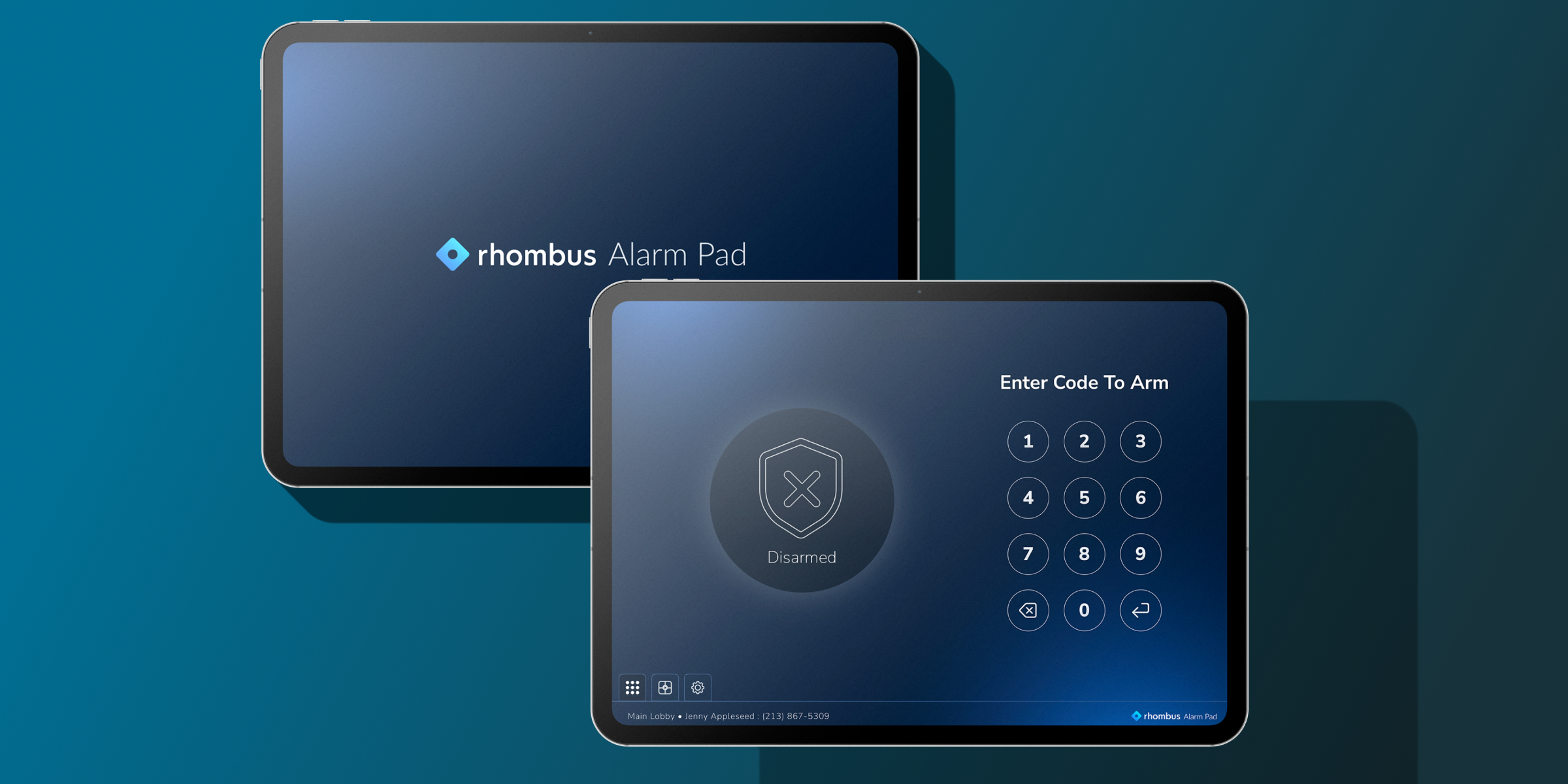
Product UpdatesAlarm management does not always need dedicated new hardware. For many teams, the better fit is a familiar device that can be deployed quickly, placed where it is needed, and connected to the broader Rhombus workflow. Today, we’re introducing Alarm Pad for iPad, a new app that brings core alarm management to iPad while complementing the recently launched TS10 Alarm Pad. Alarm Pad is available on the Apple App Store and is free to download.
Turn an iPad into an alarm console
Alarm Pad gives authorized users a simple way to arm and disarm spaces from one touchscreen interface. It also brings monitored cameras and the location map into the same experience, so teams can respond from a single screen instead of switching between tools.
See what’s happening faster
When an alarm triggers, context matters. With Alarm Pad, users can view monitored cameras directly in the app to understand what is happening at a site and make more informed decisions in the moment.
Added location context
Alarm Pad also gives users access to the location map from within the same interface. That added visibility helps teams understand where activity is happening across a facility and move more quickly when a response is needed.
Deploy more flexibly
One of the main advantages of Alarm Pad is deployment flexibility. The app supports both portrait and landscape orientation, and it gives organizations a way to repurpose compatible iPads instead of requiring dedicated alarm hardware for every location.
Alarm Pad or TS10?
Which should you use? It depends on the deployment.
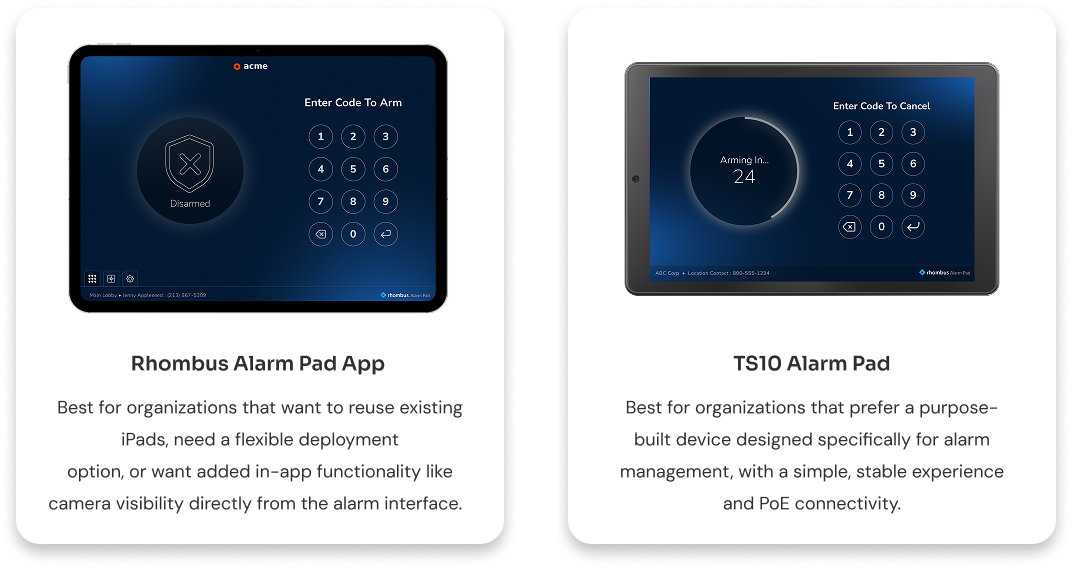
Alarm Pad is ideal for organizations that want to reuse existing iPads, need a flexible option where wall-mounting is not practical, or want added in-app functionality like camera visibility and map access. TS10 is the better fit when you want a purpose-built alarm interface with a simple, stable experience and PoE-powered connectivity. That “choice between running our iPad app on your own hardware or using a dedicated solution” is the same optionality Rhombus highlighted when it introduced the TS10 earlier this year.
A note for existing users
The new app is called Alarm Pad. Support for the legacy Rhombus Alarm Pad app is being discontinued, although there are currently no firm plans to officially sunset it.
Get started with Alarm Pad
Alarm Pad extends the Rhombus alarm experience to iPad, giving teams a flexible new way to manage alarm activity onsite while staying connected to the broader Rhombus platform. Download Alarm Pad from the App Store or request a demo to learn more about Rhombus Alarm Monitoring.
%20--%3e%3csvg%20version='1.1'%20id='Layer_1'%20xmlns='http://www.w3.org/2000/svg'%20xmlns:xlink='http://www.w3.org/1999/xlink'%20x='0px'%20y='0px'%20viewBox='0%200%20110%20110'%20style='enable-background:new%200%200%20110%20110;'%20xml:space='preserve'%3e%3cstyle%20type='text/css'%3e%20.st0{fill:url(%23SVGID_1_);}%20%3c/style%3e%3cg%3e%3clinearGradient%20id='SVGID_1_'%20gradientUnits='userSpaceOnUse'%20x1='25.325'%20y1='766.725'%20x2='84.725'%20y2='707.325'%20gradientTransform='matrix(1%200%200%201%200%20-682)'%3e%3cstop%20offset='0'%20style='stop-color:%23006F94'/%3e%3cstop%20offset='1'%20style='stop-color:%2300C1DE'/%3e%3c/linearGradient%3e%3cpath%20class='st0'%20d='M106.9,47.5L62.5,3.1c-4.1-4.1-10.9-4.1-15,0L3.1,47.5c-4.1,4.1-4.1,10.9,0,15l44.4,44.4%20c4.2,4.2,10.9,4.2,15.1,0L107,62.5C111,58.4,111,51.6,106.9,47.5z%20M55.5,71.2c-9.4,0.3-17-7.3-16.7-16.7C39.1,46,46,39.1,54.5,38.8%20c9.3-0.3,17,7.3,16.7,16.7C70.9,64,64,70.9,55.5,71.2z'/%3e%3c/g%3e%3c/svg%3e)
Related Articles